


Review Summary
Expert Rating
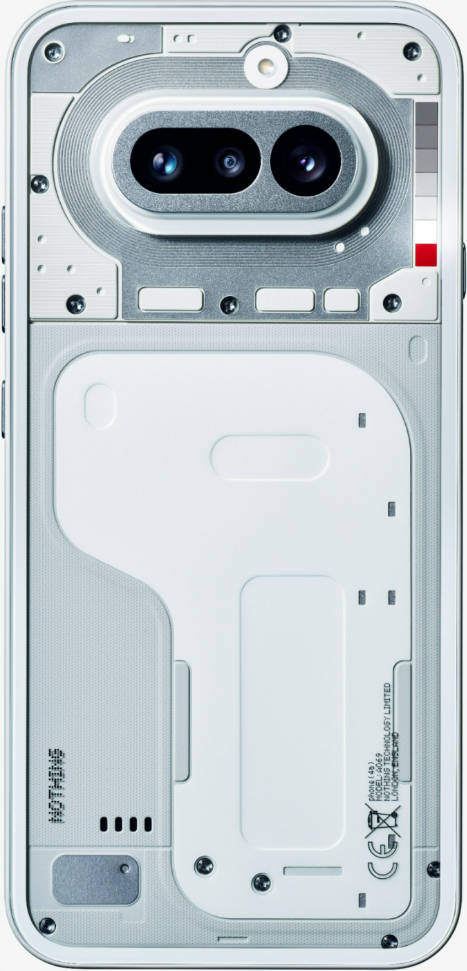
Nothing may have paused its flagship for this year, but not the commercially popular Phone (a) series. The OEM has introduced Nothing Phone (4a) and Phone (4a) Pro, succeeding the Phone (3a) series from last year. I’ve gotten my hands on the Nothing Phone (4a), which comes with a few changes from its predecessor – the most notable is the price. Due to component shortages, something that other manufacturers are also dealing with, the smartphone is roughly 22 percent costlier than the Phone (3a) (review).
It has pushed the price of the Nothing Phone (4a) in India, starting at Rs 31,999. To justify that pricing, the brand has introduced a new Glyph Bar design, the latest Snapdragon 7s Gen 4 SoC, a periscope-style camera setup, improved brightness levels, and more. Are these upgrades enough to make it the most promising smartphone in its segment? Where does it truly stand out? We answer these questions and more in this Nothing Phone (4a) review. Read on.
Table of Contents
Verdict
The Nothing Phone (4a) stands out with its distinctive design, clean software experience, capable performance, and genuinely useful telephoto camera. The newly-introduced Glyph Bar can be subjective, and the cameras may lean more towards realism than detail and dynamic range. Moreover, the handset may leave power users wanting more.
Flamboyant design
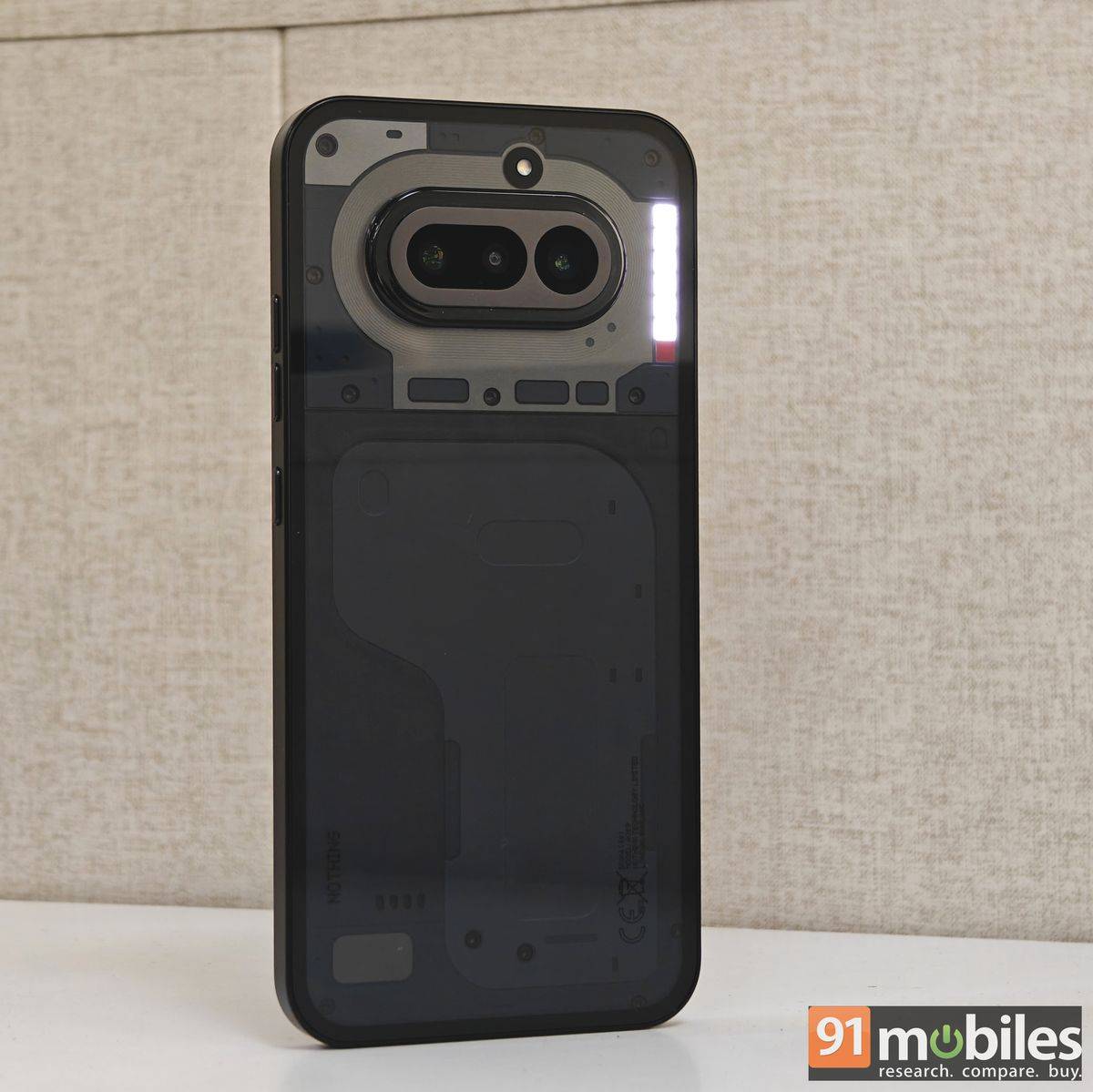
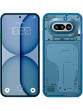
The Phone (4a) carries Nothing’s signature flamboyance while ensuring the design doesn’t look repetitive. The transparent back panel of the device exposes the device’s industrial design, which has been redesigned to look more minimalistic. Furthermore, the pill-shaped camera module may look similar to the Phone (3a), but Nothing has reworked the surrounding area, introducing an oval, coil-shaped plate in place of the Glyph Lights, which have been swapped for the new Glyph Bar. More about the bar in the separate section.
For now, the Nothing Phone (4a) sits perfectly flat on a surface, allowing you to continue using it without picking it up. It’s particularly convenient when you need to quickly draft and send a short message. The phone comes with a plastic frame, sandwiched between glass layers, pushing its weight to 204.5 grams. This makes the device slightly heavier, not ideal for prolonged use, but the flat edges ensure you get a good grip on it.
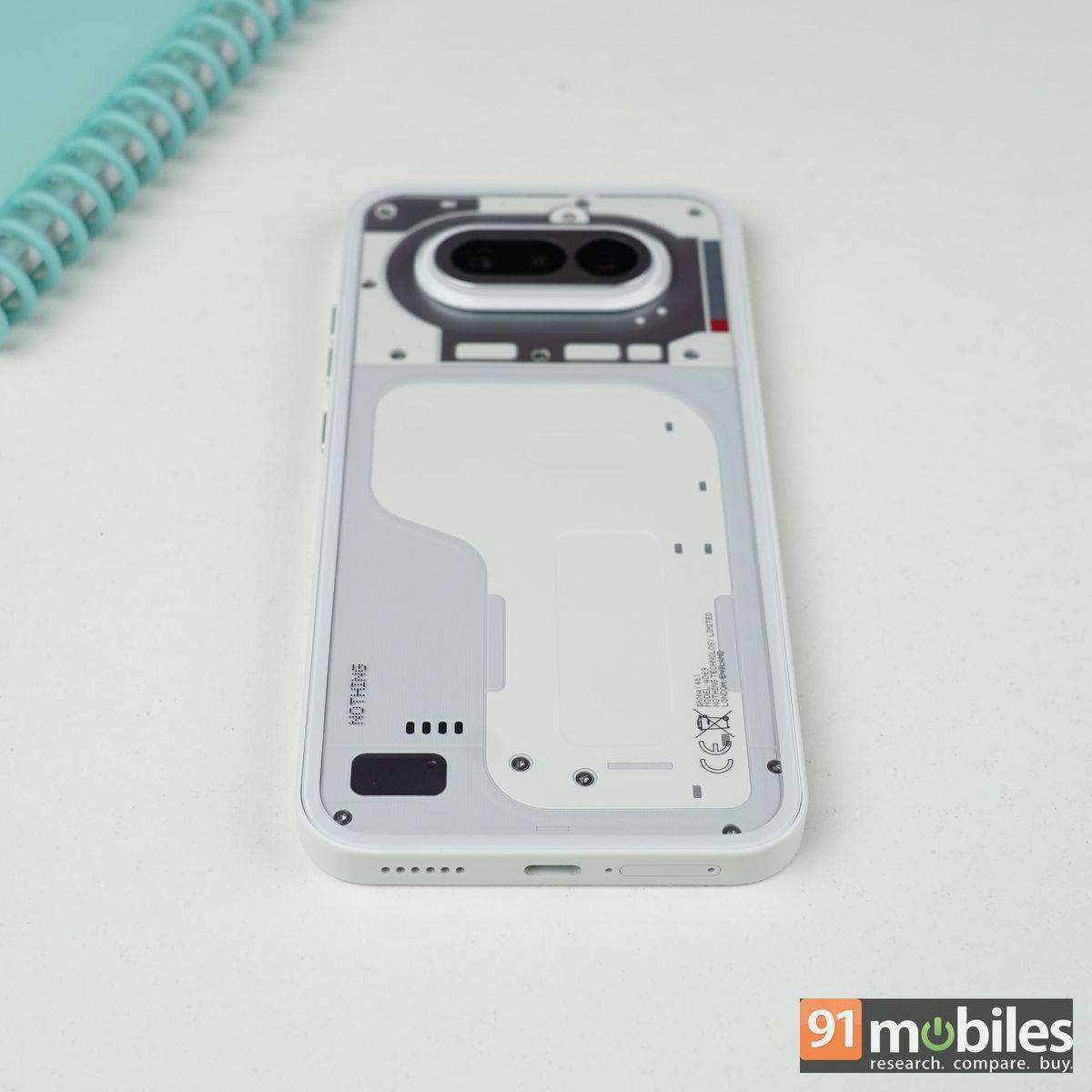
Furthermore, the edges have a matte finish, which can ward off fingerprints and smudges, but the same cannot be said for the back panel. I wish the OEM had gone with a different material, preferably non-glossy, especially on the black colour variant, to keep that pristine look. A protective, transparent case is included in the box, helping prevent smudges and adding a layer of durability. That said, it’s a fairly basic cover, which, while functional, slightly diminishes the premium in-hand feel that the phone otherwise delivers.
A case with a slightly better finish and an opening for the Glyph Bar would have been appreciated. I hope Nothing takes note of it and introduces one as part of the Nothing Phone (4a) accessory down the line.
That said, I really admire the Pink variant of the Nothing Phone (4a). Although our review unit wasn’t in this shade, I did get a chance to see it up close, and it genuinely looks impressive in person. It’s not a loud, attention-grabbing pink; rather, it’s a soft, understated tone that lends the device a refined and calming character. For those who prefer more conventional finishes, the handset is also available in Black, White, and Blue colourways.
Ports, buttons, durability, and more
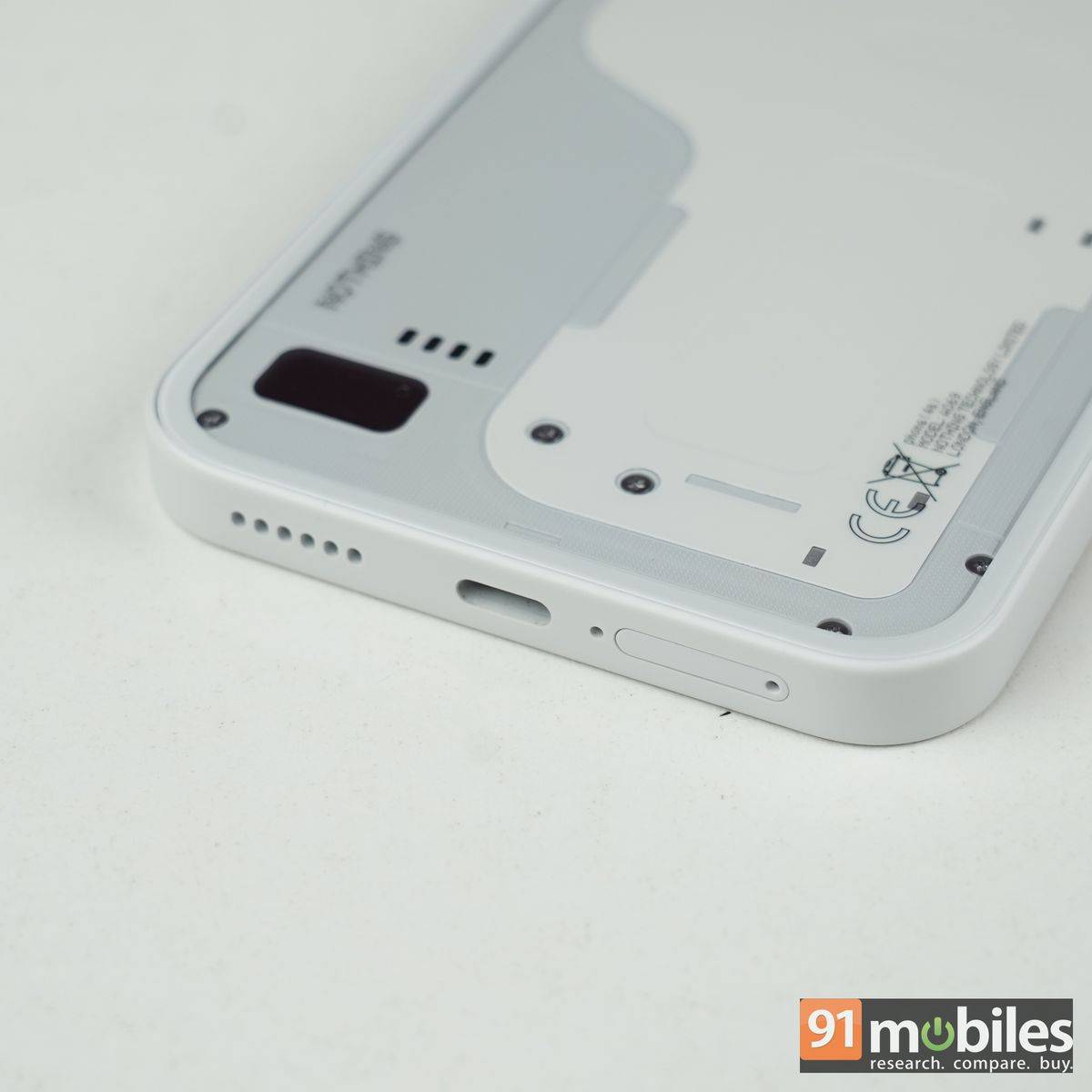
The handset carries an IP68 rating for dust and water resistance, a USB Type-C port for charging and data transfer, and aluminium buttons for volume, power, and the Essential Space shortcut, which add a reassuringly solid feel. Nothing has also reworked the button layout. The power button and volume rocker now sit on the right spine, while the Essential Key has been positioned separately, making it easier to distinguish. In daily use, however, the placement feels less than ideal.
The Nothing Phone (4a) isn’t exactly compact, and the Essential Key sits slightly too high to be reached comfortably in one-handed use. I often had to adjust my grip to access it or use my other hand. As a result, jumping into Essential Space to store memories, screenshots, notes, and more didn’t feel as intuitive as it did on the Nothing Phone (3a), where the key was placed more naturally within thumb’s reach on the right side.
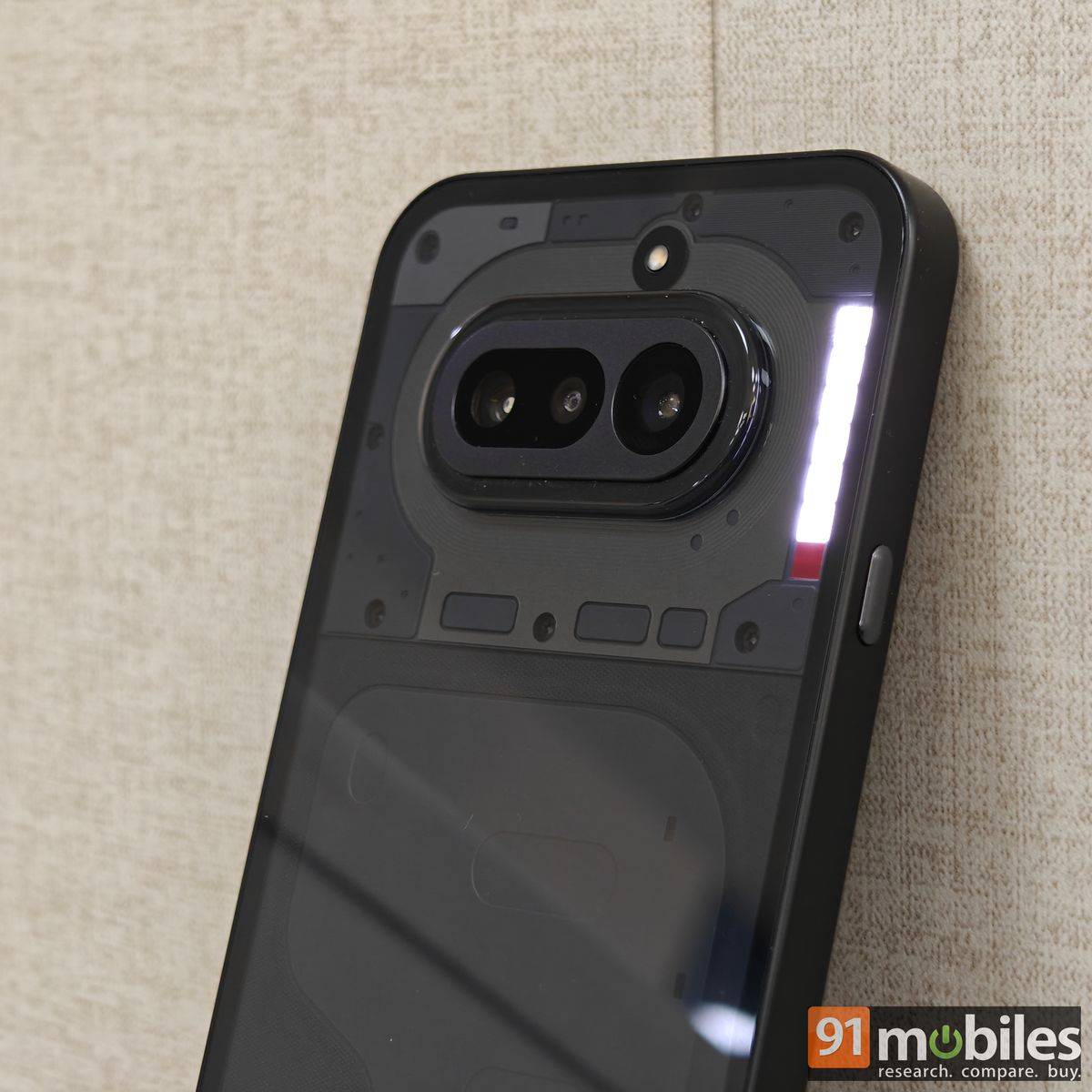
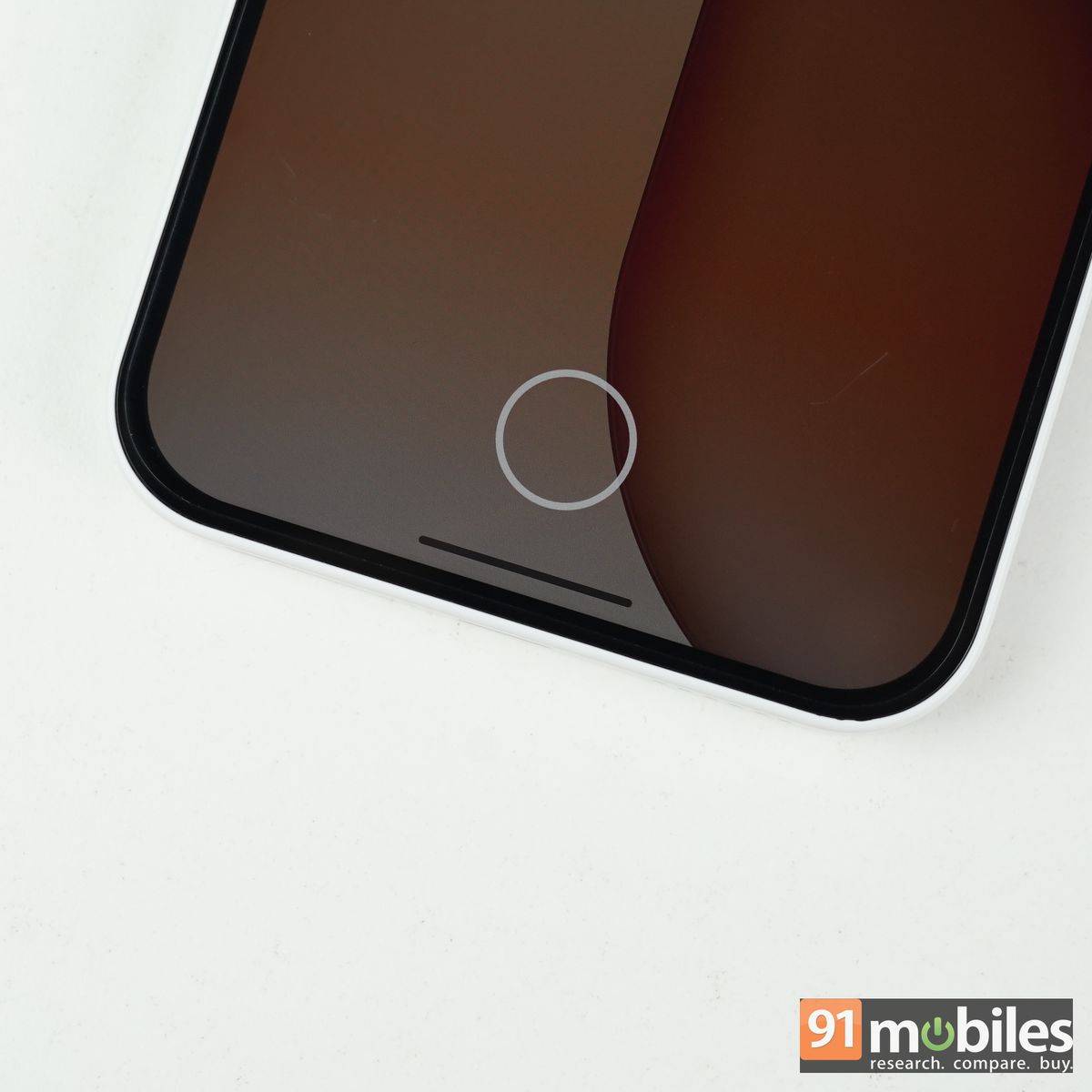
I wish there were an option to customise this button for other commands. The phone also lacks NFC for digital payments, which is a bummer. For security, there is an in-display fingerprint scanner that is reliably accurate; however, its placement at the bottom edge of the screen makes it difficult to reach. I was happy to resort to face unlock for easy, quick access to the device.
Glyph Bar
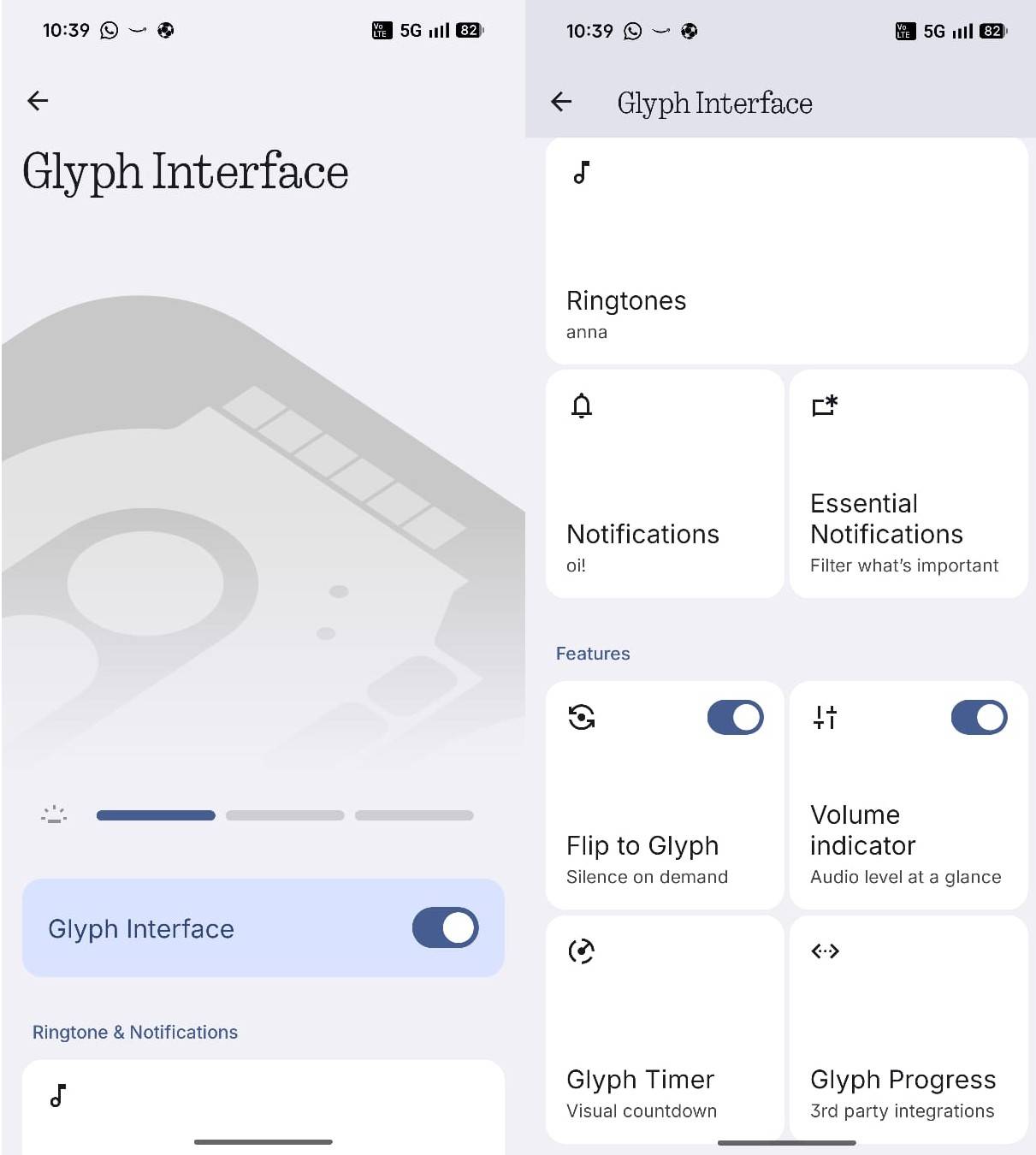
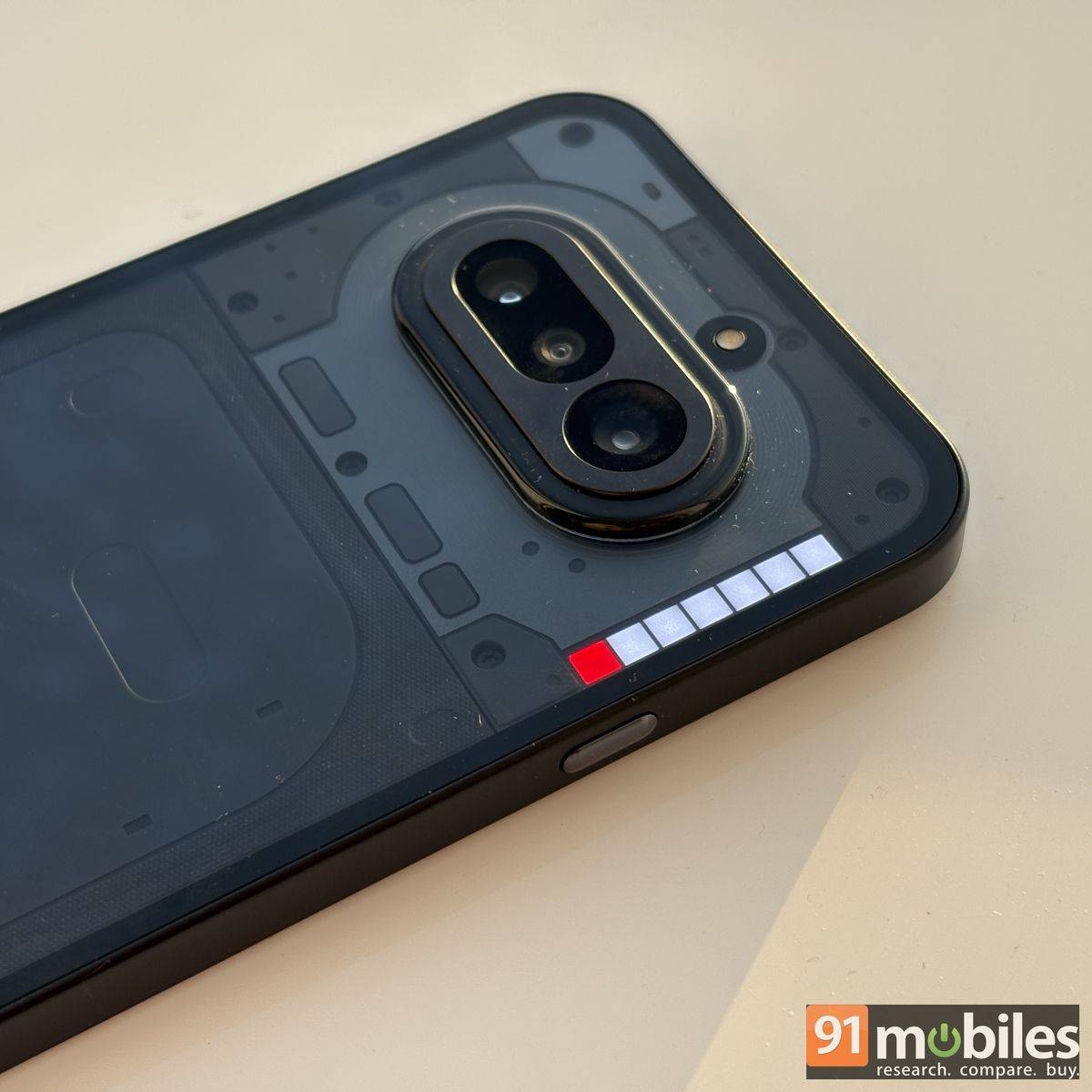
The Nothing Phone (4a) introduces a new Glyph Bar featuring 63 tiny LEDs, divided into seven small boxes stacked vertically. While Nothing retains its signature white lights for six out of seven boxes, it adds a functional red light for the first time on a Phone (a) series smartphone. The red light is not synced with the rest of the boxes and is limited to video and Essential Space voice recordings. There is an option to turn the light off within the camera app for video recording.
The remaining LEDs can be used for visual cues for Essential Space, ringtone alerts, notifications, volume indication, timers, progress tracking, and silent mode. These functions are largely similar to what we’ve seen on previous Nothing Phone (a) models. The Glyph Bar behaves much like the earlier Glyph Lights, with individual LEDs creating a flowing pattern and even pulsing in sync with ringtones. Users can also adjust the brightness to suit their preference and turn the Bar off entirely.
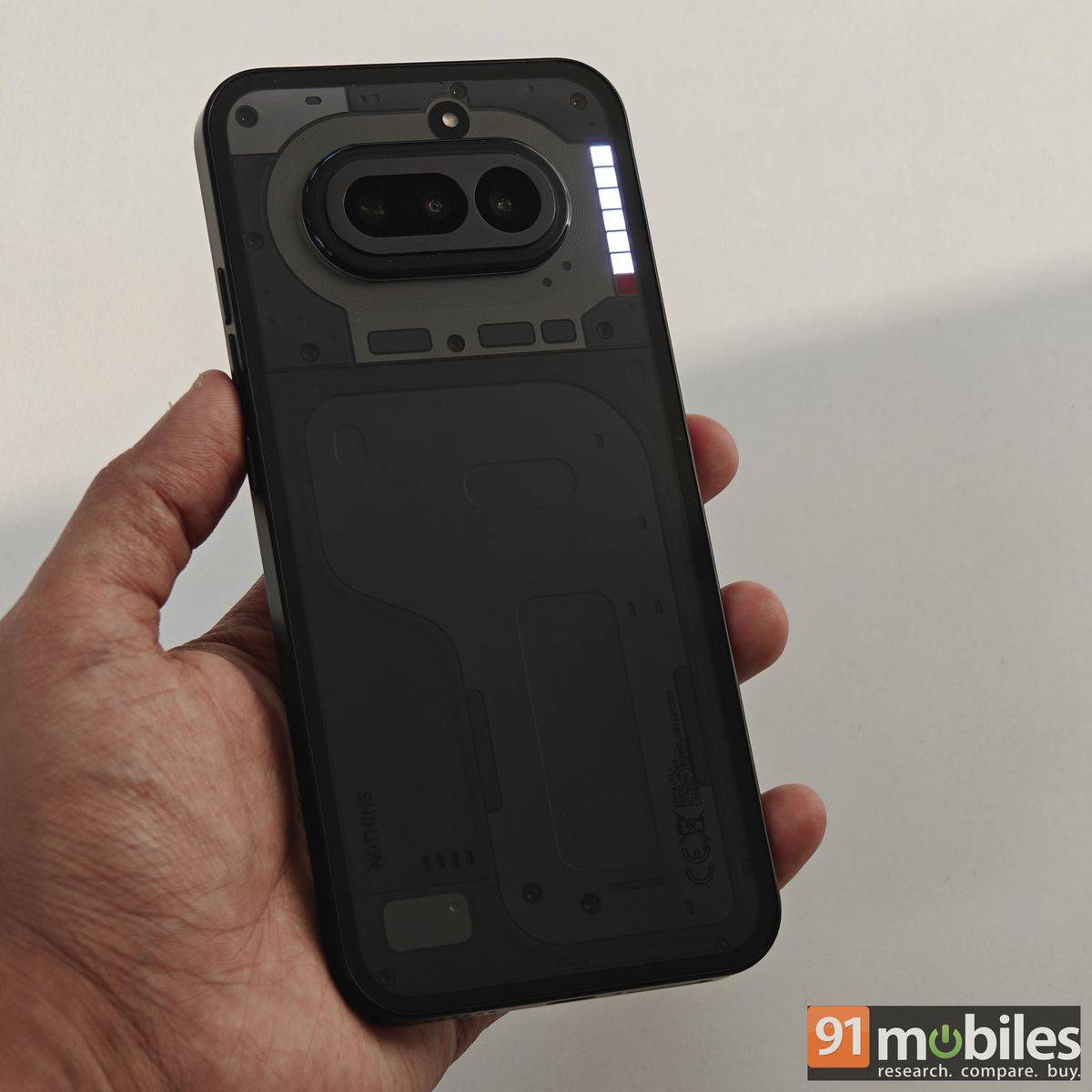
However, personally, I find the original Glyph Light system more engaging. It felt more dynamic and had the added advantage of doubling as a soft fill light for the cameras in low-light situations. By comparison, the Glyph Bar feels a touch restrained. It handles the basics well, but it could have gone further, perhaps with more advanced charging animations or deeper music visualisation options that respond to any audio playing on the device, rather than just ringtones. This seems doable with a software update if and when Nothing decides to roll one out.
Punchy screen backed by decent speakers
The Nothing Phone (4a) sports a 6.78-inch AMOLED display with 4,500 nits peak brightness, 100 percent DCI-P3 gamut, 120Hz refresh rate, and HDR 10+ support. It’s a flat display with relatively chunky bezels, which seems fine for a mid-ranger. The bezels don’t come between the viewer and the viewing experience, which remains identical to its predecessor, the Phone (3a). The only thing that has improved here is the brightness, ensuring easy legibility outdoors under direct sunlight.
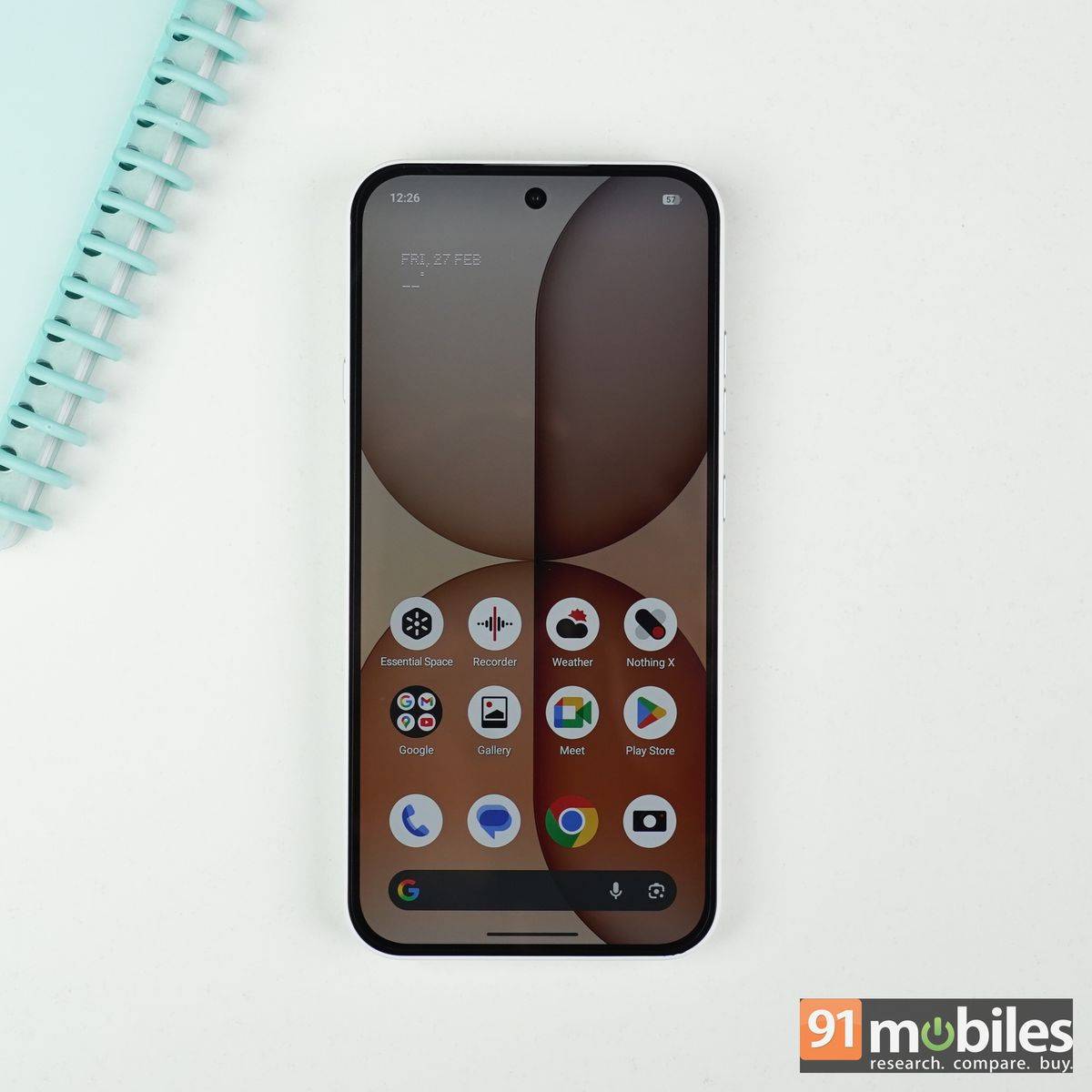
The display comes with ‘Alive’ profile by default, which boosts colour in a tasteful manner to make them more punchy and vibrant. There is a ‘Standard’ profile as well, which keeps the colours close to natural and can be enabled within the ‘Settings’ menu. Either way, you get an enjoyable reading and viewing experience on the smartphone, with sharp visuals, deep blacks, and a good contrast ratio.
As for audio, the Phone (4a) comes equipped with stereo speakers that get reasonably loud and maintain a fairly balanced sound profile, albeit with a slight tilt towards the highs. At maximum volume, there is a hint of muddiness, but it isn’t pronounced enough to significantly impact the overall listening experience.
Promising telephoto camera
In the camera department, the Nothing Phone (4a) features a triple-lens setup headlined by a 50MP Samsung GN9 primary sensor with OIS. It’s equipped with an 8MP Sony IMX355 ultrawide lens with an f/2.2 aperture and a 50MP Samsung JN5 periscope telephoto lens with OIS and an f/2.8 aperture. The telephoto camera is the most notable upgrade over its predecessor, and there are some additional presets to shoot images and videos.
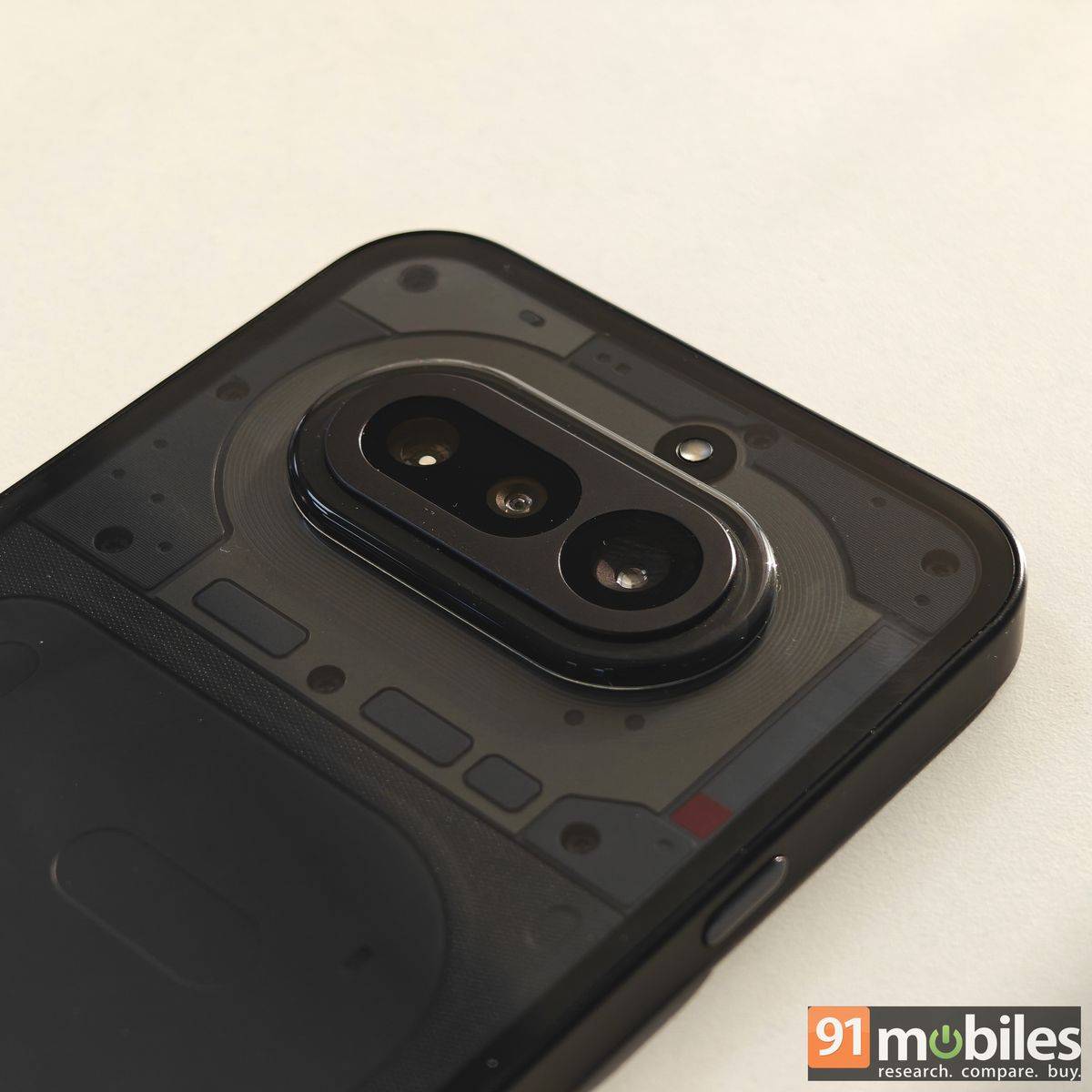
Nothing has opted for a tetra-prism-style periscope design, allowing the phone to accommodate a longer zoom lens within a relatively slim profile. This system uses multiple internal lenses and mirrors to bend and channel light towards the sensor. Periscope cameras remain rare in this segment, and due to the tetra-prism setup, you get 3.5x optical zoom (roughly 80mm equivalent) as opposed to the standard 2x or 3x implementations.
The Nothing Phone (4a) also offers 48mm and 24mm focal lengths for portraits, but for the best results, you might need to stand farther away. The 80mm focal length delivers very accurate results, with true-to-life colours, good separation of subjects from the background, and a natural-looking bokeh effect. The details are also respectable for the price. The phone’s telephoto camera is also capable of offering up to 70x zoom and can double as a macro sensor. However, both require incredible stability, and the results at 70x might leave you wanting more with details.
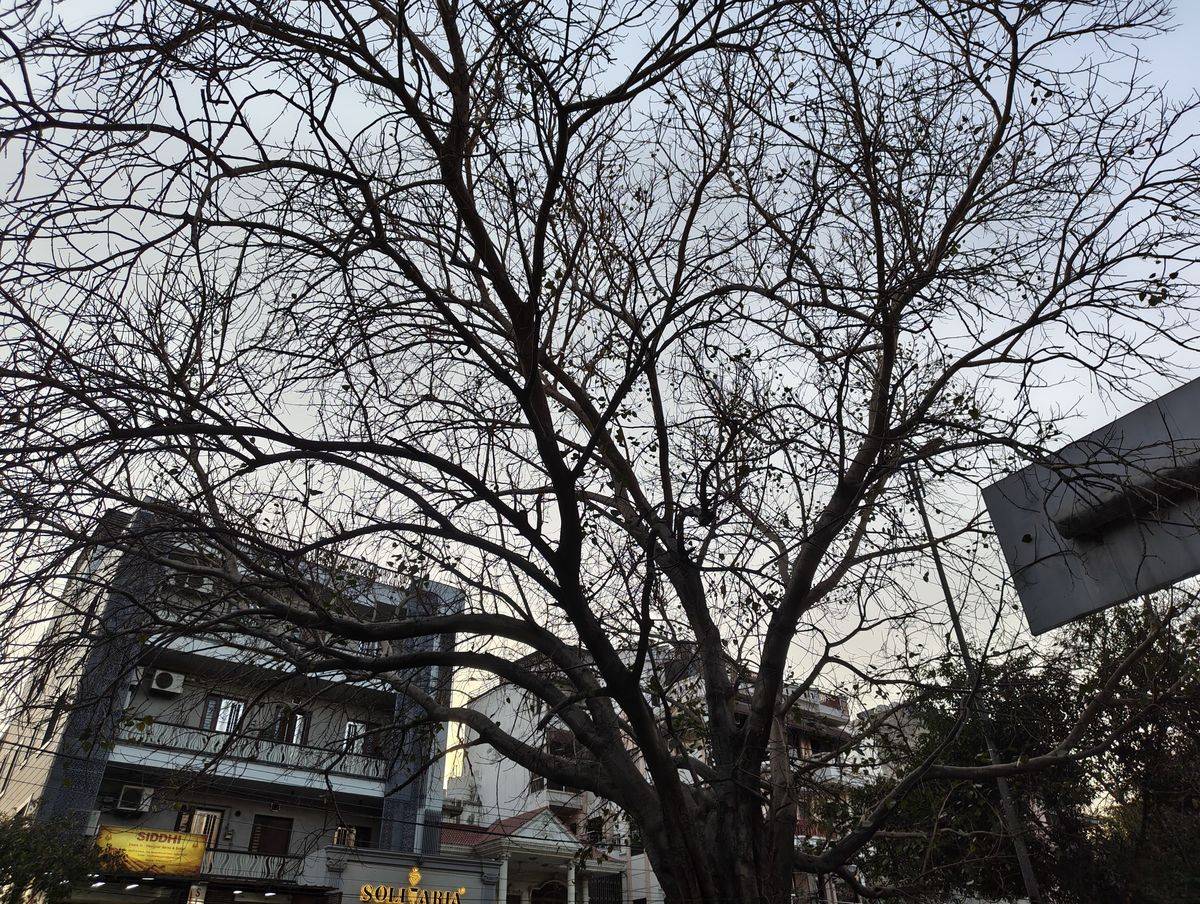
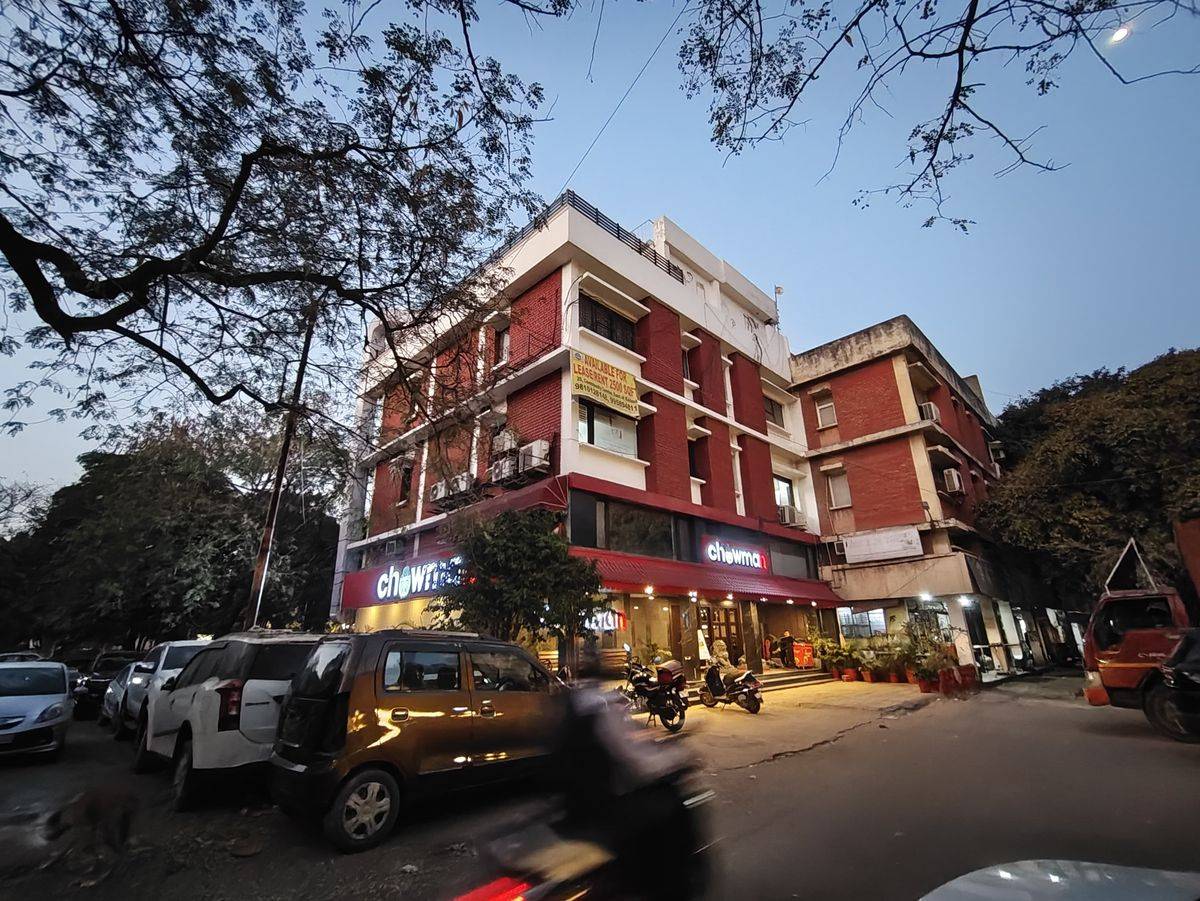
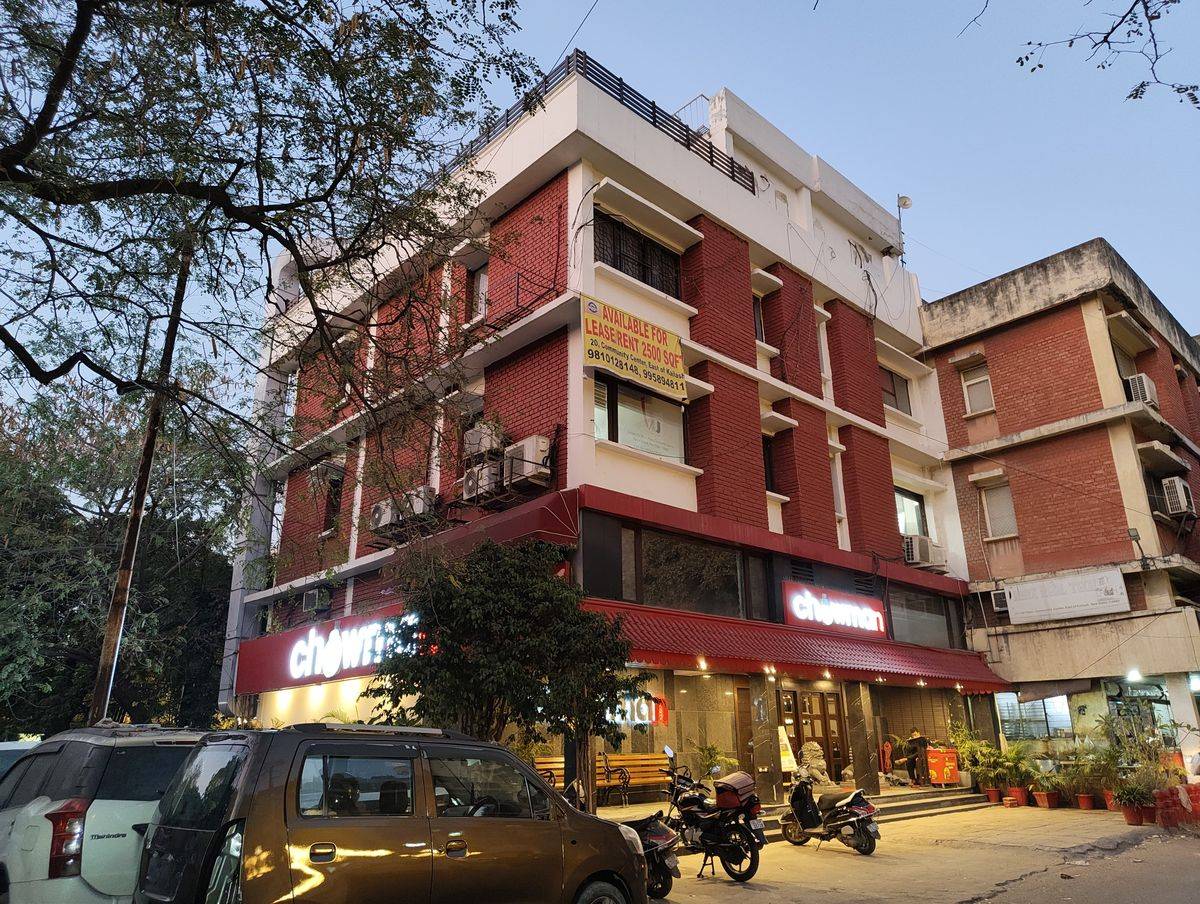
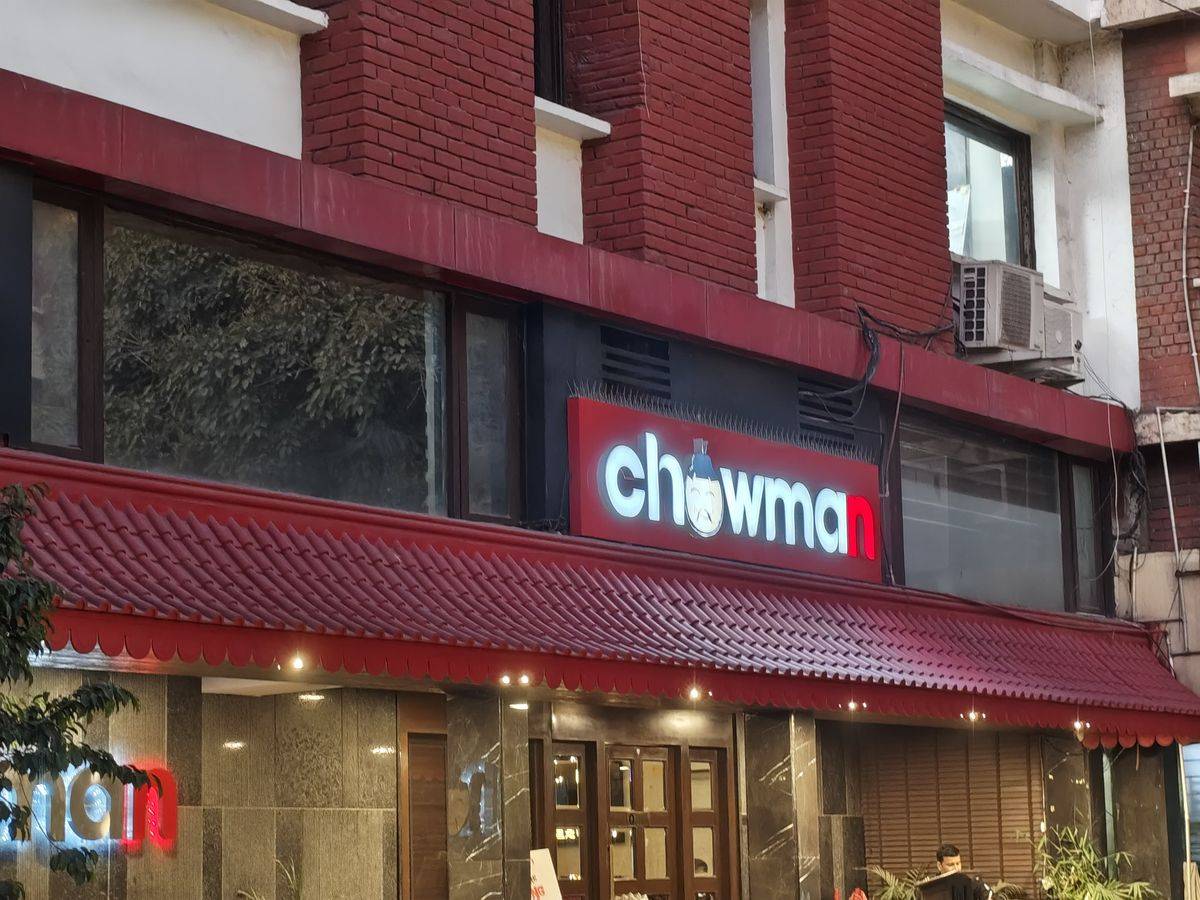
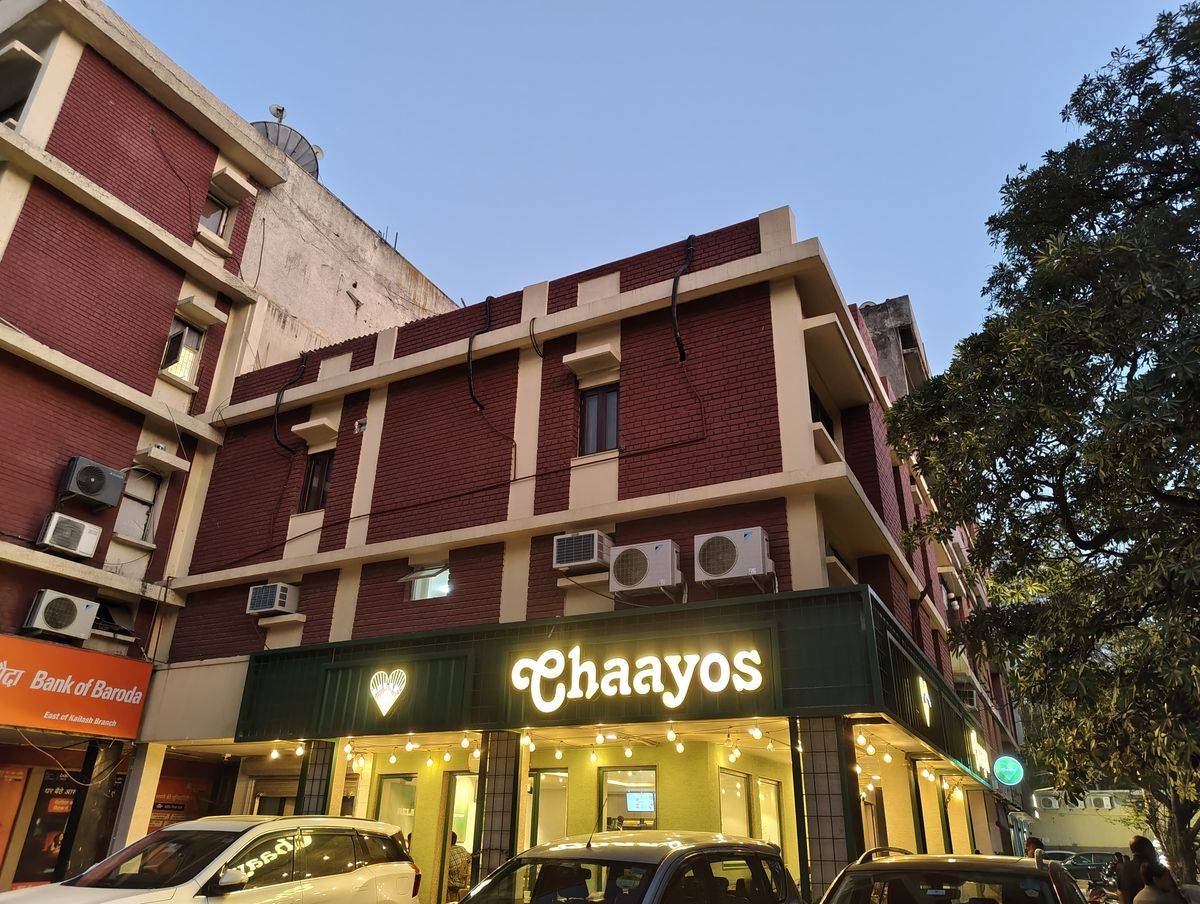
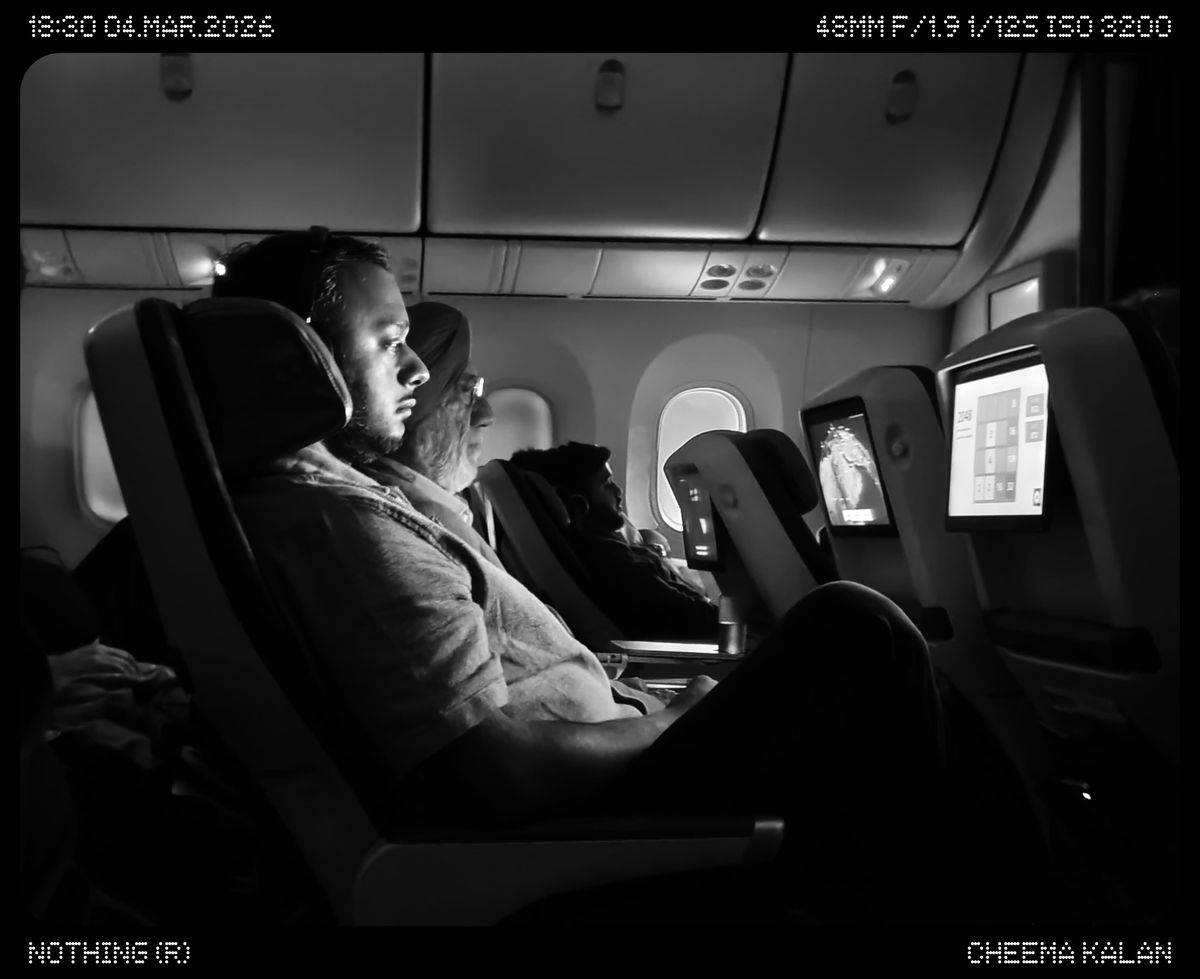
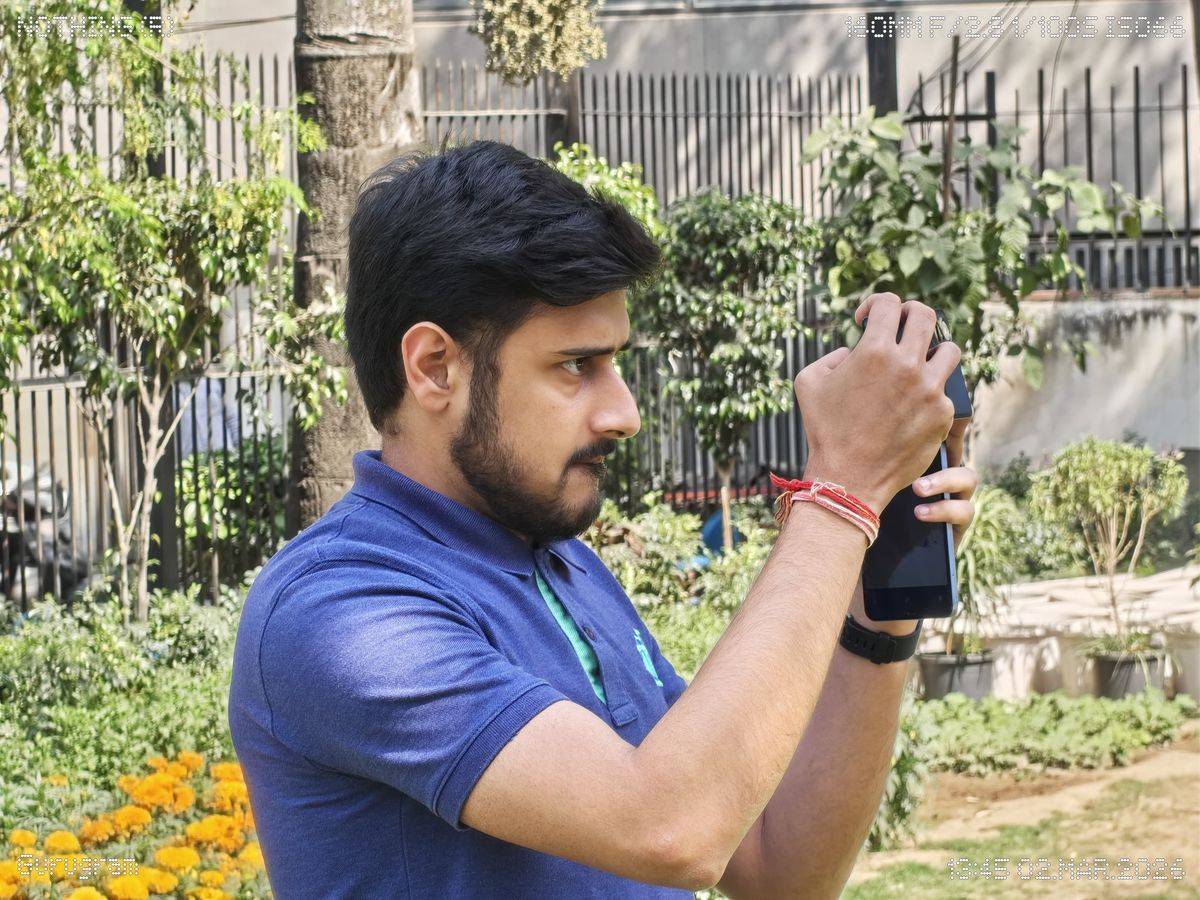
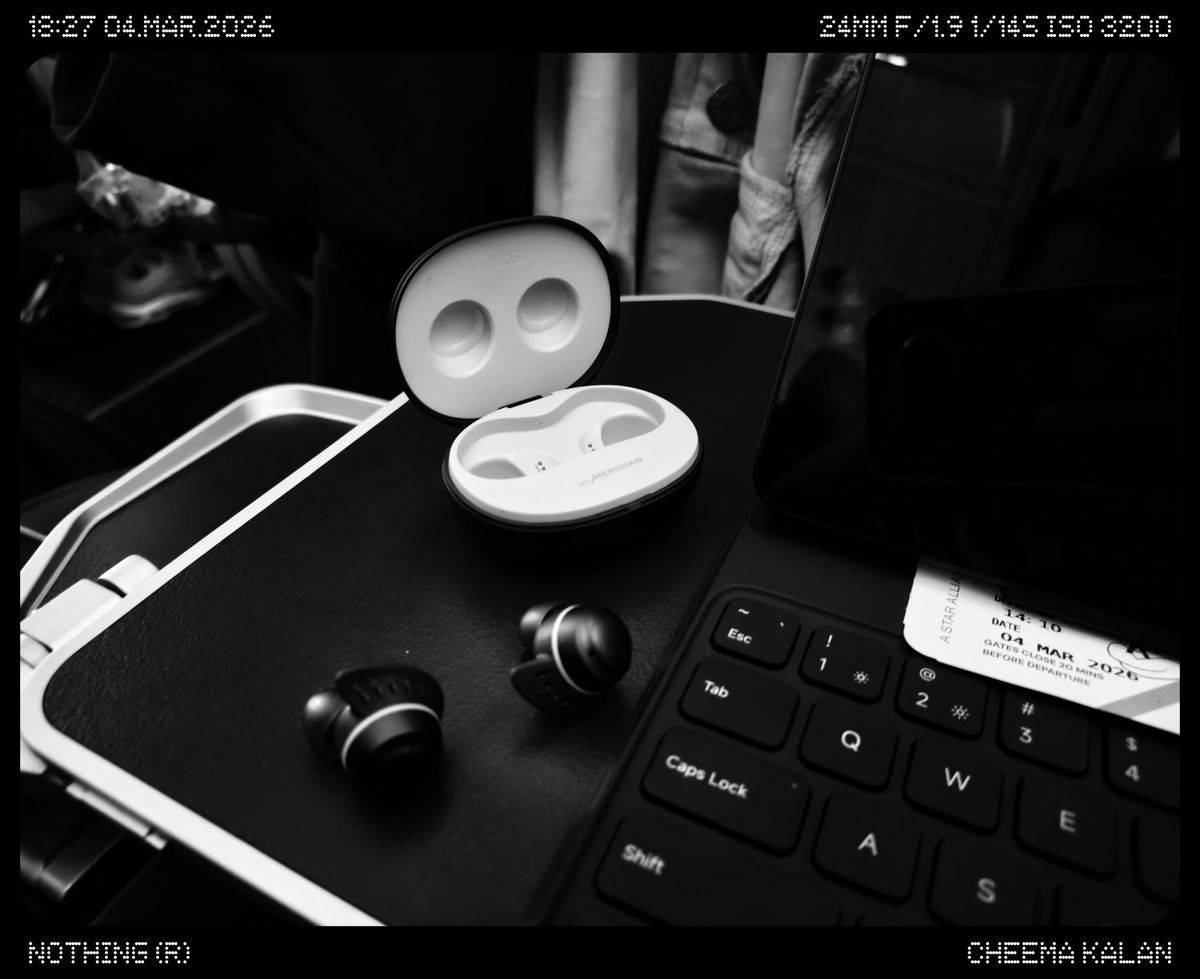
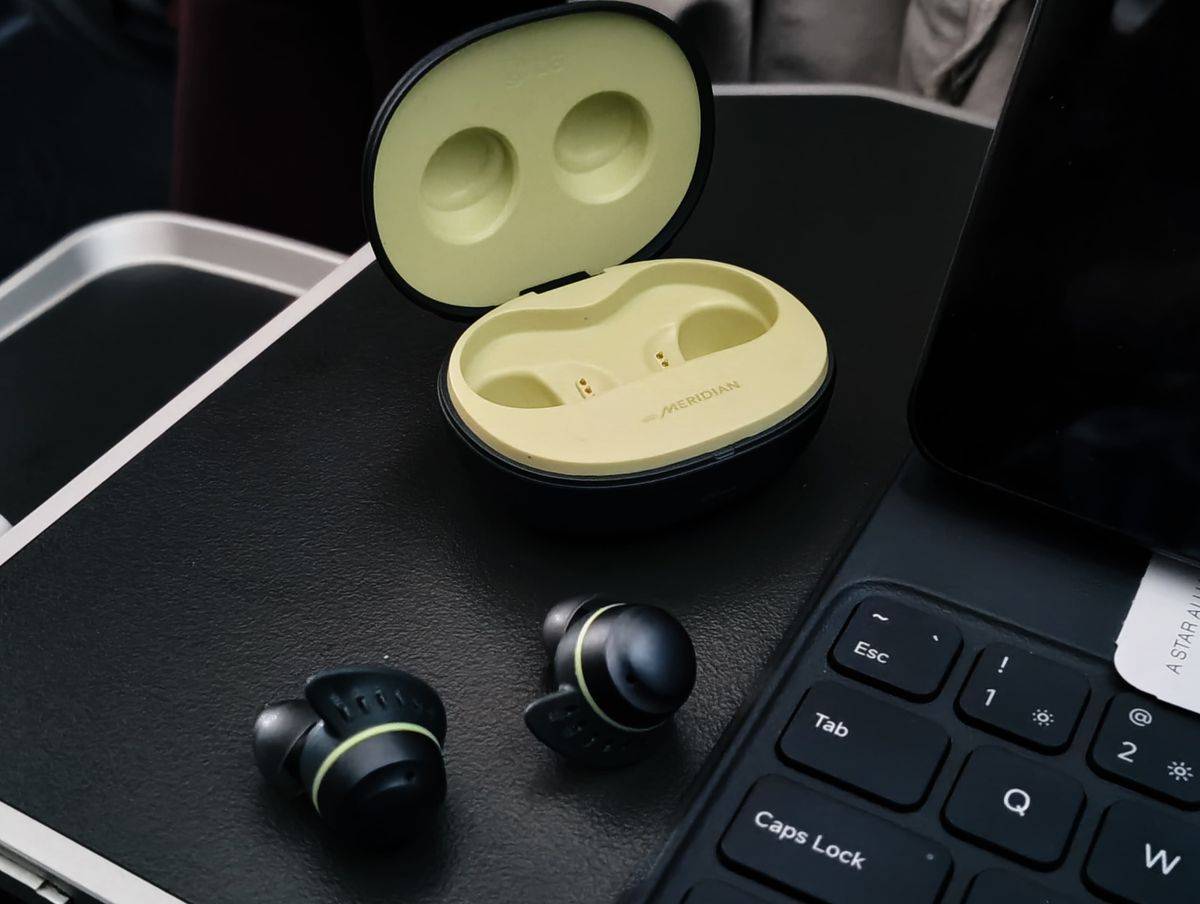
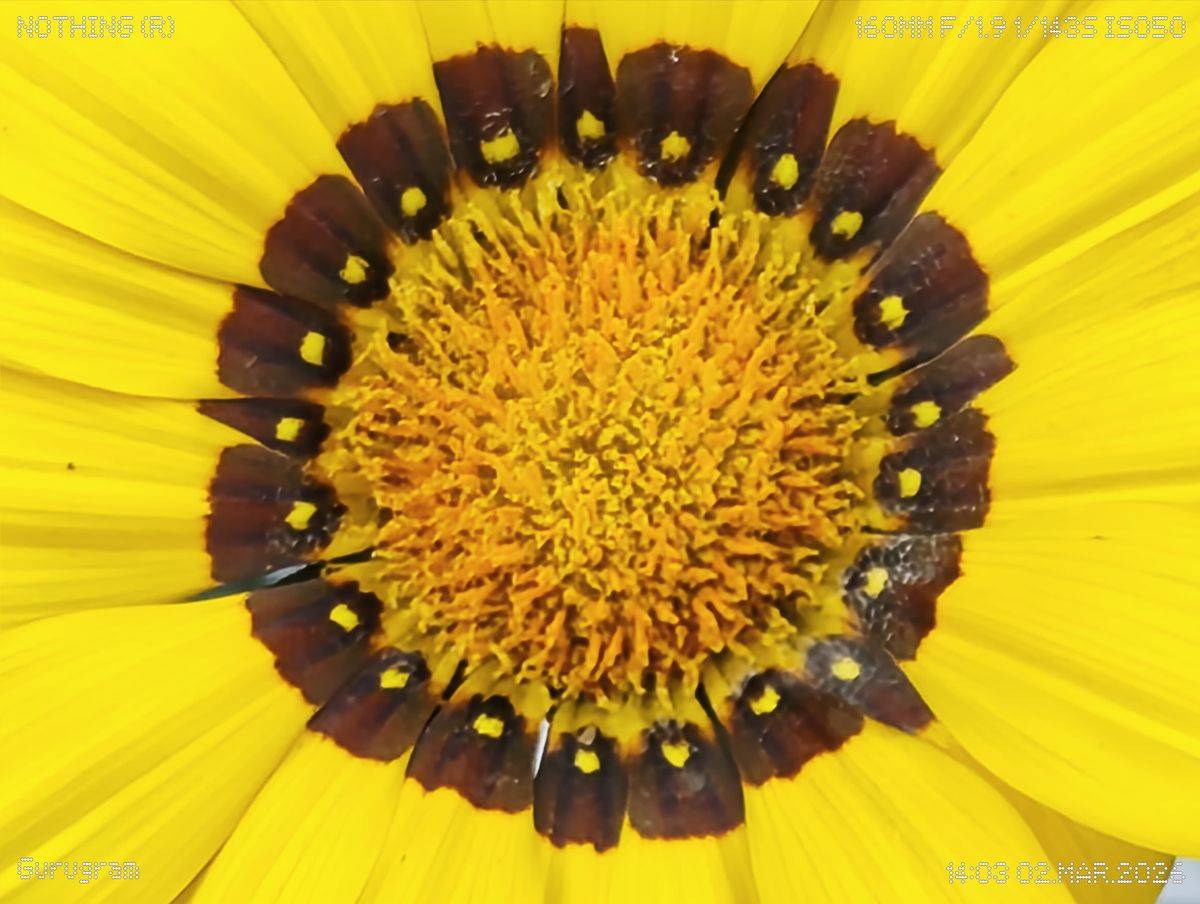
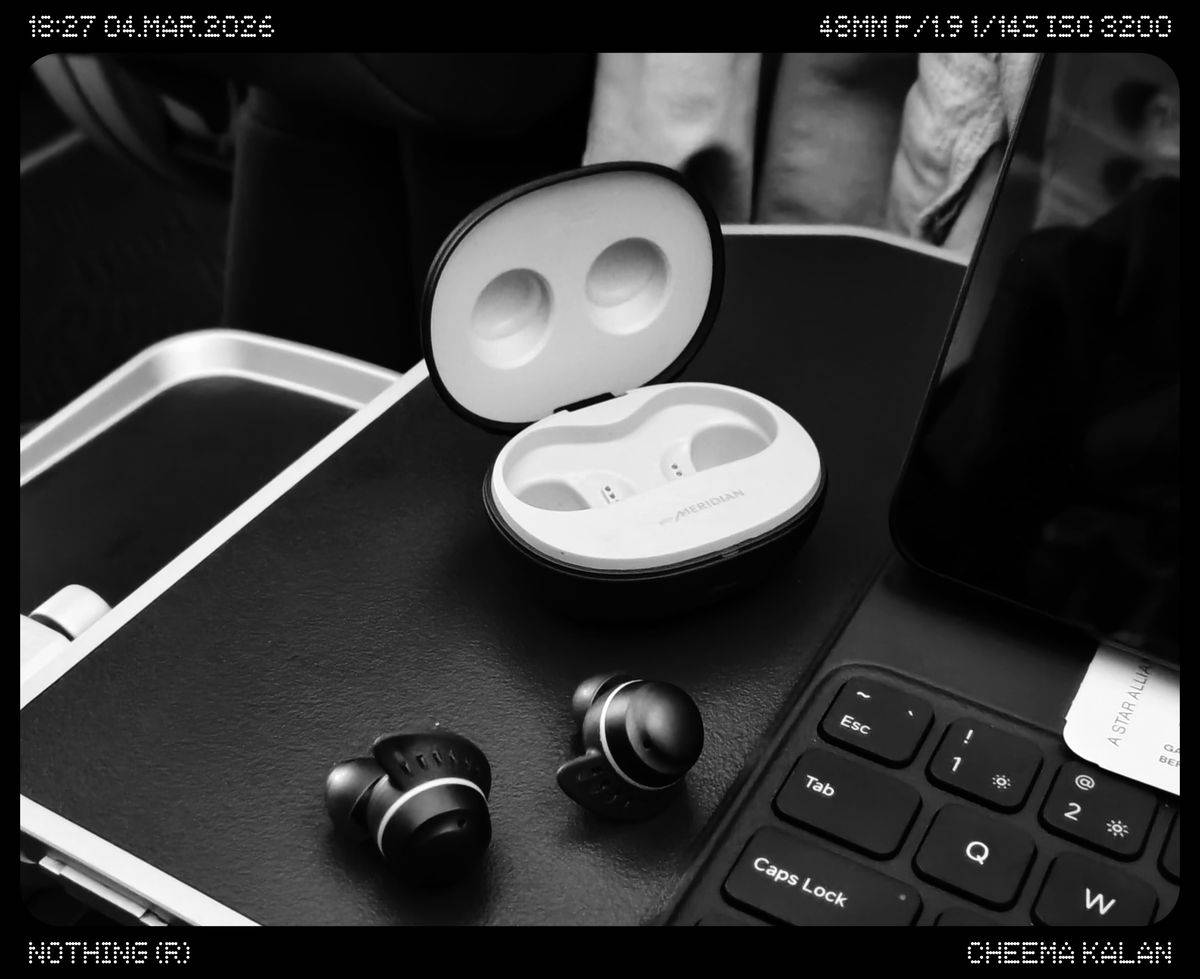

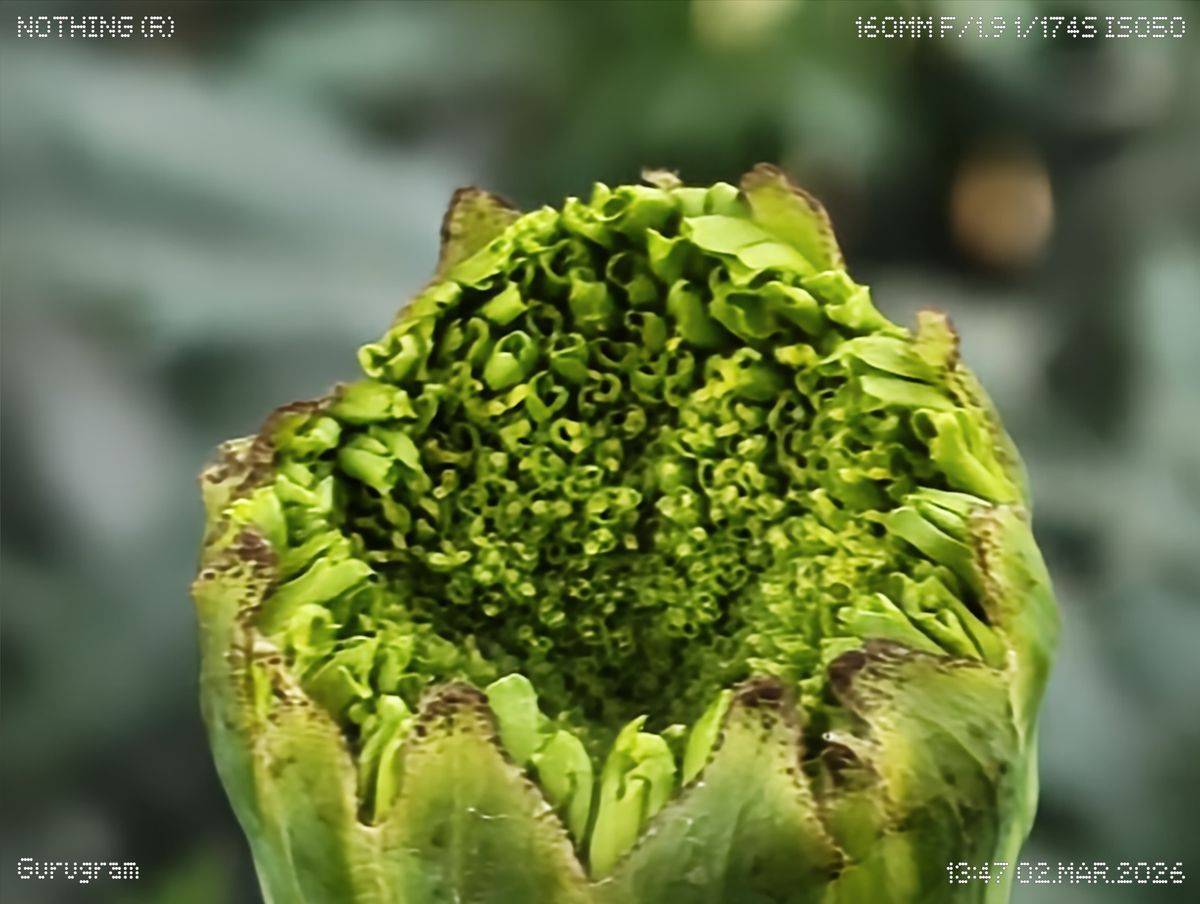
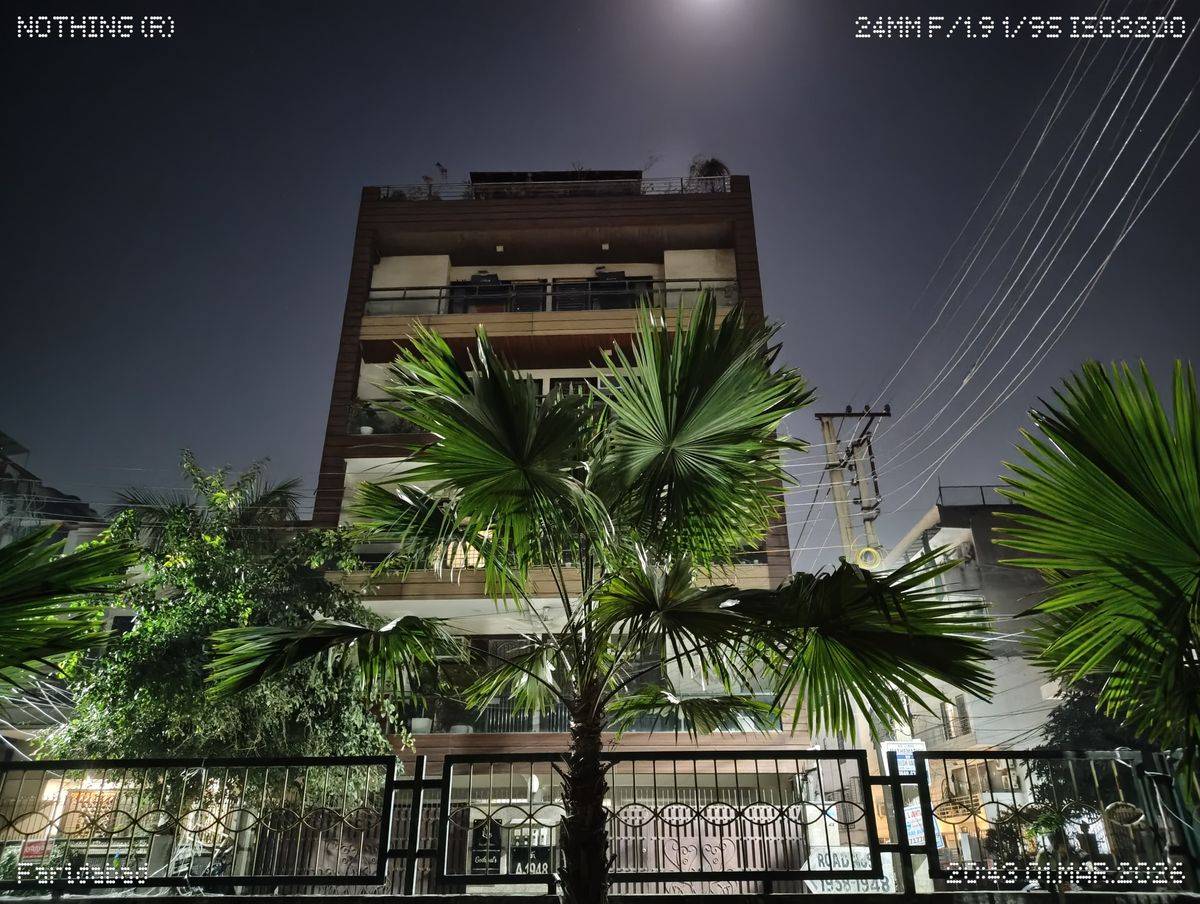


Moving on to the rest of the camera system on the Nothing Phone (4a), the 50MP primary sensor delivers colours that are largely true to the scene, avoiding excessive saturation. However, while images look good at a glance, finer details don’t always hold up when you zoom in. Textures can appear slightly soft, and shadow-heavy areas tend to lose depth, revealing limited dynamic range in more challenging lighting.
The 8MP ultrawide camera, meanwhile, can be seen boosting the contrast and saturation for a striking look, if not natural. Detail levels are also underwhelming here, particularly towards the edges of the frame, where softness becomes more noticeable. As for selfies, the Nothing Phone (4a) does a slightly underwhelming job with its 32MP Samsung KD1 f/2.2 sensor in the punch-hole setup. Not only does it fail to get the skin tones right, but it also crushes the details.


A software update could level up things, and if Nothing is at it, it might also want to fix the occasional aggressive HDR processing, which can intensify contrast, oversaturate colours, and deliver deep, detailed shadows to completely deviate the scene from reality.
Here’s the camera comparison of the Nothing Phone (4a) with the Motorola Edge 70 to see where it stands in the segment:
Daylight


Starting with daylight shots, the Nothing Phone (4a) delivers a more natural-looking image with well-balanced colours and a realistic tone. The Motorola Edge 70, on the other hand, leans towards cooler tones, giving images a slightly contrast-heavy appearance. That said, it does pull ahead in fine detail and dynamic range, preserving more information in both highlights and shadows.
Ultrawide
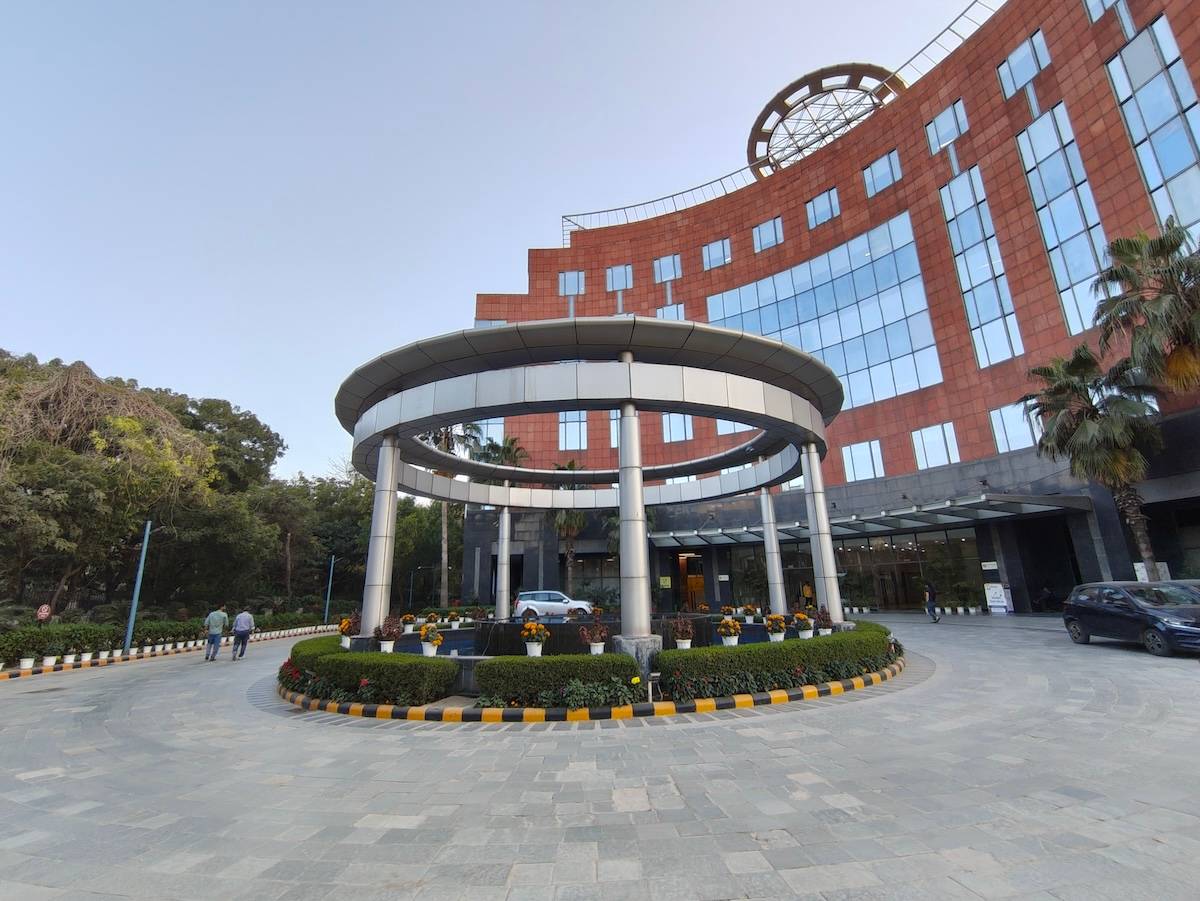
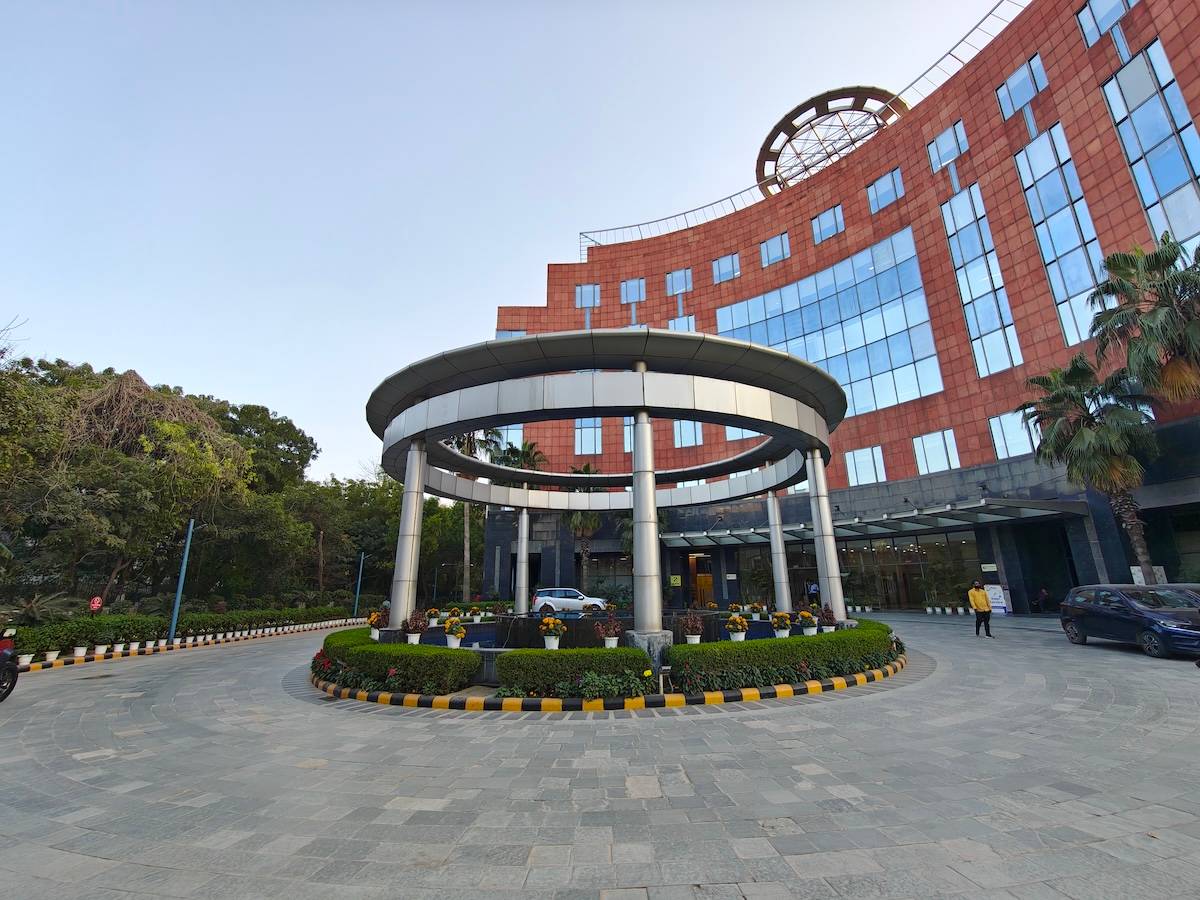
Switching to the ultrawide camera, the Motorola maintains consistent colour science compared to its primary sensor. It also performs better in tricky lighting, handling exposure more effectively in both brighter and darker areas. The Nothing’s ultrawide is decent, but doesn’t quite match the Edge 70’s control.
Portraits


Portraits are where the Nothing Phone (4a) truly stands out. Its tetra-prism telephoto lens produces portraits with accurate skin tones, excellent edge detection, and noticeably better detail retention than the Motorola Edge 70. Subject separation looks cleaner and more refined, making portraits one of Nothing’s strongest areas.
Selfie


Selfies, however, tell a different story. The Nothing’s front camera feels slightly underwhelming, with weaker contrast that results in flatter, less vibrant images. In comparison, the Edge 70 captures brighter and more lively selfies in the same conditions.
Low-light (night mode)
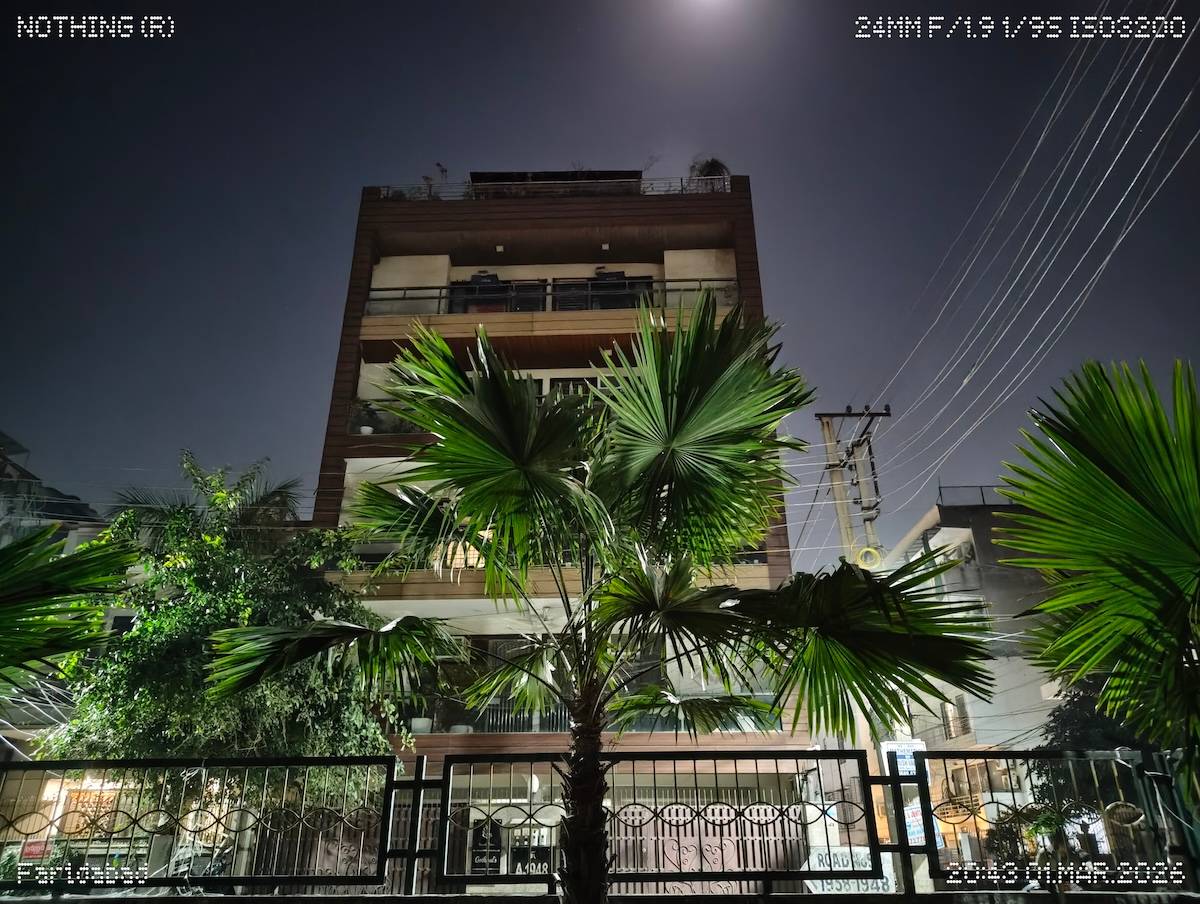
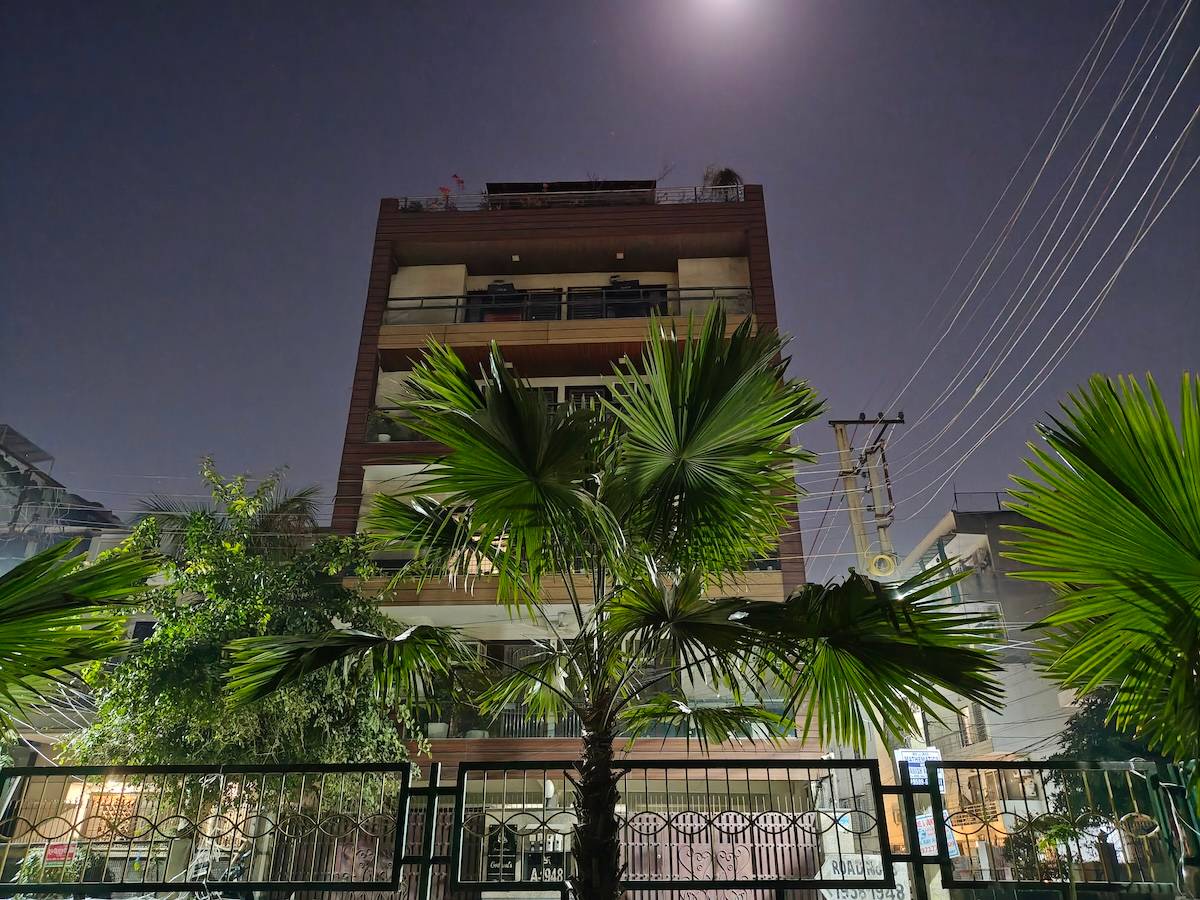
In low light, both primary cameras deliver mixed results. The Motorola Edge 70 once again has a slight advantage in detail, but it struggles more with light flares. The Nothing Phone (4a) does a better job of controlling glare and keeping the overall scene closer to how it appears to the eye.
Good performance for everyday use and gaming
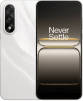


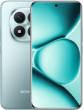
At the core of the Nothing Phone (4a) lies the Snapdragon 7s Gen 4 SoC, paired with 8GB/12GB of LPDDR4X RAM and 256GB/512GB of UFS 3.1 storage. This is the decent configuration for a lifestyle-oriented smartphone. The SoC, meanwhile, is Qualcomm’s latest mid-range offering. It recently debuted in the country on the Redmi Note 15 Pro+. The Nothing Phone (4a) performance remains identical to that of the Redmi smartphone, both in synthetic benchmarks and real-world tests.
Even the Nothing Phone (4a) performance under intense load remains pretty much the same. The handset throttled 69.5 percent in our Burnout CPU throttle test. That said, while it may not remain the snappiest phone in the segment, the Phone (4a) manages day-to-day handling with ease. There were no awkward glitches or bugs, even when I tried multitasking with the device with a bunch of apps running in the background.
One can rely on the Nothing Phone (4a) for gaming, but it is better suited to casual sessions than to hardcore play. I played BGMI, and the device began warming up around the back panel after about 30 minutes. Our internal testing revealed a 10.5-degree Celsius increase over the same duration. Fortunately, the phone did not experience any major frame drops. The gameplay remained enjoyable, with an average frame rate of 37.4fps, as measured using the third-party Scene8 app, in Ultra HDR graphics and Ultra (60) frame rate.
Clean, familiar, and slightly-evolved software
The Nothing Phone (4a) ships with Nothing OS 4.1 based on Android 16. As with previous models, the software experience remains refreshingly clean, free from unnecessary third-party apps or intrusive clutter. The brand’s distinctive black-and-white aesthetic remains central to the interface, and you can enable it during initial setup or later through the settings menu.
| Smartphone | Pre-Installed Apps | Software Support |
| Nothing Phone 4a 8GB RAM | 30 | 3 Year OS Updates + 6 Year Security Updates |
| Xiaomi Redmi Note 15 Pro Plus | 64 | 4 Year OS Updates + 6 Year Security Updates |
| Motorola Edge 70 | 37 | 3 Years OS Updates + 4 Years Security Updates |
| OnePlus Nord 5 | 50 | 4 Year OS Updates + 6 Year Security Updates |
That said, there’s still an odd inconsistency. To extend the monochrome look across all apps, including sideloaded ones, users must download the official Nothing Icon Pack separately from the Google Play Store. At this point, it would make far more sense for Nothing to bundle the icon pack directly within the system. With multiple similarly named apps on the Play Store, some even appearing above the official listing, there’s genuine potential for confusion.
Aside from that, Nothing OS 4.1 remained mostly stable. I didn’t encounter any system-level crashes or major app failures, and day-to-day performance felt dependable. There were a few minor glitches, but these were mostly limited to certain third-party apps that could benefit from further optimisation. It is worth noting that I reviewed the device ahead of the official launch, and these issues may be fixed by the time the sale starts in India.
Nothing promises three major OS upgrades for the Phone (4a), which falls behind on the now-standard four OS upgrades, but is in line with other contemporary phones, with six years of security updates.
While Nothing OS 4.1 doesn’t introduce any sweeping changes, it does bring a handful of meaningful quality-of-life improvements. Animations across the UI feel smoother and more fluid, there’s now support for separate ringtones for dual SIM cards, and the new Smart App Drawer adds a layer of organisation to the experience.
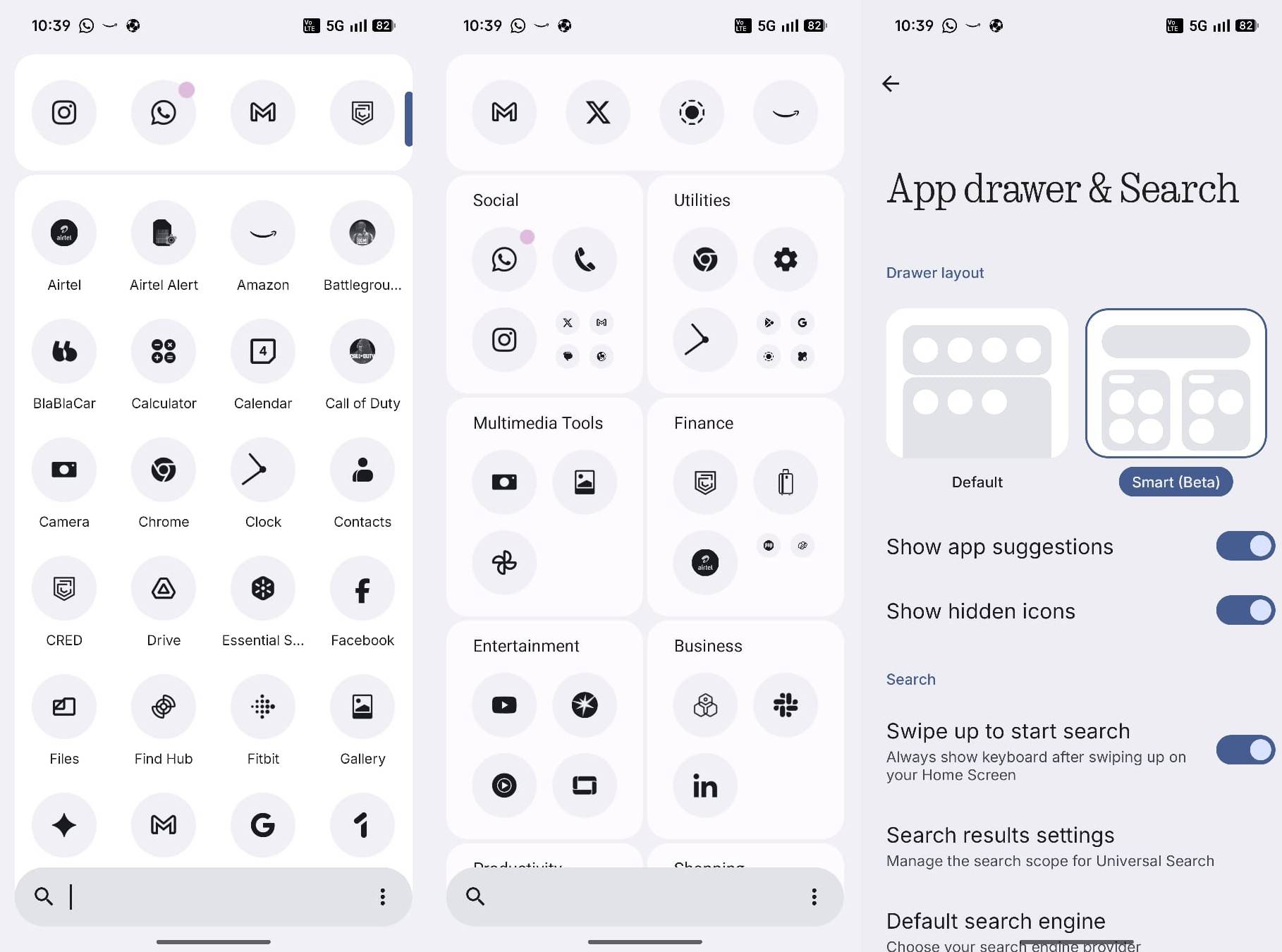
Currently in beta, the Smart App Drawer automatically groups apps into neatly labelled folders. For instance, social media apps are placed under a ‘Social’ category, while banking apps sit under ‘Finance’, and others are sorted into folders such as Utilities and Business. It is similar to iOS, with four suggestive apps positioned right up top. I wish there were an option to rename the folders for a more personalised experience. While I admire the layout, I felt more at home with the traditional app drawer, where all the apps are laid out up front.
The OS also adopts the latest custom lock screen features. Though not as dynamic as other custom skins, you can set wallpapers with depth effect, choose between clock styles, and widget support.
AI
The Nothing Phone (4a) doesn’t boast an array of AI tools, but it does come with a few essentials, like the pedestrian and reflection remover built into the proprietary Nothing app. Of course, you can use Google Photos AI tools to further customise the image. Google Gemini is also there to act as your AI personal assistant, along with Circle to Search.
Essential Space continues to be Nothing’s headline AI feature, a central hub designed to capture, organise and interpret your digital trail. It can pull in everything from screenshots and voice recordings to written notes, copied text and files from cloud storage, then sort and surface them in a way that feels genuinely contextual rather than cluttered. Useful for people who have a lot to do on their smartphones, saving them time to look for information without jumping between multiple apps. I wasn’t the type of user who was, and the placement of the Essential Key button made the feature redundant for me.
Although I briefly checked out the feature, it works pretty much the same as last year. An active internet connection is a must, and the processing of data using the in-house Whisper AI may take a bit of time. Moreover, there is a cap of 300 minutes to process the audio recordings within a month.
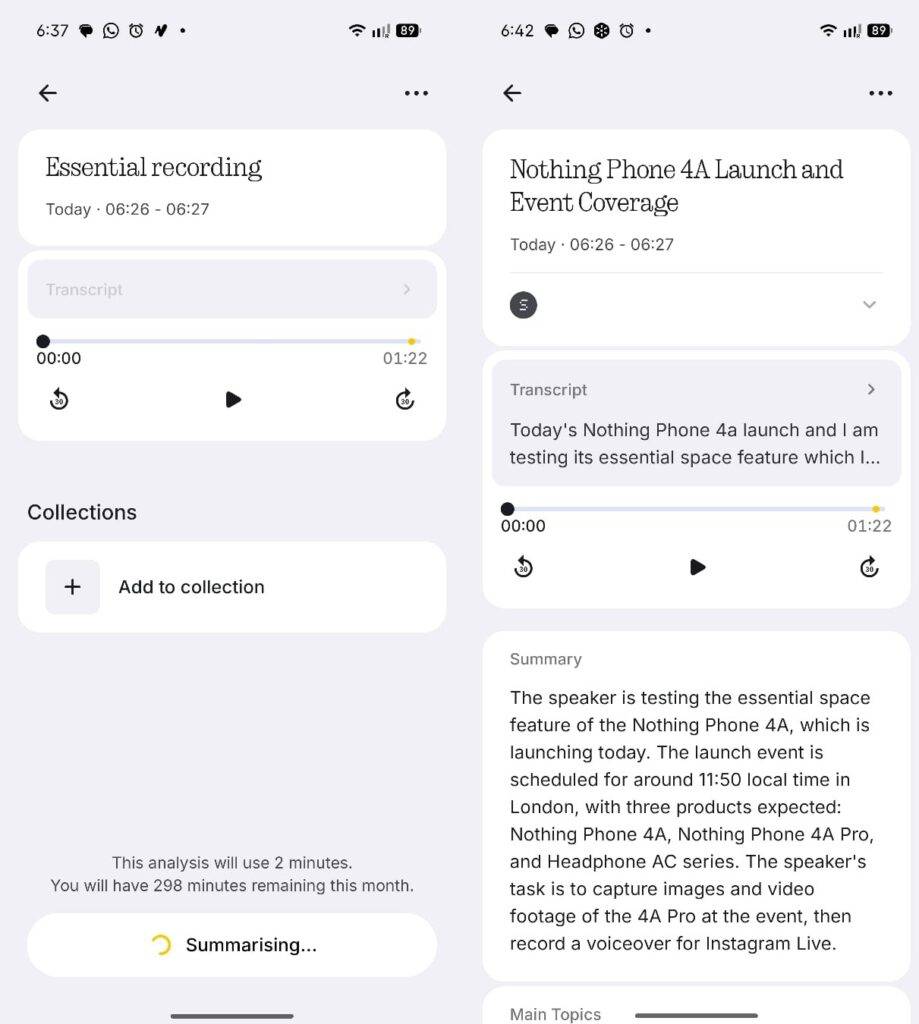
Nothing is also introducing a web version of Essential Space — it wasn’t available at the time of writing the Phone (4a) review. While I won’t take full credit, I was among the first to highlight this limitation in my review of the Nothing Phone (3a) Pro. With this addition, users can access their stored information from any web browser, making it far more convenient. It’s a practical step if Nothing wants Essential Space to become part of users’ everyday workflow rather than remain a novelty confined to the phone.
To safeguard privacy, the Phone (4a) allows users to review which AI model was used during the day or week and displays an indicator in the status bar whenever an AI is running in the background.
Reliable battery life for everyday usage
The Nothing Phone (4a) comes with a 5,400mAh battery, which is approximately 8 percent larger than its predecessor. However, it still falls short of the 7,000mAh batteries that many contemporary devices offer. That said, the smartphone delivers respectable endurance, at least in our synthetic PCMark benchmark test, where it scored almost 15 hours. Our internal testing, which involved an hour of YouTube streaming and gaming, showed a combined 28 percent battery drop. This appears slightly on the higher side, but real-world usage remains fairly normal.
I consistently achieved 5–6 hours of screen-on time, which isn’t particularly impressive by today’s standards but remains reliable for regular users. Heavy usage may require a top-up charge during the day, but for everyday activities such as browsing, social media scrolling, streaming, messaging, and calling, you should still have around 20–30 percent battery left by the end of the day.
Charging the device from 20 to 100 percent takes roughly 71 minutes, but for that, you will need to purchase the charger separately, that too, one with a maximum output capacity of 50W. The OEM only bundles a Type-C to Type-C charging cable with the smartphone.
Final verdict
The Nothing Phone (4a) aligns with the brand’s identity to be different, rather than rewriting the mid-range rulebook. You may still find alternatives, such as the Motorola Edge 70 (review), a better value proposition for its ergonomics, performance, and more capable primary, selfie, and ultrawide cameras. The OnePlus Nord 5 (review), on the other hand, holds superiority in performance, battery, and an additional year of major OS upgrades.
Yet the Nothing Phone (4a) manages to carve out its own space. The trademark transparent design, combined with the new Glyph Bar, helps it stand out from the crowd. The bar, despite lacking versatility, adds personality and practical notification cues to the smartphone.
Furthermore, the 3.5x periscope telephoto lens adds value to the Phone (4a) camera system, offering impressive portraits with natural colours and pleasing subject separation. The primary camera remains competent, if not class-leading, in detail and dynamic range. The smartphone’s AMOLED display is bright and vibrant, well-suited for media consumption, and the stereo speakers are good enough for casual listening.
Its performance from the Snapdragon 7s Gen 4 and the 5,400mAh battery’s endurance are dependable for everyday use and moderate gaming. While the lack of a charger adds to the overall cost, charging speeds are reasonable. On the software front, the Nothing Phone (4a) focuses on practicality rather than features, with a relatively clean interface and a distinctive black-and-white theme.
Overall, the Nothing Phone (4a)’s true value lies in its lifestyle-centric appeal rather than in being a jack of all trades.
Editor’s rating: 8.1/10
Reasons to buy
- Distinctive transparent design with refreshed Glyph Bar implementation.
- Bright, punchy AMOLED display with excellent outdoor legibility.
- Capable 3.5x periscope telephoto camera with impressive portrait results.
- Clean, near-bloatware-free Nothing OS experience.
Reasons not to buy
- No NFC support for contactless payments.
- Selfie camera lacks accuracy in skin tones and details.
 | vs |  |
| vs |  |