Nothing OS 5.0 Open Beta expands to Phone (4a) and Phone (3a) series, brings new clock styles, quick settings panel, and more


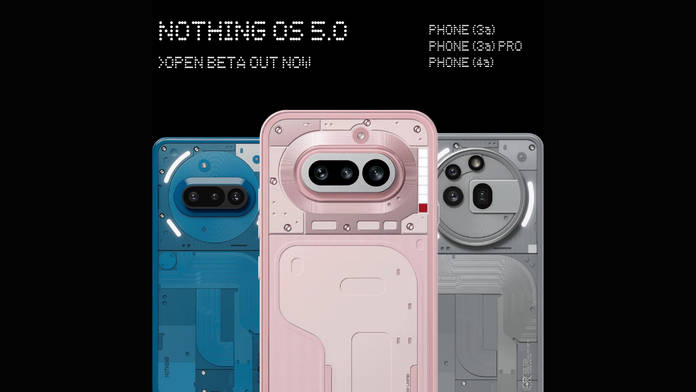
Staying true to its promise, Nothing OS 5.0 Open Beta is now available for the Phone (4a), Phone (3a), and Phone (3a) Pro. As seen on the Nothing Phone (3) and Phone (4a) Pro, the update brings a number of customisation options, a split quick settings panel, widgets, and quality-of-life improvements that enhance the overall experience. Interested users can download and install the update through the Nothing Beta Hub v2.0 APK.
Table of Contents
How to download Nothing OS 5.0 Open Beta on Phone (4a), Phone (3a), Phone (3a) Pro
Ensure your device is running the latest Android 16 firmware (Nothing OS 4.1) before updating to the Nothing OS 5.0 Open Beta. Once that’s confirmed, follow these steps to download and install the NOS 5.0 beta:
Step 1: Download the Nothing Beta Hub V2.0 APK from Nothing’s website. You can find the download link at the bottom of this webpage.
Step 2: Now, go to the Downloads folder on your phone and install the Nothing Beta Hub APK. Enable the “Install unknown apps” option in Settings beforehand so the APK installs successfully.
Step 3: Now go to the Settings app > System > Nothing Beta Hub and check the version
Step 4: Tap the Join Beta button to register for the update
Step 5: Once done, wait for five to six minutes Open Beta update will be seeded to your device, after which you can tap Go to initiate the update
Show Full Article
The Nothing OS 5.0 beta installs like any regular local update and should take just a few minutes for your phone to reboot. You may occasionally see an error saying that joining the beta has failed. For the Phone (3), Nothing has confirmed this is usually caused by server overload when too many users try to access the open beta at the same time. If this happens, simply wait a few hours and try again on your Nothing smartphone,
If you run into bugs or find the beta unstable, you can request a rollback through the Nothing Beta Hub in Settings. Previously, Nothing has confirmed that the stable Nothing OS 5.0 update will be available by early November 2026.
Key features and improvements on Nothing OS 5.0
Nothing OS 5.0 debuts a duo of fresh lock-screen clocks, Gooey and Micrographics, plus clock colours that automatically match your wallpaper. It also introduces three new widgets (Collector, Away Time and Glyph Timer) and a translucent Lucent theme. The added clock styles deliver a satisfying dose of personalisation, while the software continues to stand out for its distinctive design language across fonts, widgets, and clock aesthetics.
The update also adds a dedicated Glyph app, multi-app drag-and-drop on the home screen, a split Quick Settings toggle, adjustable torch brightness, the Geist typeface, refreshed icons, and tighter spacing throughout Settings. Anyone seeking a modestly refreshed interface will find Nothing OS 5.0 hits the mark.
Essential AI gets faster voice transcription, Smart Collections, and simpler AI app-creation tools. System performance improves overall, and the build brings Android 17 additions such as 3D emojis, a refined Dark Theme and iPhone Quick Share compatibility. We’ve already covered the software in depth, head over to our hands-on review for the complete picture.
Because this remains a beta, install it only if you’re comfortable with potential bugs or have a secondary device to test on. For your daily driver, it’s wiser to wait for the stable Nothing OS 5.0 release, which Nothing expects to arrive in early November.

