While OPPO unveiled a full-fledged ColorOS 17 release schedule for OnePlus, Realme, and its own devices during the global launch on October 13th, November’s release plan is now out. Usually, with major Android upgrades, OPPO, along with others, don’t release a date-wise rollout schedule for its devices due to uncertainty from multiple factors, such as a phased rollout based on country or carriers. However, this appears to be changing with the ColorOS 17 rollout, giving users a clearer idea of when the update will hit their devices.
Table of Contents
Date-wise ColorOS 17 rollout schedule for OPPO, OnePlus, Realme devices
The November release plan for the stable ColorOS 17 update is as follows:
| Release date | Devices |
| November 5th |
|
| November 17th |
|
| November 18th |
|
| November 19th |
|
| November 23rd | OPPO Reno15 F 5G |
| November 24th |
|
| November 25th | OPPO K14 5G, OPPO K14x 5G, OPPO F33 5G, OPPO F31 5G |
| November 26th |
|
How to check for the ColorOS 17 update
While the update will be released to every eligible device on or just after the stated date, you can manually check for the ColorOS 17 update. Here’s how:
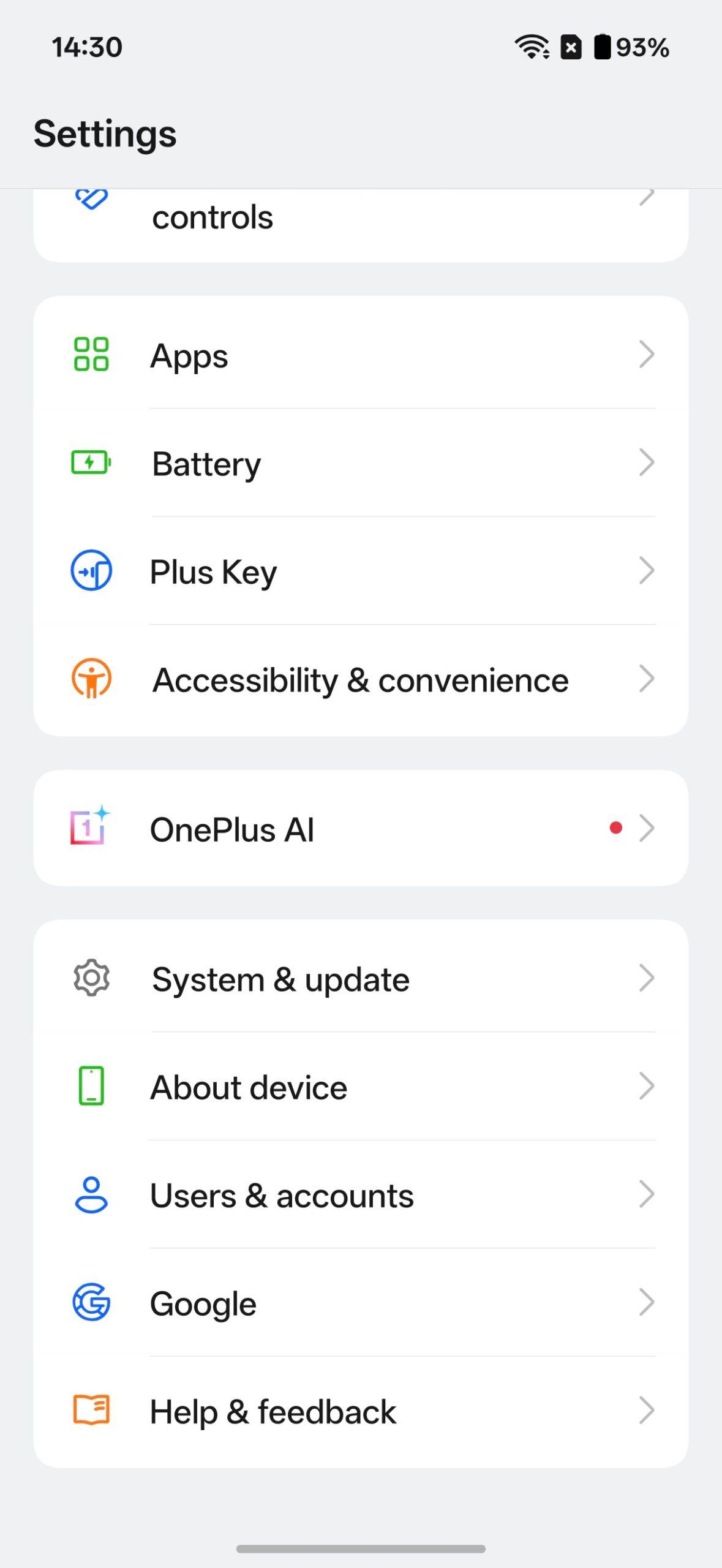
Step 1: Go ahead and open the Settings app on your OPPO, OnePlus, or Realme device
Step 2: Scroll down and select ‘System & update’
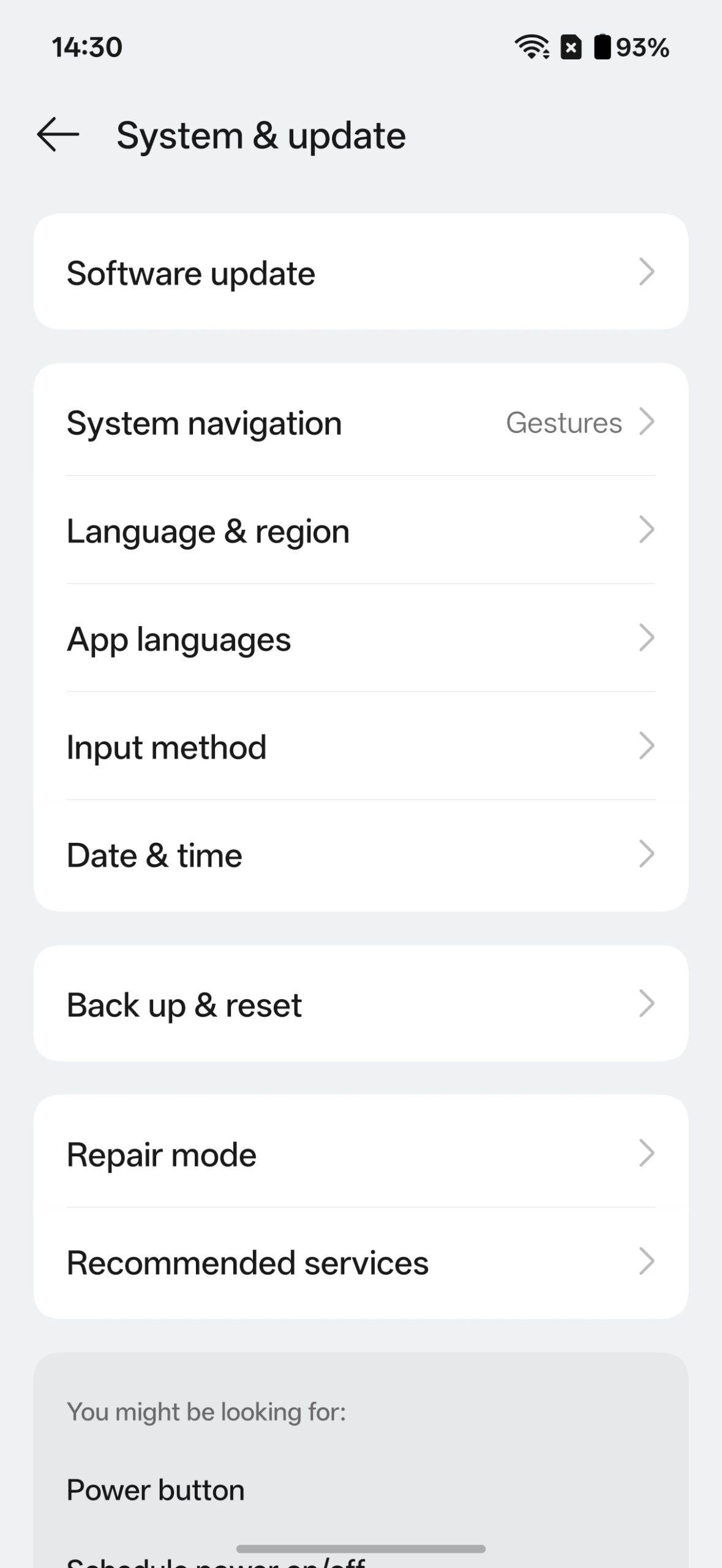
Step 3: On the next screen, tap ‘Software update’
Step 4: The device will scan for the update. Once the firmware appears, tap the ‘Download & install’ button
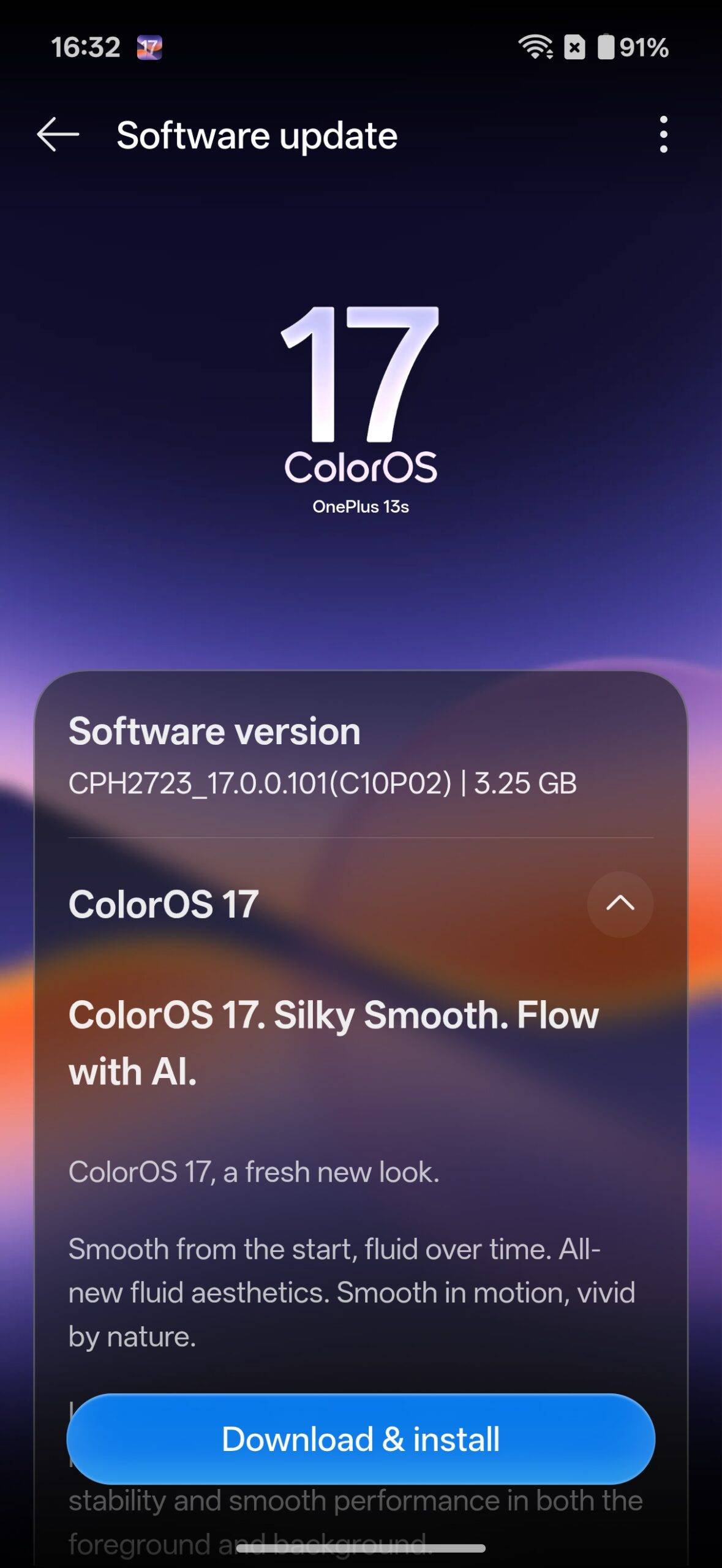
Step 5: Your device will boot into ColorOS 17 shortly after
Upon updating to ColorOS 17, the first major change you’ll notice is the luminous and glass effects scattered throughout the system, such as quick settings panels, menus, first-party apps, and more. Beyond that, the update strongly emphasises seamless transitions between pages, while the fluidity and software experience have also improved, as noted in our in-depth ColorOS 17 hands-on story.
Overall, while ColorOS 17 isn’t a major update, it builds on what’s already there in ColorOS 16 and delivers a smooth, flowing, highly responsive software experience. Users worried about stability or battery-draining issues can hold off and wait for initial feedback from others. That said, if your device isn’t slated to receive the update this month, you can check out the complete ColorOS 17 rollout plan for OPPO, OnePlus, and Realme devices here.