In our in-depth OxygenOS 16 hands-on article last year, we noted that OnePlus’ latest software skin “is all about refinements”. While that statement still holds true months after its release, the company has been swiftly rolling out OxygenOS 16 to all eligible devices, allowing users to experience the new enhancements and features. With the update released months ago for OnePlus flagships, such as the OnePlus 12 and OnePlus 13 series, several Nord smartphones are in line to receive the update.
Hence, if you’re wondering when the OxygenOS 16 firmware will hit your device, you’ve come to the right place. In this article, we’ve detailed the OxygenOS 16 release timeline, the process for downloading the update, and some key features worth exploring.
Table of Contents
OnePlus devices eligible for OxygenOS 16 update
OnePlus 13 was the first to receive the closed and open beta firmware for OxygenOS 16, a couple of months before the stable update started rolling out. Here’s the official OxygenOS 16 release schedule from OnePlus, available on its website and Community portal.
| Series | Models |
|---|---|
| Flagship series |
|
| Nord series |
|
| Pad (tablet) series |
|
OnePlus devices that have received OxygenOS 16 update
The OnePlus smartphones and tablets that have already received OxygenOS 16 are as follows. The given data has been obtained from OxygenOS’ Head of Operations posts on
OnePlus Community:
| Series | Models |
|---|---|
| Flagship series | OnePlus 15, OnePlus 15R, OnePlus 13, OnePlus 13R, OnePlus 13s, OnePlus 12, OnePlus 12R, OnePlus Open, OnePlus 11, OnePlus 11R, OnePlus 10 Pro |
| Nord series | OnePlus Nord 5, Nord 4, Nord 3, Nord CE 4, Nord CE 5, Nord CE 4, Nord CE 4 Lite |
| Pad (tablet) series | OnePlus Pad Go 2, OnePlus Pad 3, OnePlus Pad 2, OnePlus Pad |
How to check your current OxygenOS version
Even though OxygenOS 16 has been out for most of the eligible devices, if you’re still unsure whether you’re running on the latest available OxygenOS update, here’s how you can do so:
Step 1: Open the Settings app
Step 2: Scroll down to the bottom of the page and select About device
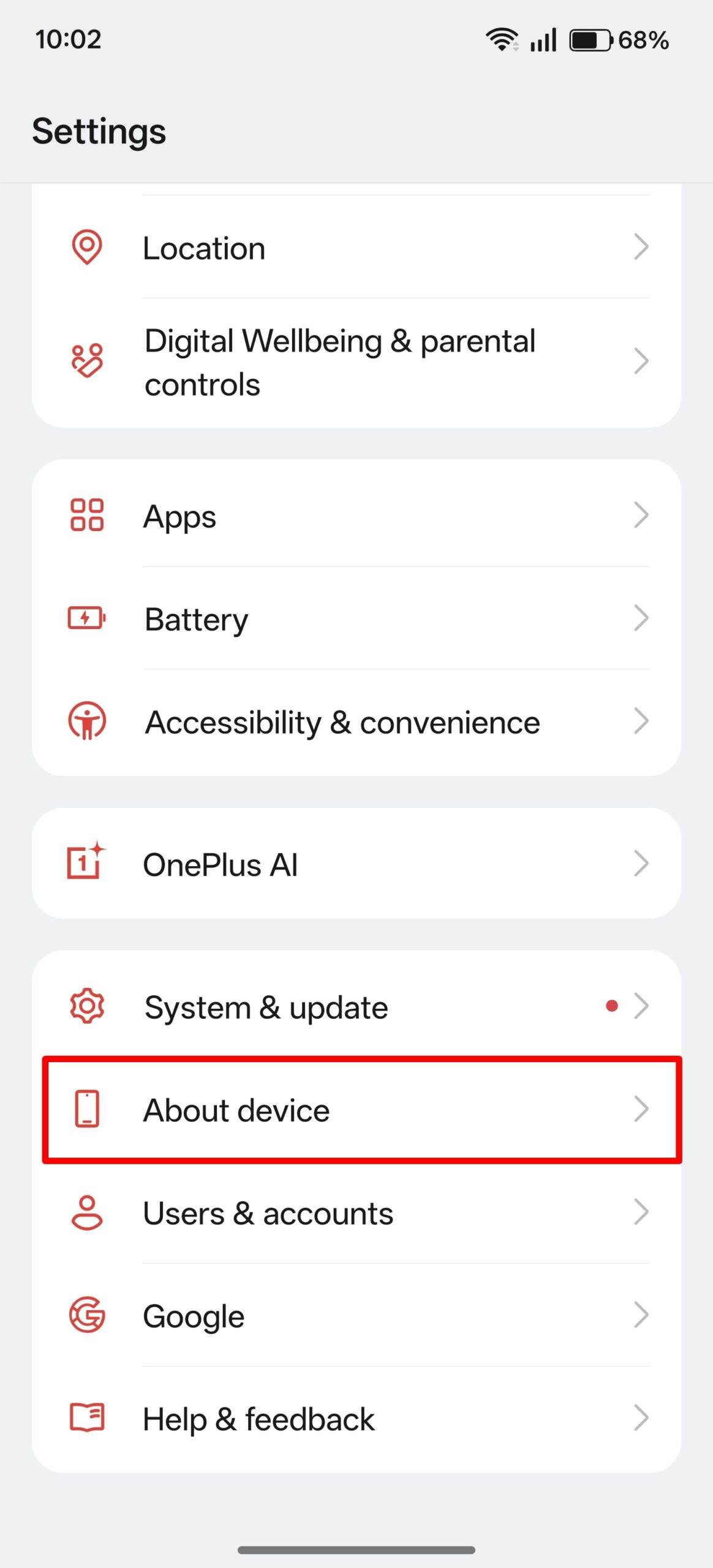
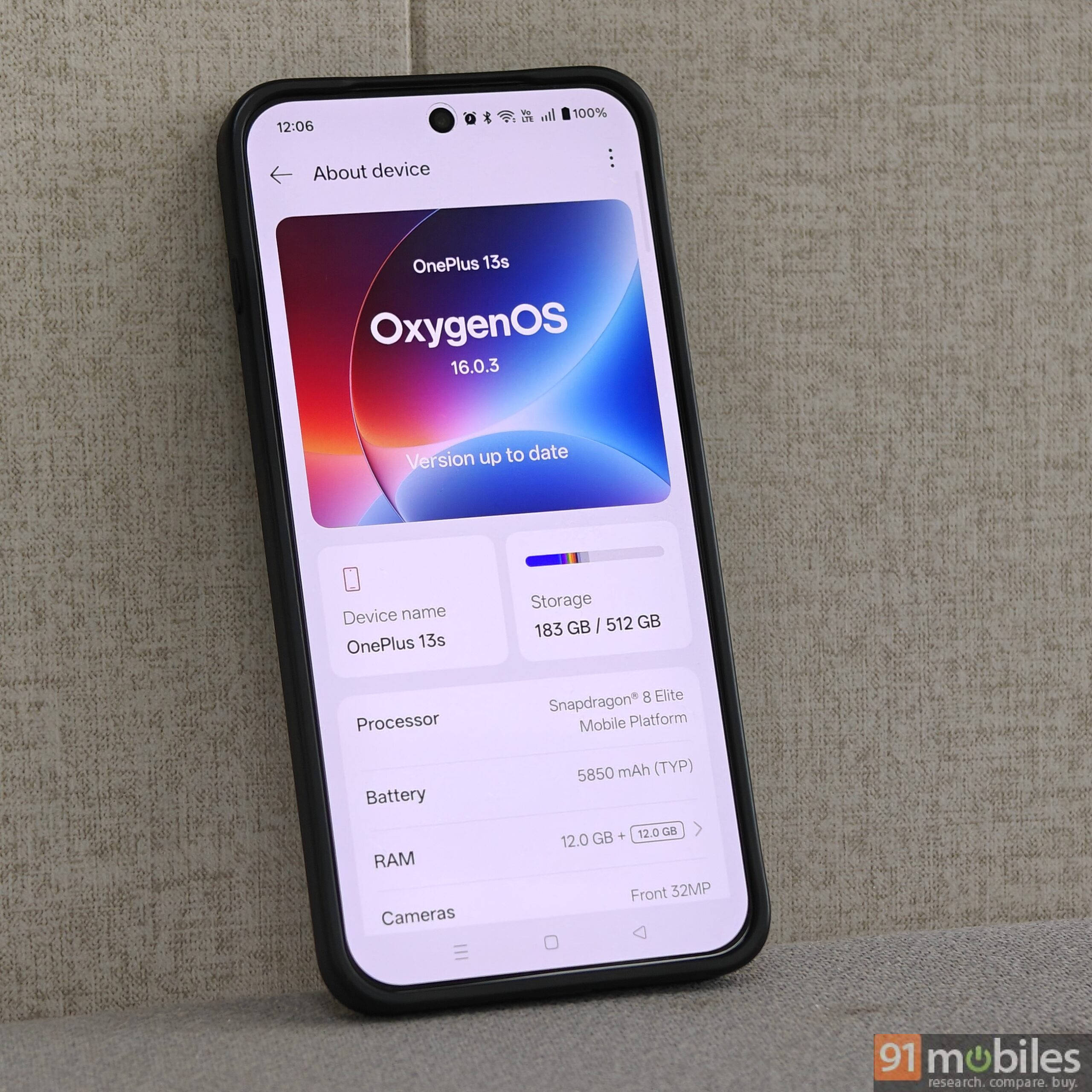
Step 3: Check what the top banner says. If it says “OxygenOS 15” below your OnePlus device’s name, it indicates that you’re not on OxygenOS 16 yet.
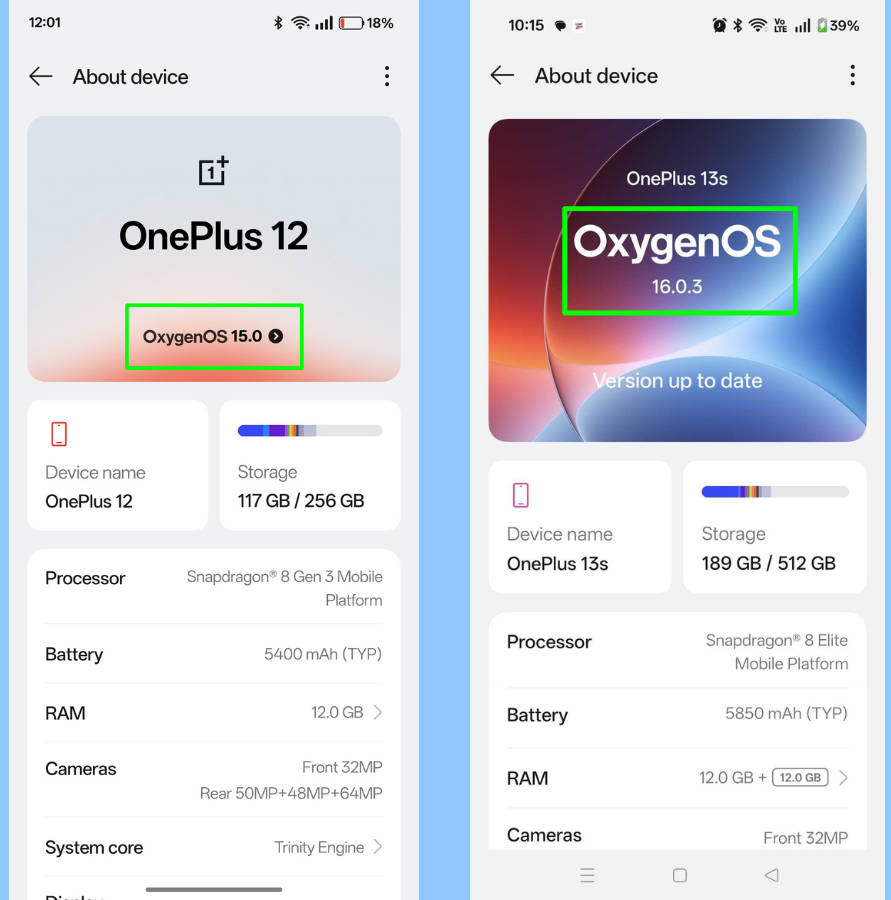
That said, if your device is eligible for OxygenOS 16 (refer to the table above), follow the aforementioned steps to check and install the latest firmware.
How to update a OnePlus phone to OxygenOS 16
In case OxygenOS 16 has been released for your OnePlus device, here’s how you can check and install the update in a few simple steps:
Step 1: Go ahead and open the Settings app
Step 2: Scroll down and select System & update
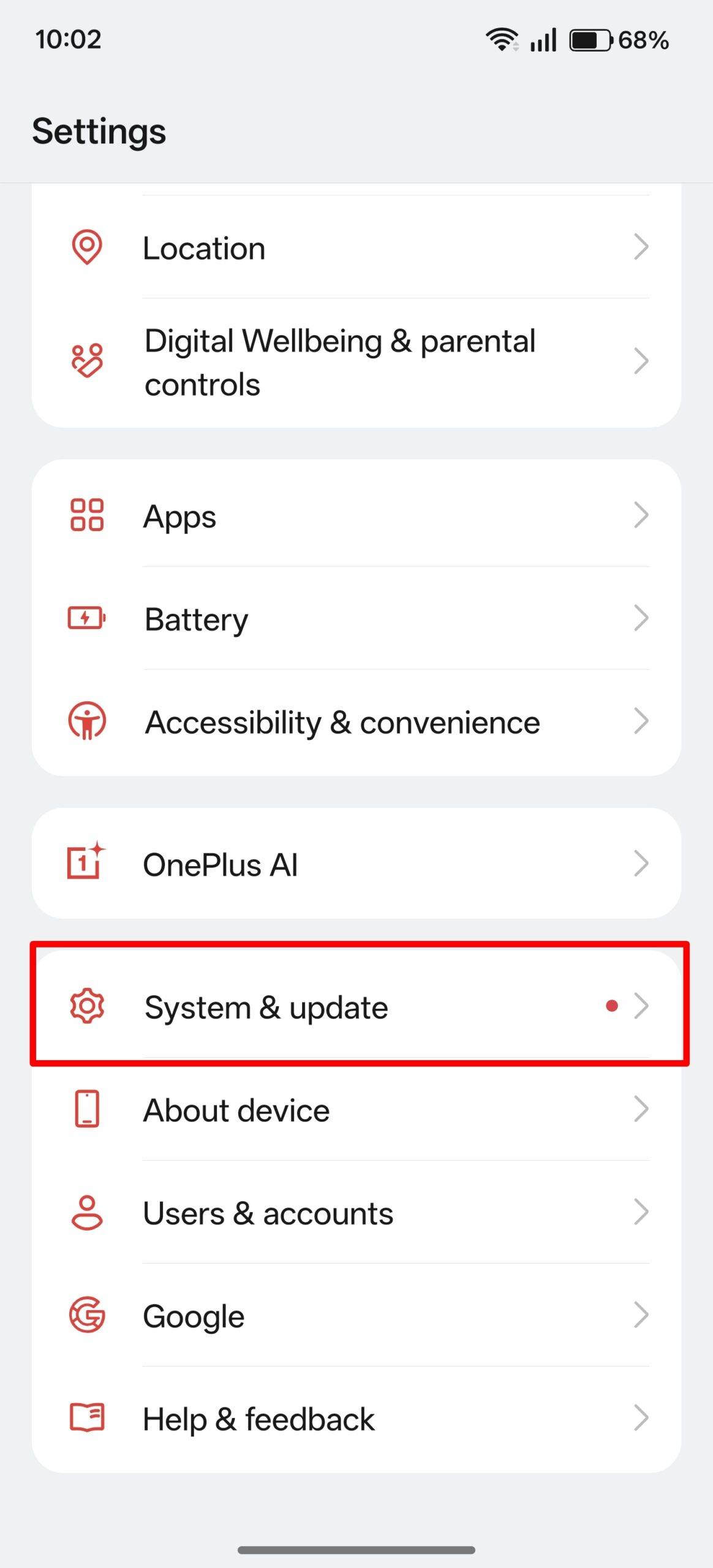
Step 3: Now tap on Software update
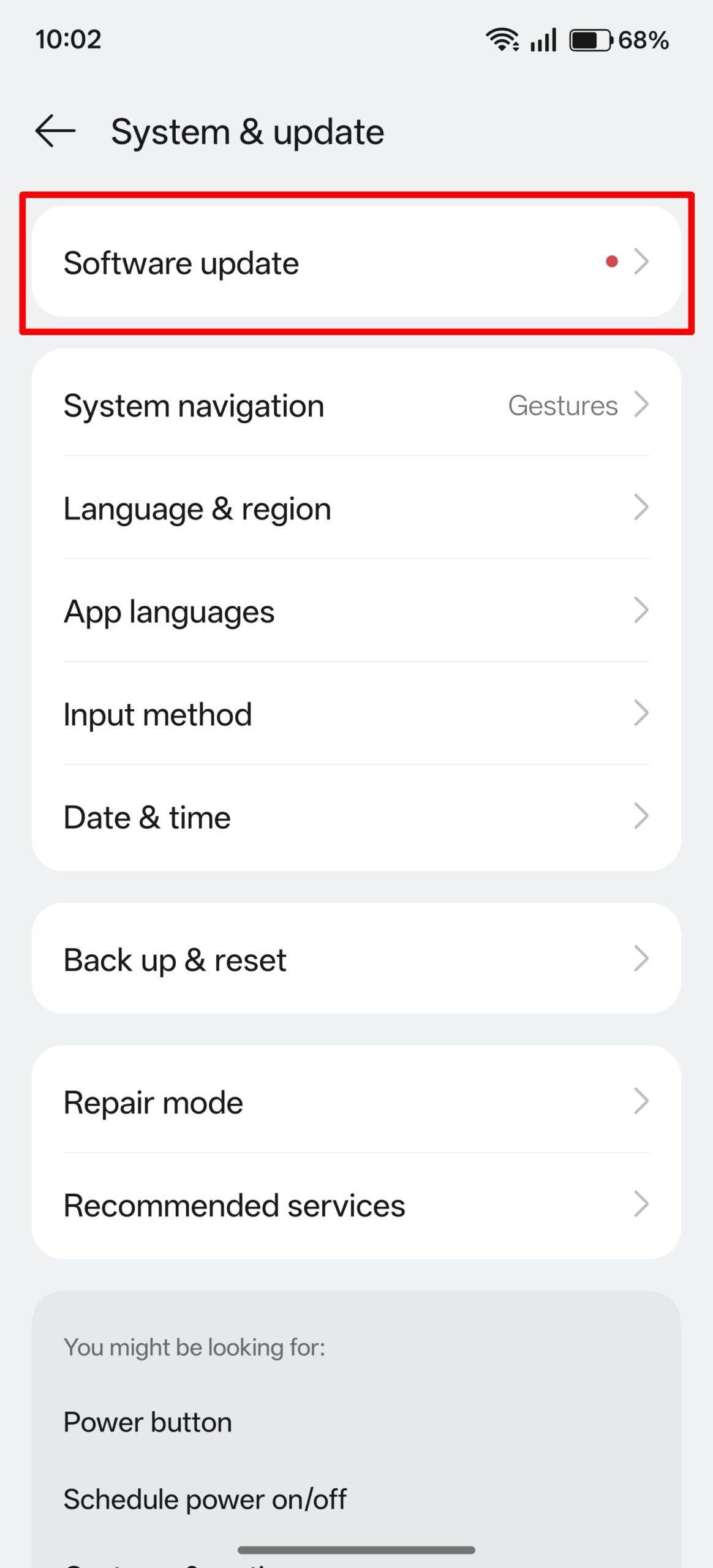
Step 4: Wait for the system to fetch the update from the server
Step 5: Once the update is available, tap Download and Install
Step 6: After downloading the update, tap Restart now
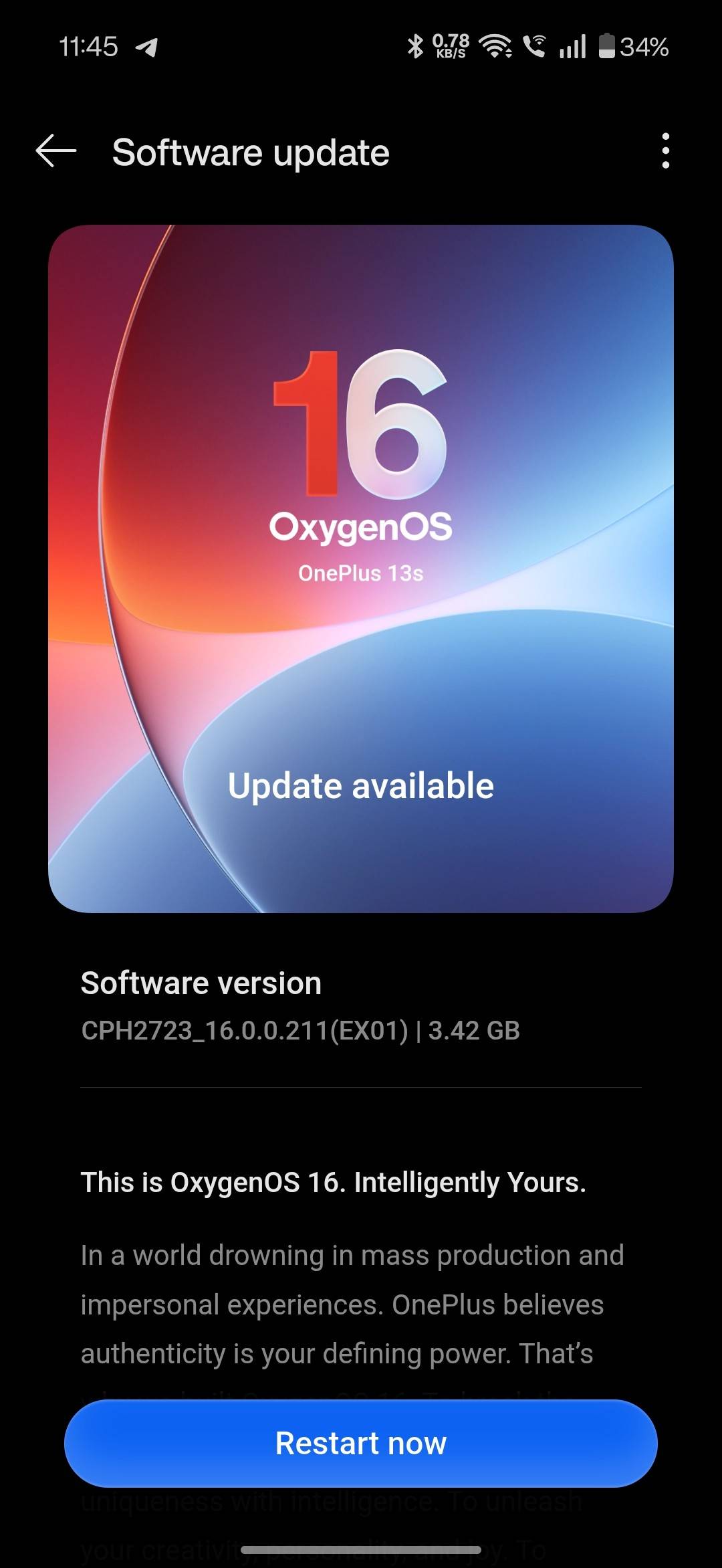
Once the phone restarts, which will take a while due to the update installation in the background, you’ll be booted on OxygenOS 16.

Android 16 update roundup: release timeline, eligible phones, features, and more

OriginOS 6 update roundup: release timeline, eligible phones, features and more

One UI 8 update roundup: release timeline, eligible device list, features and more
The top features and changes worth exploring on OxygenOS 16
Even though OxygenOS 16 is all about refinements and subtle changes, there are some major additions across key areas, which users might find useful in day-to-day use.
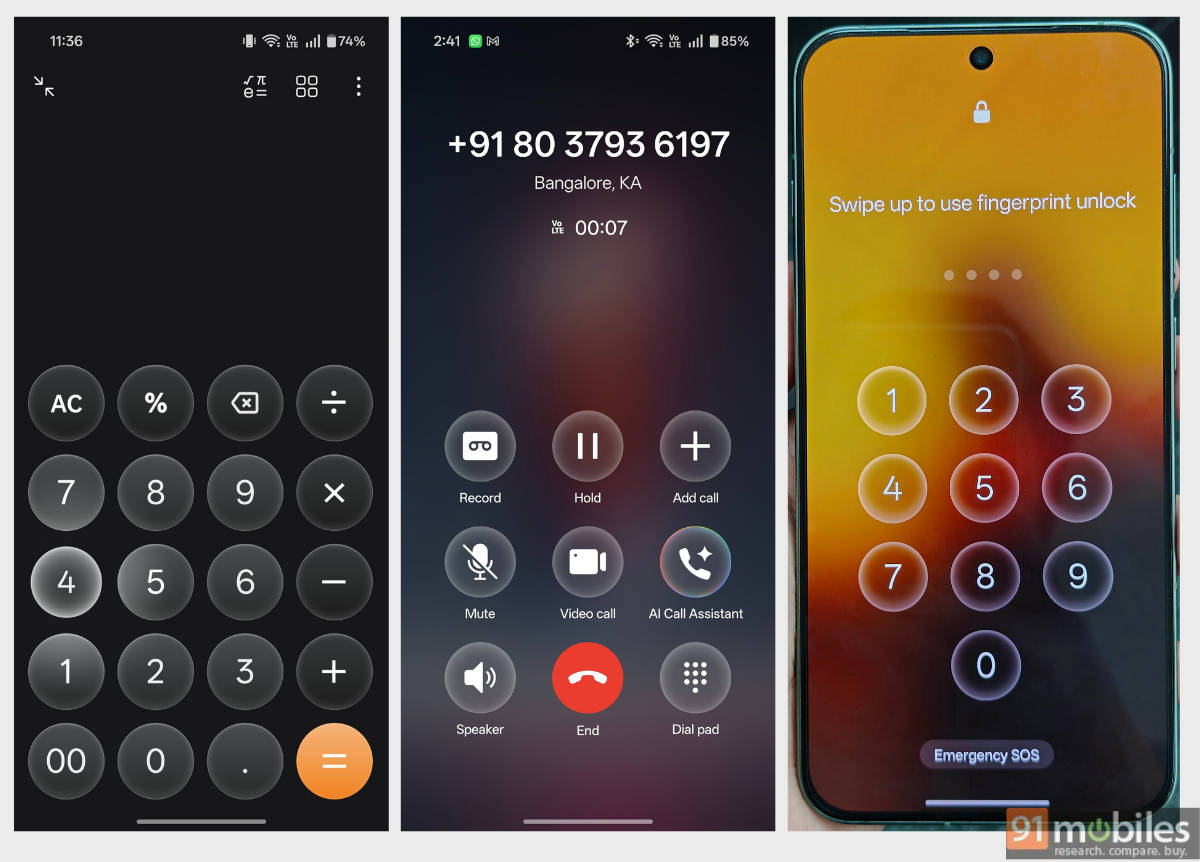
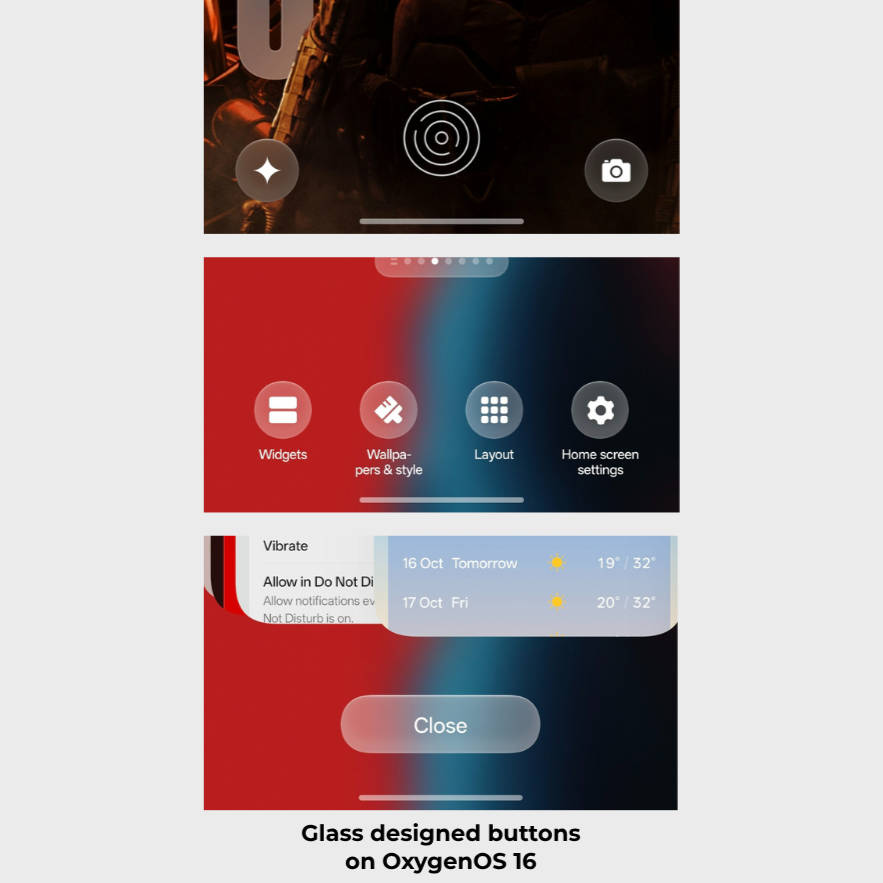
Prominent light, shadow, and blur effects: A major design advancement in OxygenOS 16 is precise light and shadow effects across several parts of the UI, including the lockscreen PIN pad, Calculator, and phone call interface.
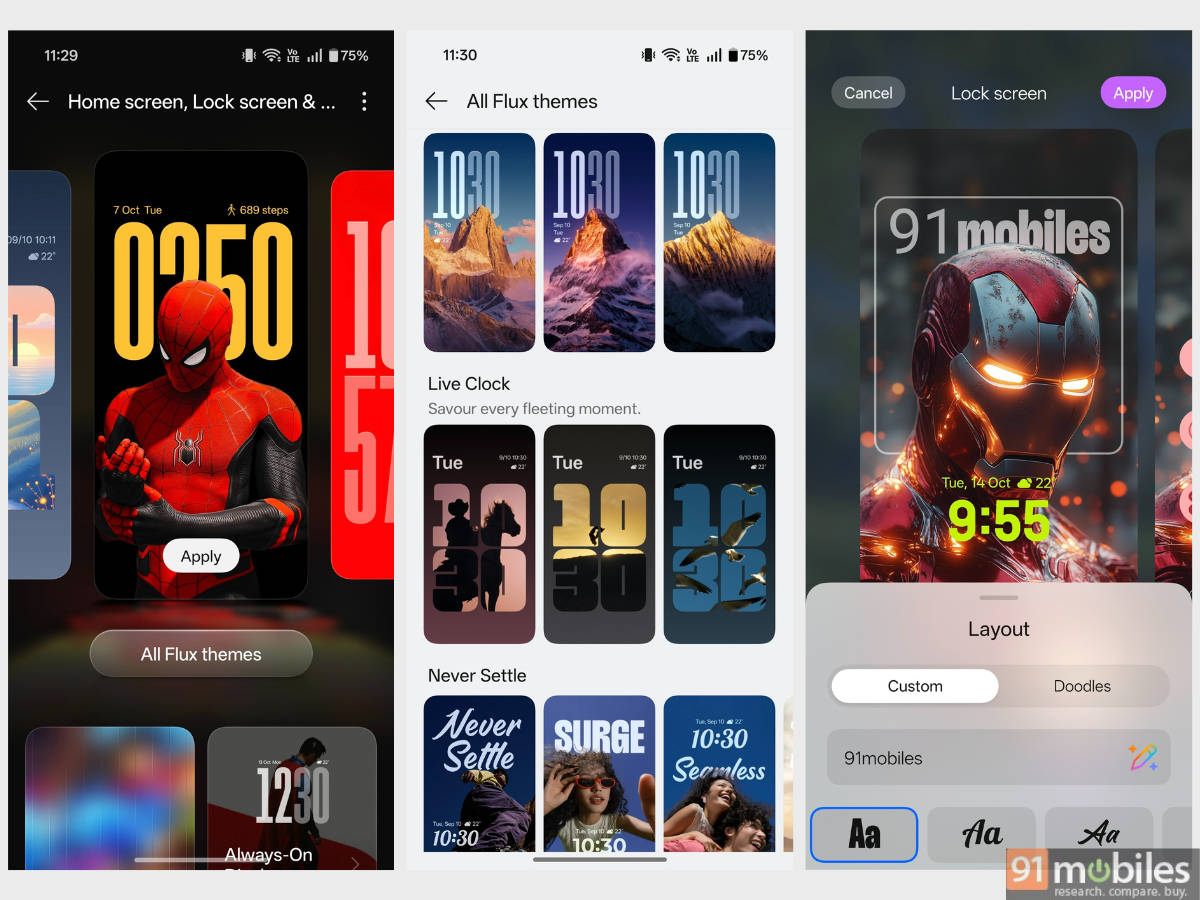
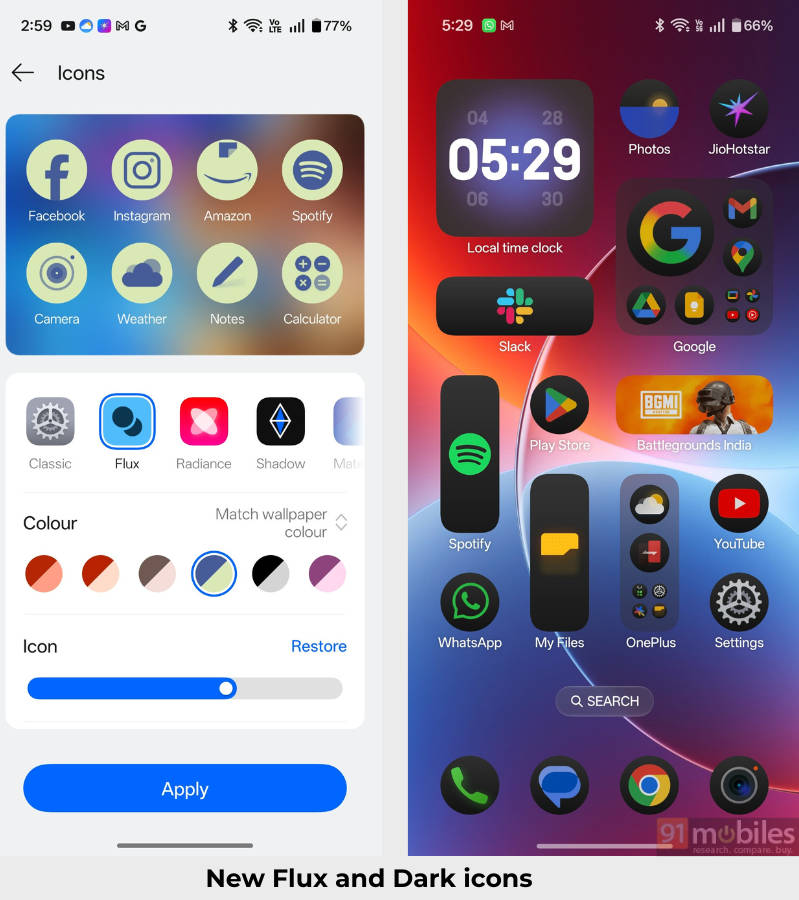
Flux Themes 2.0: For those who’re fond of changing the look and feel of their phone’s lock screen and home screen, Flux Themes 2.0 offers a slew of customisation options. The lock screen not only offers a variety of large clocks but also new styles to keep things fresh.
On the home screen, OxygenOS 16 ditches Google’s Material icon theming in favour of its own flux icons, which adapt to the wallpaper’s colours and apply to every app icon. Furthermore, in dark mode, the icons’ backgrounds turn grey.
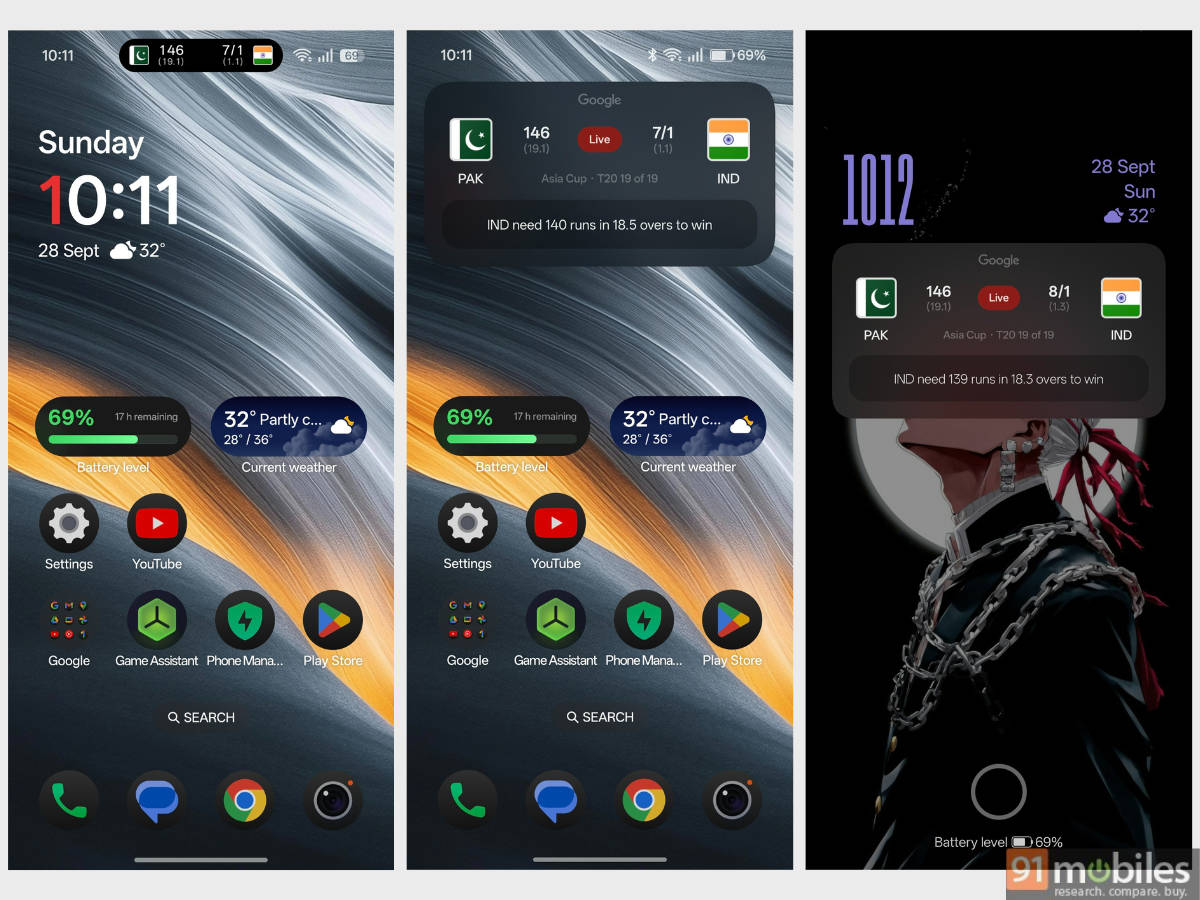
Additions to Live Alerts: Introduced with OxygenOS 14, Live Alerts sees enhanced capabilities in OxygenOS 16. The pill-shaped interface in the status bar now supports Google Maps directions, Blinkit order tracking, and sports match tracking via the Google app.
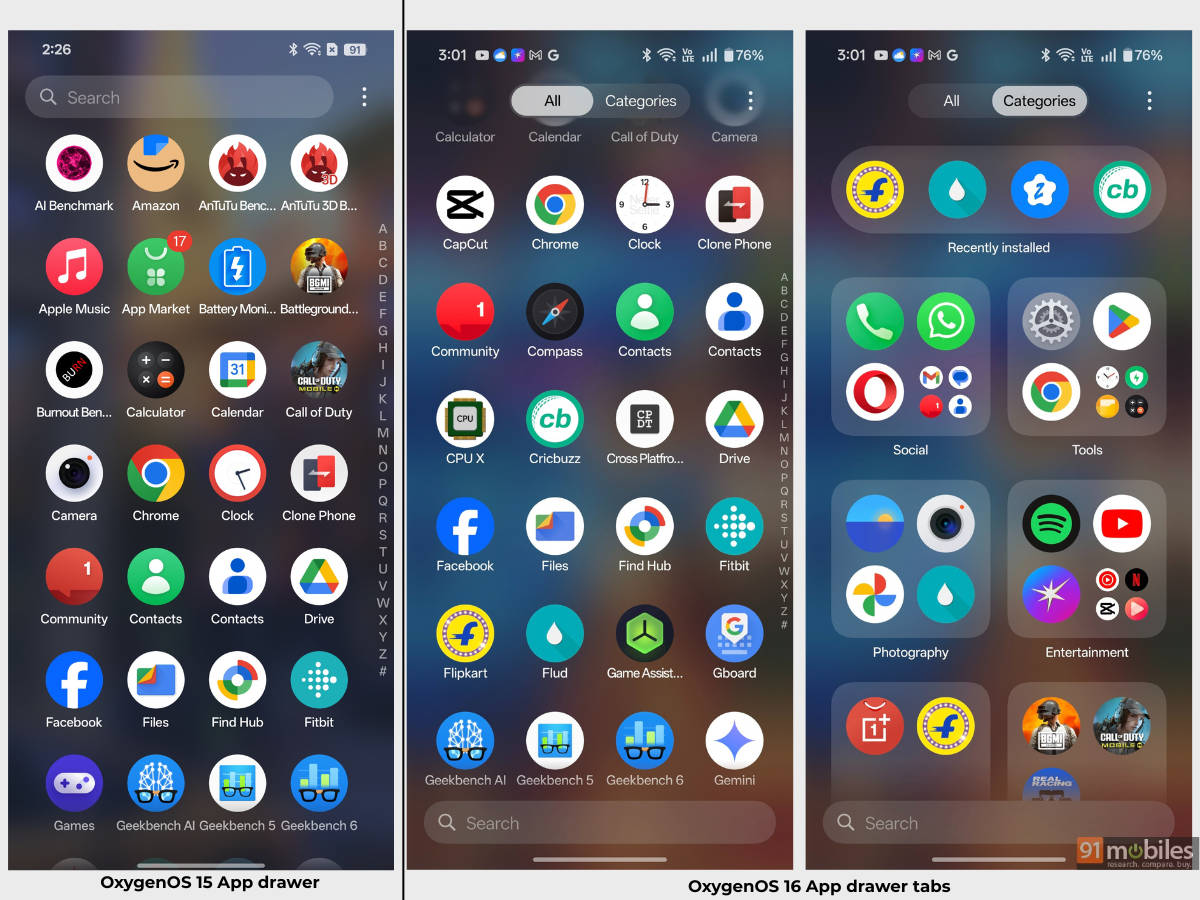
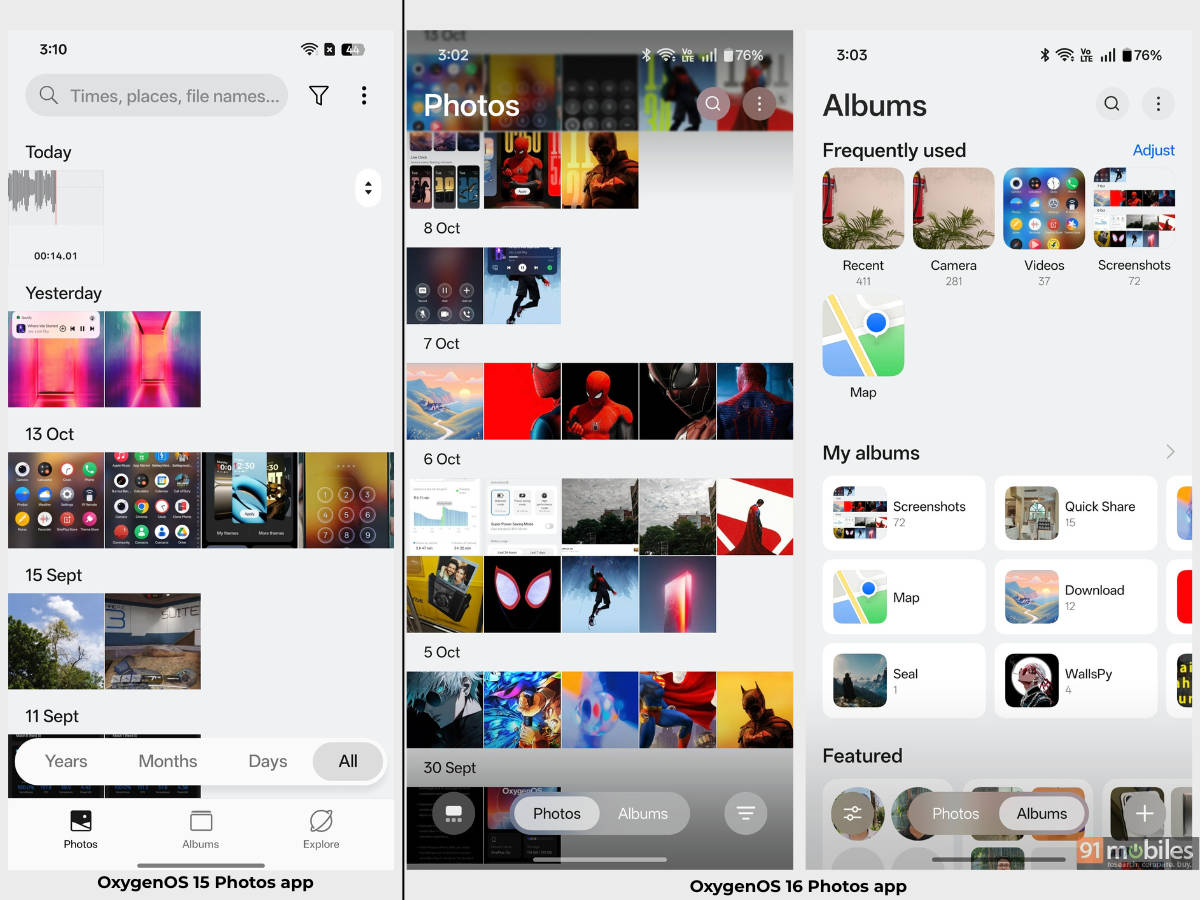
Refreshed Photos app and App Drawer: While changes to most first-party apps have been minimal, the Photos app and App Drawer have been revamped to support progressive Gaussian blur. Photos, along with an immersive view featuring a floating bottom tab, get a brand-new video editor with advanced tools and features.
Similarly, the App Drawer comes with two default views to choose from: ‘All’, which shows all the apps available on the device, and ‘Categories’, which automatically categorises your apps into folders.
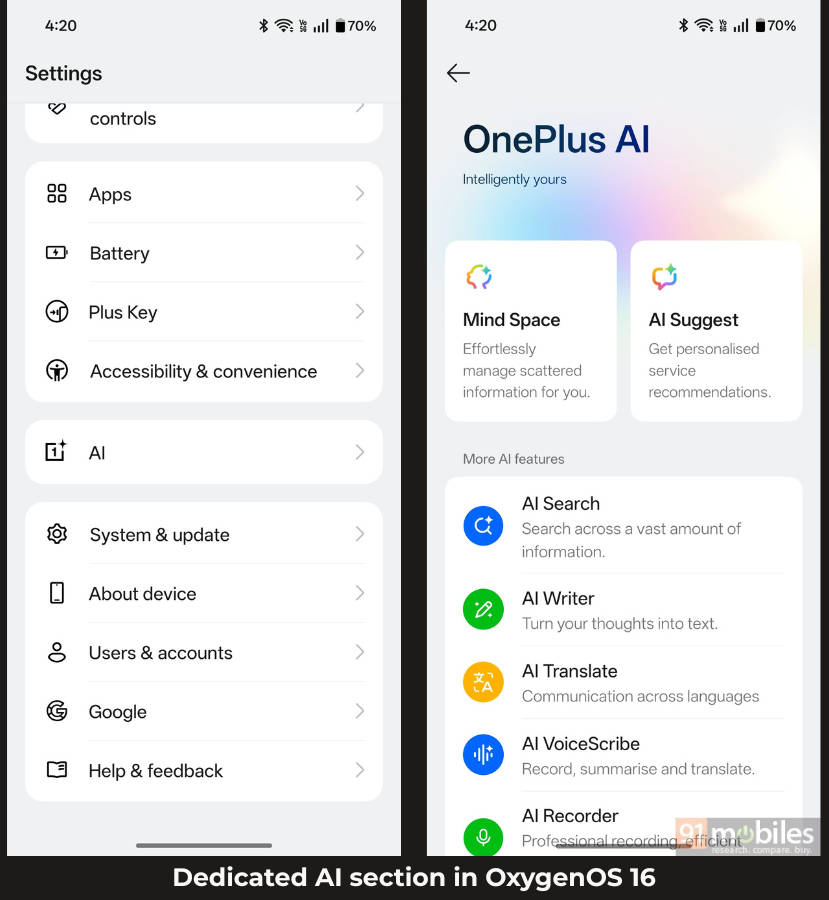
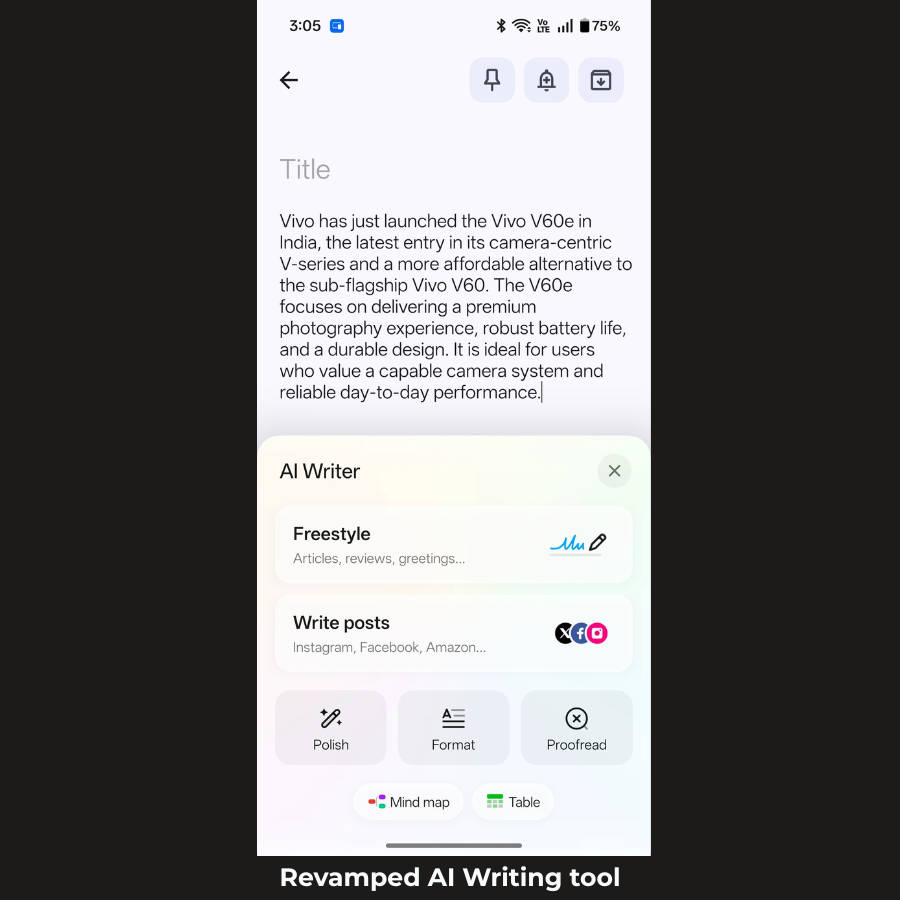
Enhancements to AI: The Settings app now finally has a dedicated ‘AI section,’ just like on Samsung and Infinix smartphones, allowing users to check all available AI features under one roof. Apart from that, AI Writing tools aren’t restricted to Notes, browsers, or chat apps; they can now be accessed from any text input field.
In the Photos app, AI Portrait Glow and AI Perfect Shot have been added to instantly enhance facial tones and expressions, while Mind Space can now be linked with Google Gemini to source your saved information.
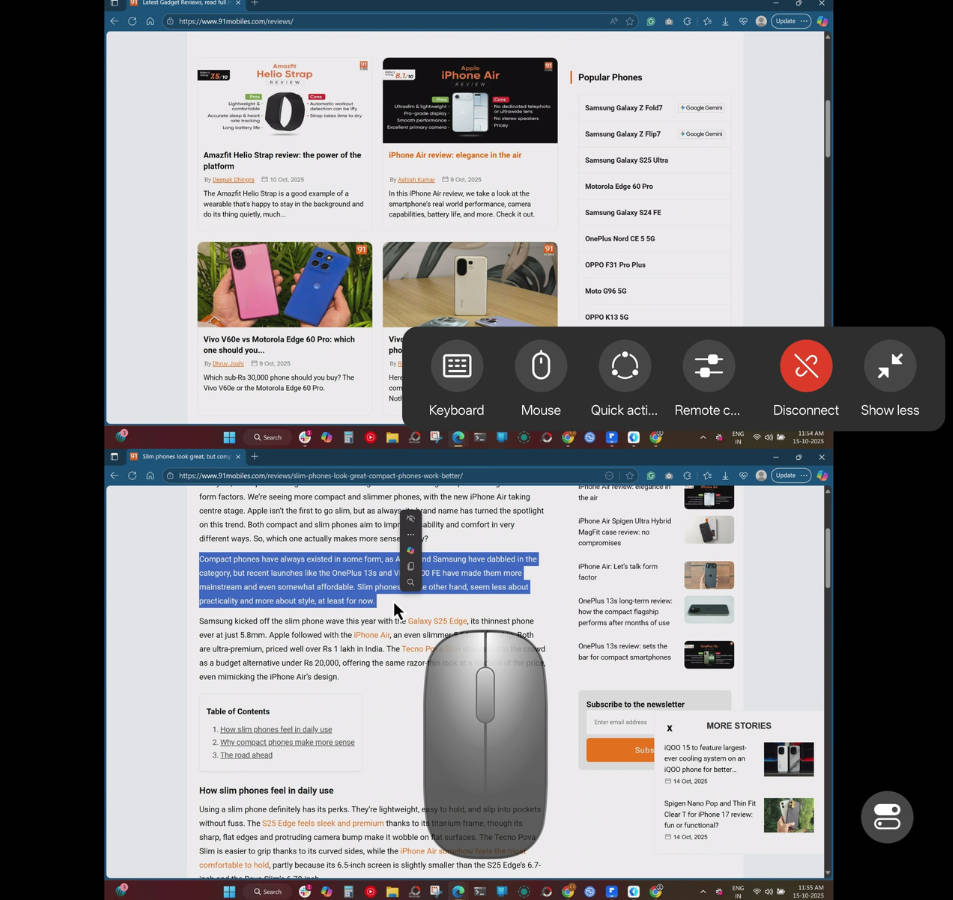
Connectivity enhancements: The O+ Connect app on Windows and Mac supports casting your laptop’s screen to your phone and vice versa, while an Apple Watch can be paired with a OnePlus phone to view notifications and call alerts.
Should you update to OxygenOS 16?
From our daily experience with OxygenOS 16 on the OnePlus 13s and OnePlus Nord 5, the software has proven itself to be one of the most fluid Android skins out there, right alongside ColorOS 16. While it could use some improvements, such as implementing a more effective Do Not Disturb (DND) mode that actually blocks notifications, OxygenOS 16 offers a sense of finesse and is fun to use.
While Samsung’s Galaxy AI continues to make waves for its deep-level AI integration within the system, OnePlus offers a capable suite of AI features for productivity, creativity, and content curation on OxygenOS 16. Similarly, the ability to cast your laptop’s screen onto your OnePlus phone offers versatility to access your computer from your own comfort.
FAQs
When was OxygenOS 16 released?
It was officially unveiled on October 16, 2025. The rollout to phones began in batches from late 2025 (November for the newest flagships, such as the OnePlus 13 series) and continued into early 2026 for older models.
Is OxygenOS 16 very different from OxygenOS 15?
While OxygenOS 16 isn’t far off from OxygenOS 15 appearance-wise, users who’re invested deeply into the software may find certain new design elements in various places, with the most prominent change being the introduction of light and shadow effects on buttons, number pad, Calculator, and ‘Add new (+)’ buttons. The areas where the software has stepped up include animations and smoothness through parallel processing 2.0, while Live Alerts also see improved functionality.
Can I downgrade from OxygenOS 16 to OxygenOS 15?
One can rollback to OxygenOS 15 from OxygenOS 16 by following the official guide available on OnePlus Community forums for the specific smartphone or tablet. While this is an official way, the procedure can be overwhelming for those who haven’t previously tried downgrading the software of a phone. Therefore, downgrading is only recommended if you’re certain you’ll be able to follow the provided procedure. Furthermore, downgrading to OxygenOS 15 will result in complete loss of data, therefore, it’s recommended to take a back up of the all important local data.