Acer Aspire Pro AP14-55 review: Best in the market under Rs 70,000?


Finding a solid daily-driver laptop under Rs 70k that doesn’t feel like a total compromise is a tricky balancing act, especially in 2026. That’s where the Acer Aspire Pro AP14-55 comes in. Acer positioned this machine as an entry-level professional laptop for students and working professionals who need something reliable without breaking the bank. I’ve been using it as my primary machine for a while now, pushing it through work tasks, daily browsing, and casual streaming to see how it holds up in the real world.

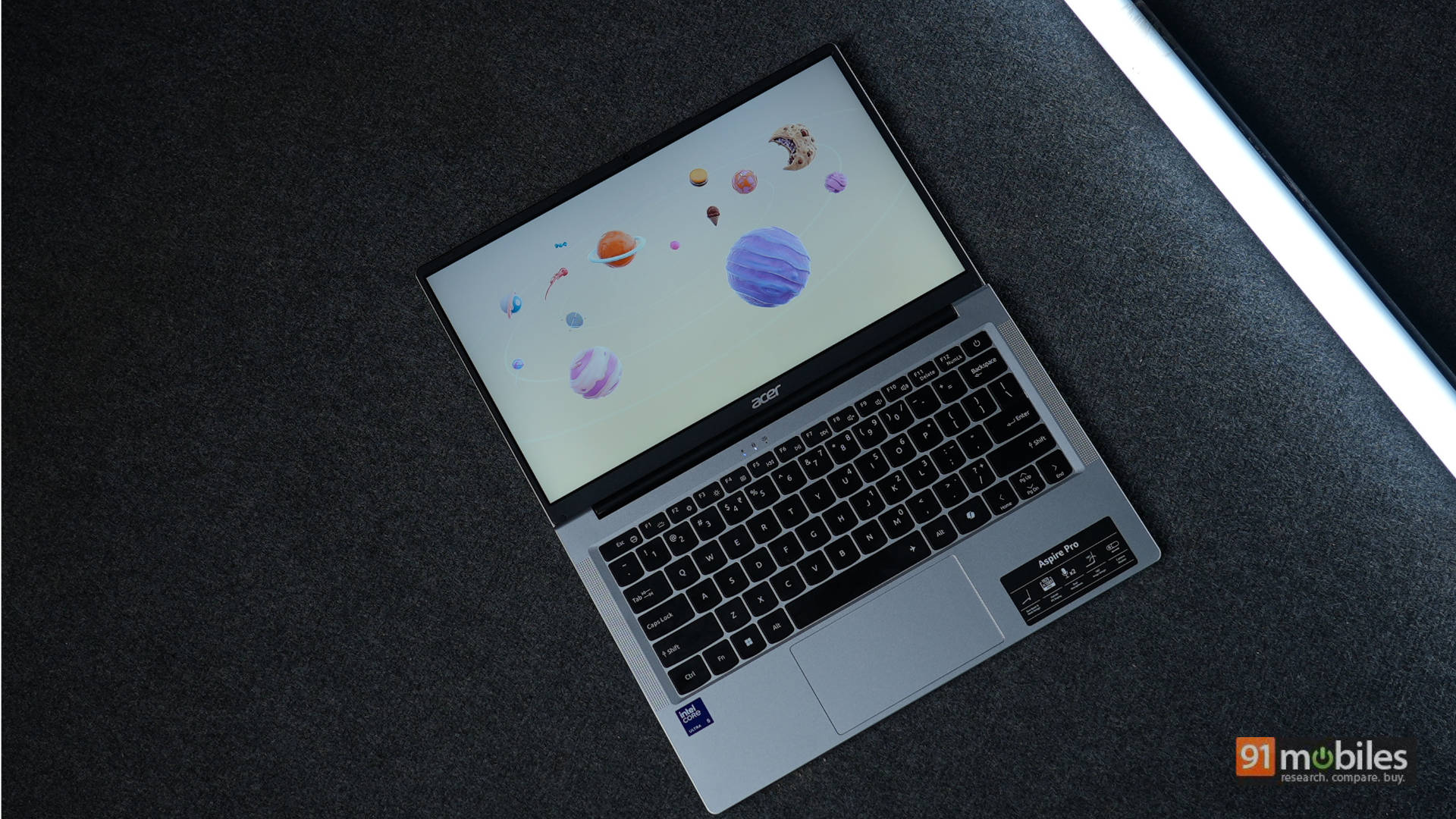
Table of Contents
Design, Build, and Connectivity: Featherweight Champ, Scratch Magnet
Right out of the box, the Acer Aspire Pro greets you with a clean, minimal design with standard Acer branding in the centre. The Aspire Pro features a light silver finish across its polycarbonate chassis, paired with a black contrast running across the bezels, hinge, rubber feet, and entire keyboard. I personally prefer a single-tone design language simply because it looks more premium.

Meanwhile, the most noticeable thing out of the box is the weight. At just 1.3 kg and 19 mm thick, the Aspire Pro simply vanishes into your backpack without feeling like a burden. On the bottom of the laptop, you get a speaker grille on each side, rubber feet for added support, and an air intake grille. The minor flex on the lid and keyboard is nothing to worry about. The hinge feels sturdy and lets the screen bend back up to 180 degrees with minimal screen wobble.
Overall, the build quality of the Aspire Pro is okayish at best. Beware of the plastic chassis, it attracts scratches very easily. On the bright (or not so bright) side, the light silver finish does a very good job hiding those scratches. We’ve actually noticed this same issue with another Acer Aspire machine in the past.

Moving on to the ports: on the left side, the Aspire Pro boasts a USB 3.2 Gen 1 Type-C port (which supports charging), an HDMI port, a USB 3.2 Gen 1 Type-A port, and a standard barrel-pin charging port. One weird detail worth mentioning is that while you get a Type-C charger in the box, Acer still included that barrel-pin charging port. Meanwhile, on the right-hand side, there’s a microSD card slot, a headset/audio jack, a USB 2.0 Type-A port, another USB 3.2 Gen 1 Type-A port, and a Kensington lock slot for added security. I would have much appreciated a full-sized SD card slot instead of the microSD slot.

Yes, you get ample ports, so you won’t need to carry any sort of dongle. But on the other hand, having just one Type-C port in 2026 is kind of a bummer. I meaaaaan, Acer, please fix this! Meanwhile, on the wireless connectivity front, the Aspire Pro supports Wi-Fi 6 and Bluetooth 5.1, keeping your connections smooth. The FHD webcam comes with a privacy shutter and outputs decent quality.
Display and Audio: Punchy Pixels, Muted Decibels
The Aspire Pro features a Full HD (1920×1080) TFT LCD panel with what Acer claims to be “IPS-level”. Essentially, that means you still get better viewing angles compared to a standard TFT panel. Truth be told, the display is one area where the Aspire Pro really punches above its weight. Colours come out surprisingly accurate and punchy, and it gets bright enough for easy viewing, even under harsh lighting conditions. I personally kept the brightness at 60% to 80% most of the time, depending on where I was working.

A 1080p TFT display has its limits if you want a top-notch, flawless viewing experience. But considering its price tag and target audience, you shouldn’t doubt this display. It most definitely gets the job done.
As for the audio, the Aspire Pro comes with a built-in dual stereo speaker setup. It works fine if you’re sitting in a fairly quiet environment. However, the moment you step into a noisier space with lots of background chaos, you will definitely need external speakers or a pair of Bluetooth earphones. In my experience, the speakers performed well enough for taking office meetings and casual video watching. Meanwhile, the mics are pretty solid.
Keyboard and Trackpad: Decent Typing, Cramped Gliding
Acer clearly took design cues from Apple here. The MacBook Air inspiration is obvious the moment you look at the keyboard. The keys are well-spaced and feel comfortable to type on, making them very easy to adapt to quickly. They also have a satisfying, subtle clicky sound. It’s a two-level backlit keyboard with a 75% layout.

The keyboard also features three indicators near the top centre: a new mail/message indicator, a Caps Lock indicator, and a power/system status indicator. I don’t find them very useful. Acer could have easily built these indicators directly into the corresponding keys instead of placing them separately at the top of the keyboard.

As for the trackpad, that well-spaced keyboard comes at the cost of trackpad real estate. The centre-aligned trackpad stretches out horizontally, but it feels a bit short vertically. Of course, it still gets the job done, and you’ll get used to it in no time. It is actually very responsive, and I didn’t experience a single hiccup during my usage.
Performance and Battery: 8GB RAM in 2026? Surprisingly Fine
Under the hood, the Acer Aspire Pro packs an Intel Core Ultra 5 125H processor, paired with 8 GB of DDR5 RAM and a 512 GB Gen 4 SSD. On paper, 8 GB of RAM looks concerning given the price tag. But in practical daily use, it didn’t feel like a wrong move. Acer made a clever play here: with global component price fluctuations, Acer opted for a smaller RAM capacity running at higher speeds, which translates to performance close to 16 GB.
However, just like every other Rs 70k machine on the market, the Aspire Pro struggles when you bombard it with 20 Chrome tabs, PowerPoint presentations, YouTube, and Spotify all running simultaneously. But for normal, everyday laptop use, it works smoothly and gets the job done.

Thanks to the efficiency-focused Intel chip, battery performance is quite decent. In our testing, the Aspire Pro provided over 7 hours of battery backup. In my personal daily use, I easily got around 5 hours of screen-on time, which is solid for a laptop of this calibre. Of course, if battery life is your top priority, you might want to look at ultra-efficient AMD- or Snapdragon-powered laptops instead. For instance, the Acer Aspire 14 lasted over 15 hours in our PCMark battery test and easily serves as a full-day laptop in real-world use.
Verdict
One might argue that 8 GB of RAM is on the lower side for 2026, but at a price tag under Rs 70k, the Aspire Pro remains one of the more compelling options on the market. It’s an entry-level professional laptop that fits students and working professionals well. Of course, it has its shortcomings. This machine is literally a scratch magnet, and the battery life and heavy multitasking performance are just decent at best.

To give you a bit more context, take a look at similarly priced laptops in the market like the Acer Aspire Neo, which offers similar specs but with 16 GB of RAM out of the box. The Aspire Pro surprisingly beats it in raw CPU performance, though it falls behind in the graphics department. Meanwhile, in this Rs 70k segment, you also have Snapdragon-powered options like the HP Omnibook 3 or Acer Aspire 14. Put up against those, the Aspire Pro falls far behind in battery efficiency, but it performs significantly better when it comes to raw graphics power. And of course, there’s also the budget MacBook Neo on the market, which could make a lot of sense for a specific set of buyers.
Realistically, the Acer Aspire Pro is an easy recommendation if your workflow mostly consists of answering emails, browsing social media, working on college assignments, and general web tasks. If you can live with the single Type-C port and don’t expect it to handle heavy video editing or extreme multitasking, it’s a dependable everyday workhorse. It doesn’t try to be a flashy flagship, but for the price, it hits the sweet spot where it counts most.
Editor’s Rating: 7.8 / 10
Pros:
- Lightweight & Portable
- Punchy Display
- Comfortable Keyboard
- Ample Port Selection
Cons:
- Scratch-Prone Body
- Features only a single USB Type-C port

