Android 17 stable update starts rolling to Pixel devices; here’s what’s new


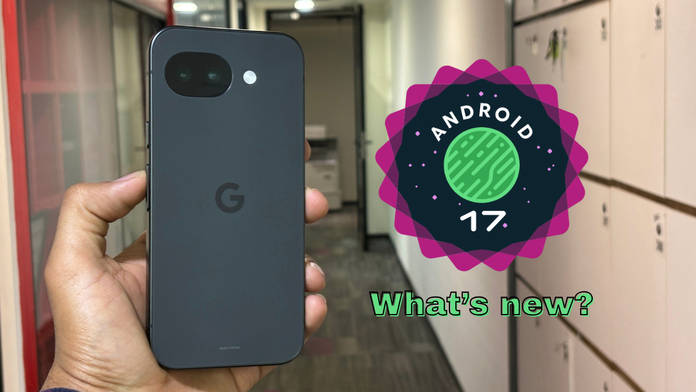
After multiple beta releases of Android 17, the stable firmware has started rolling out to eligible Pixel devices, including smartphones, foldables, and tablets. While previous Android releases have generally rolled out after August, this is one of the fastest Android rollouts ever. While the firmware brings a host of new features, improvements, and visual changes, Google is primarily focusing on enhancing productivity, gaming, and security with the new release. On that note, let’s take a look at the key changes of Android 17 for Pixels.
Table of Contents
Enhanced multitasking capabilities
Bubbles: Adding to the already available multitasking features, such as split screen, floating windows, and picture-in-picture, Android 17 brings ‘bubbles’. It operates just like Facebook Messenger’s bubble chats, wherein users can open and browse multiple apps in bubble format. Unlike floating windows, users can summon more than one app and place the app icon overlay alongside the edges of the screen.


Consistent widget size across devices: On external or connected displays, Android 17 will resize the widgets according to the screen’s pixel density, resulting in visual consistency and an appealing look.
Show Full Article
Customisation features and visual changes
Hide app names on homescreen: Something which most Android skins have already had, the option to hide the app names on homescreen finally arrives on Pixels with the Android 17 update. When app names are hidden, it should result in a cleaner homescreen look, which many may prefer.


More blur backgrounds: On Android 16, Google introduced blur details and backgrounds in multiple areas, such as the quick settings panel. Android 17 takes this even further by adopting blur in the widgets picker page, volume panel, and power off menu.
Compact menus: Within the Settings, the menu sizes have been resized to make them appear more compact. While this doesn’t enhance any functionality, smaller menus allow for more content on a single page.
Enhanced privacy options
System Contact Picker: Android 17 lets users grant apps access to only the contacts they choose. With third-party apps having access to your contacts, this ensures you only provide the data of the required people.


App-wise precise location permission: Apps that require location permissions can access your precise location only for a particular session. So, suppose you have downloaded a new app for one-off purposes, the app can be granted access to your exact location for just a short period of time.
New features and enhancements
Screen Reactions: During screen recordings, users on Android 17 will be able to show their face in a floating window using their phone’s front camera. What’s special is that, unlike previous implementations, such as on One UI, which show the face in a circular or square cutout, Android 17 on Pixels automatically cuts the background without the need for a green screen.
Improvements to Live Updates: Introduced in Android 16, Live Updates on Android 17 have been upgraded to appear more prominently in the notification drawer, on the lock screen, and on the status bar.
Google Pixel devices eligible for Android 17
The following Pixel devices will receive the Android 17 update:
- Pixel 6
- Pixel 6 Pro
- Pixel 6a
- Pixel 7
- Pixel 7 Pro
- Pixel 7a
- Pixel Tablet
- Pixel Fold
- Pixel 8
- Pixel 8 Pro
- Pixel 8a
- Pixel 9
- Pixel 9 Pro XL
- Pixel 9 Pro
- Pixel 9 Pro Fold
- Pixel 9a
- Pixel 10
- Pixel 10 Pro XL
- Pixel 10 Pro
- Pixel 10 Pro Fold
- Pixel 10a
Given the new additions and changes, the Android 17 update for Pixels may seem like an iterative bump up, but on a deep level, it should offer an enhanced experience for everyday use. Features like bubbles should certainly boost user productivity as it offers multitasking and juggling apps without needing to adjust windows, while the addition of blur improves the visual appeal of Pixel UI.
Other brands like Samsung, OnePlus, OPPO, Honor, Xiaomi, and others have already rolled out Android 17 beta releases for their eligible smartphones.

