Motorola Signature 27 vs Signature: how the two premium phones compare


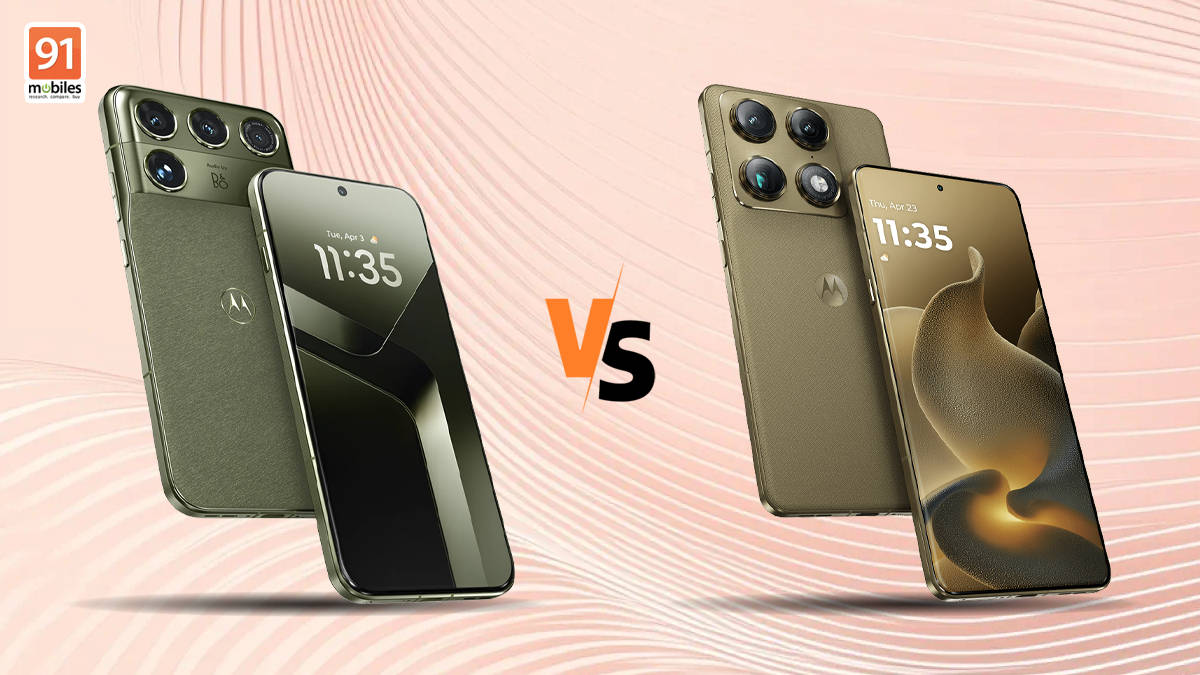
The Motorola Signature 27 has made its global debut, bringing impressive hardware, including Qualcomm’s latest chipset, a 200MP telephoto camera, a display with 12,000 nits of peak brightness, and more. It is also Motorola’s first full-fledged non-foldable flagship, following the Signature, which launched earlier this year as a sub-flagship. Both phones represent the brand’s premium offerings and share the Signature branding. Here’s how the Motorola Signature 27 compares with the Motorola Signature.
Table of Contents
Motorola Signature 27 vs Signature: specs at a glance
| Specification | Motorola Signature 27 | Motorola Signature |
| Display | 6.8-inch Extreme AMOLED Duo Tandem OLED, 120Hz refresh rate, LTPO panel, 12,000 nits max brightness | 6.8-inch FHD+ AMOLED LTPO, 165Hz refresh rate, 6,200 nits of peak brightness |
| Processor | Qualcomm Snapdragon 8 Elite Extreme 6 | Qualcomm Snapdragon 8 Gen 5 |
| Cameras | 200MP + 50MP + 50MP + action sensor; 50MP front | 50MP + 50MP + 50MP rear; 50MP front |
| Battery, charging | 7,000mAh, 90W wired, 50W wireless, 5W reverse wireless, 4.5W reverse wired | 5,200mAh, 90W wired, 50W wireless, 10W reverse wireless, 5W reverse wired |
| Software | Android 17; 7 years OS and security updates | Android 16; 7 years OS and security updates |
Motorola Signature 27 vs Signature: display, design
Motorola Signature 27 and Signature both feature an elevated camera module, but the design is strikingly different. On the Signature 27, you have a large camera plateau housing the sensors and the LED flash. The design might seem bold and may not appeal to everyone. It is, however, thicker and heavier than the first-gen Signature, weighing 227g and measuring 7.99 mm thick. The handset comes in Pantone Coal Smoke and Pantone Capulet Green. For durability, the Signature 27 has Gorilla Glass Ceramic 3, IP68/IP69 ratings, and MIL-STD-810H compliance.


In comparison, the Motorola Signature looks quite like the rest of the Motorola phones with its square-shaped camera module and thin and lightweight design. The phone measures 6.99mm in thickness and weighs 186g. It comes with Gorilla Glass Victus 2, IP68 and IP69 certified for water and dust resistance, and meets the U.S. military’s MIL-STD-810H standard. The smartphone is available in Pantone Carbon and Pantone Martini Olive, which is quite similar to the Signature 27’s Capulet Green.
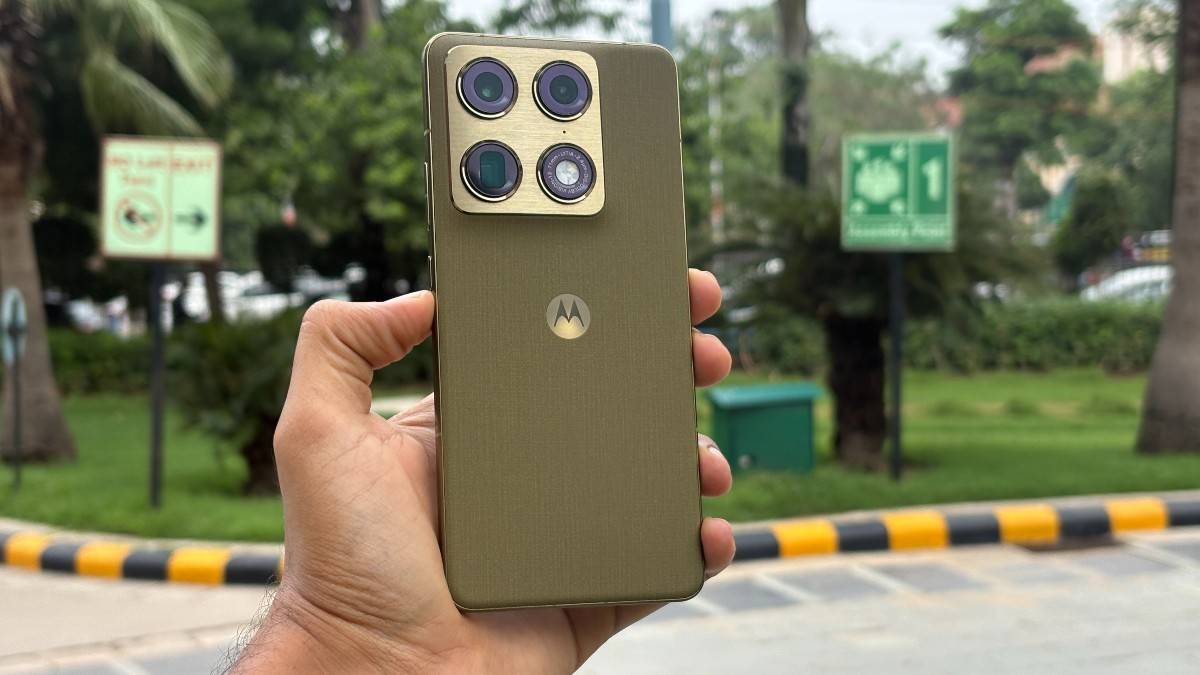
While design is subjective, the Motorola Signature might feel more comfortable to hold and use than the Signature 27, although the latter has a slightly stronger Gorilla Glass Ceramic 3 protection.
Coming to its display, the Motorola Signature 27 has a 6.8-inch Extreme AMOLED Duo display with a 120Hz refresh rate. What’s more important is the Tandem OLED panel and 12,000 nits max brightness. This means you’re getting a more vibrant display with better colours and excellent visibility outdoors in bright sunlight. The Motorola Signature features a 6.8-inch FHD+ AMOLED display with an LTPO panel but a higher 165Hz refresh rate, and 6,200 nits of peak brightness. The Signature still offers impressive display specs, but yes, the overall experience would be better on the 27.
Motorola Signature 27 vs Signature: chipset, battery
Motorola Signature 27 is powered by Qualcomm’s latest and fastest mobile chipset yet, the Snapdragon 8 Elite Extreme Gen 6. In comparison, the Signature uses the Snapdragon 8 Gen 5, which is a tier below, but still offers flagship-level performance. On paper, the Signature 27 would be a better performer and more reliable when it comes to power usage or gaming. The Motorola Signature is no slouch, though, and can still be considered for performance, especially in the sub-flagship segment. Both phones also come with LPDDR5X RAM and UFS 4.1 storage.

Another key differentiator between the two phones is the battery department. With the Signature 27, you get a 7,000mAh battery, which is much larger than the Signature’s 5,200mAh unit. This means that you’d get much better battery life on the Signature 27 in everyday usage. The Signature’s 5,200mAh itself is limiting since most of its rivals offer upwards of 7,000mAh. Charging features are the same, with both phones offering 90W wired, 50W wireless, and 10W reverse wireless support. One tiny difference is that the Signature supports 4.5W reverse wired, and 5W on the Signature.
Motorola Signature 27 vs Signature: cameras
The Motorola Signature 27 has a quad-camera setup, where one is a dedicated action sensor for motion capture improvement. The main cameras are a 50MP Lytia 910 primary sensor, a 200MP periscope telephoto lens with 3x optical zoom, up to 100x Super Zoom Pro, and a 50MP ultra-wide lens. For selfies, you get a 50MP front camera on the Motorola Signature 27.


On the Motorola Signature, you get a 50MP stack, starting with a 50MP Sony LYTIA 828 primary sensor, a 50MP ultra-wide lens, and a Sony LYTIA 600 periscope telephoto lens with 3x optical zoom, and up to 100x Super Zoom Pro. Like the Signature 27, this one too has a 50MP selfie camera.
On paper, the major difference is the periscope telephoto lens on the Signature 27, which is a more advanced sensor and should result in better portraits and distant shots. The Signature 27 should also deliver better results in fast-moving shots thanks to the dedicated sensor and on-device AI for better colour reproduction. We can only make a proper judgement after comparing the two in real-world scenarios.
Motorola Signature 27 vs Signature: software
Since they’re both Motorola phones, the software experience will be largely the same. The Motorola Signature 27 runs Android 17 out of the box with seven years of updates promised. The Signature also gets the same software support, but since it comes with Android 16, you get one less OS upgrade. Unless you’re seriously considering using the phone for seven years, this shouldn’t be a problem.
However, the Signature 27 does get some advanced AI perks. Google’s Gemini is deeply integrated into the Motorola Signature 27, letting users turn a prompt, photos, or existing footage into a polished video with Gemini Omni, or generate music and soundtracks using Lyria. So, if you want deeper AI and that additional OS upgrade, the Signature 27 would be a better fit.
Takeaways
Overall, the Motorola Signature 27 and Signature cater to different price segments, making this an interesting comparison rather than a direct flagship face-off. The Signature 27 brings meaningful upgrades in performance, battery capacity, display technology, and camera hardware, positioning itself as a more premium offering. The Motorola Signature, meanwhile, remains a compelling option for those who prefer a thinner, lighter design and flagship-level performance without stepping into the higher price bracket.
Ultimately, the choice comes down to your budget and whether the Signature 27’s additional hardware upgrades justify the premium over the Signature.