HP Omnipad 12 review: It blurs the line between a laptop and a tablet


The HP Omnipad 12 marks the debut of the brand’s Omni series in an Android tablet. We live in a time when brands actively focus on budget laptops to take on the MacBook Neo. Mind you, these are all productivity-focused, thin-and-light “budget” laptops that mostly feature shorter screen real estate (around 13 inches in most cases).

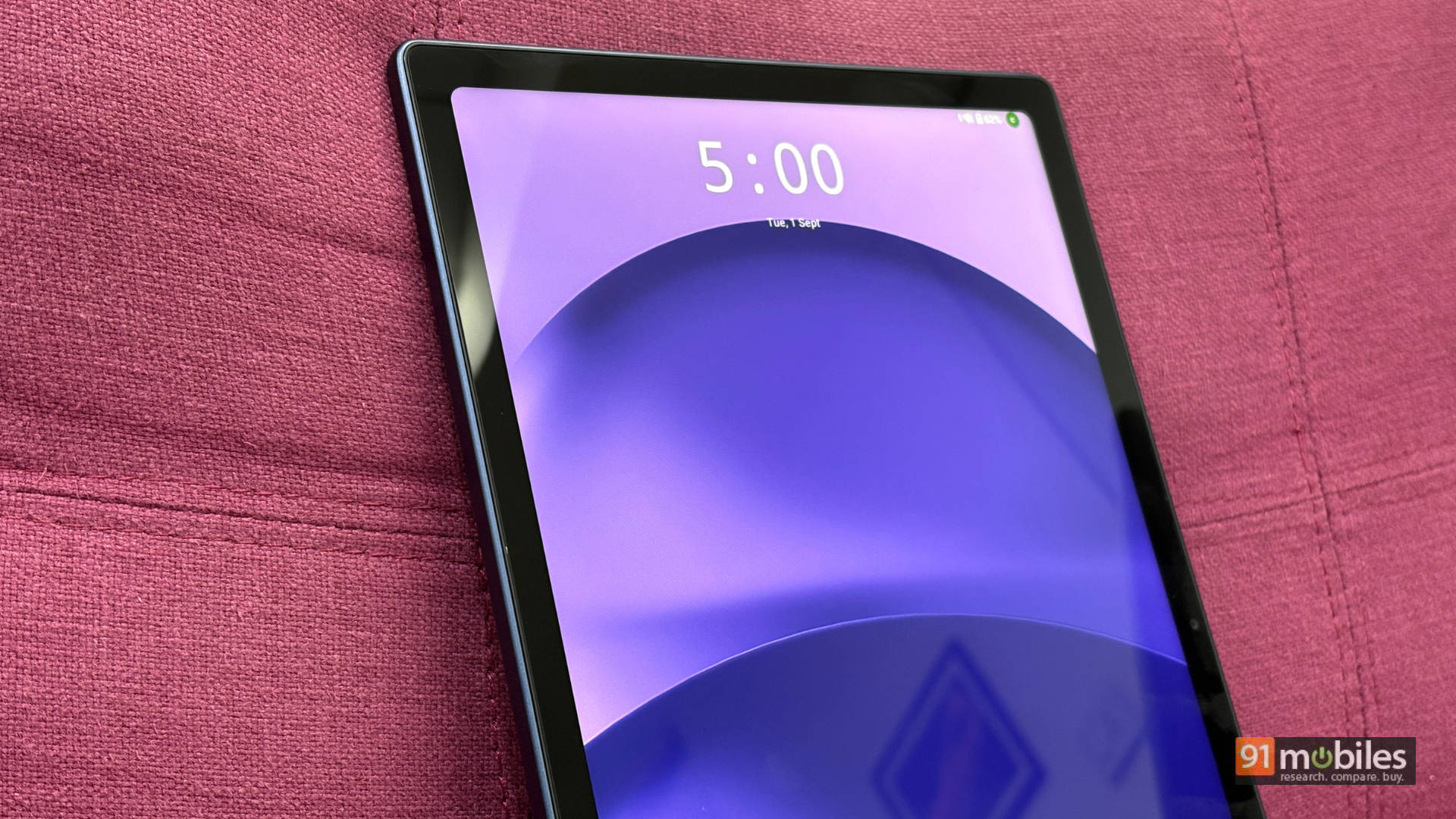
Meanwhile, the tablet market is witnessing a resurgence. Almost every major brand, whether a mobile maker or a laptop giant, takes tablets seriously again. With rapid advancements in mobile processors, tablets actually start to make sense as laptop replacements or at least as secondary machines. This raises the big question: is the line between tablets and laptops actually blurring, or is it all just clever marketing? I spent some solid hands-on time with the Omnipad 12 to find out.
Table of Contents
Design and Build: Metal, magnets, and a missing flash
Let’s kick things off with the design. The Omnipad features an all-metal build. The moment I held it, I knew I was holding something premium. The smooth matte finish paired with a deep navy shade sold me immediately. HP calls this colour Denim Blue, which is our review unit’s shade. They also offer another colourway, Meteor Silver, which looks equally awesome.

More on the design: if you ask Gemini to reimagine the HP Omnibook as a tablet, you get this exact HP Omnipad design (yes, I actually tried it). HP opted for a very minimal design here, giving you a central HP logo and a clean single-camera cutout, though no flash. Adding that single flash would have instantly turned this tablet into an iPad lookalike. It features a flat design with rounded corners, which has basically become standard when it comes to tablets and mobile phones alike.

The Omnipad weighs 600 grams on its own and almost 1.2kg with the bundled keyboard (matching the weight of my current daily driver, the M1 Air). It comes in at a thickness of 7.3mm. True story: my first impression was, “Why is it so light? What material is this?” Yet at the same time, this doesn’t feel cheap at all. HP really nailed the design and build here, especially the weight distribution.

I know it isn’t the slimmest or lightest tablet on the market. For example, you can get a Xiaomi Pad 8, which is my absolute GOAT when it comes to budget tablets. That one measures just 5.8mm thin and weighs a mere 494 grams. But not once did the Omnipad dig into my palm or strain my wrist, even after an uninterrupted 2-hour session of eFootball (yes, I know I’m an addict).

HP makes no mention of any sort of IP rating, nor could I find it listed anywhere on HP’s website or e-commerce platforms. That’s kind of a bummer considering IP ratings are becoming standard for most tablets on the market. However, during my testing, I exposed it to plenty of dust and water splashes (standard bachelor-pad living experience) and noticed zero hiccups in performance or day-to-day usage.

HP bundles the Omnipad with a detachable keyboard by default everywhere you look, be it the brand’s website or any e-commerce platform. This is a very nice addition by HP. The brand mentions that the bundled keyboard uses recycled plastic. The keyboard build features two distinct layers: the keyboard itself and the rear cover baseplate, which consist entirely of plastic.
Meanwhile, the screen cover and upper backplate come with a rubberised matte finish that has a very nice, smooth texture. Although it captures dust and smudges very easily, you can easily wipe them off with just your bare hand. This feels similar to what we see on the OnePlus 15. The upper half of the back cover folds backwards to become a kickstand. The raised side edges of the cover also feature magnets that attach to the display cover. The magnets aren’t super strong, but they stay strong enough to stop the keyboard and screen from slapping together.

The keys are adequately spaced, so I instantly felt at home the moment I started typing. My colleagues and friends shared the exact same opinion. It’s a typical tenkeyless keyboard layout that we usually see with tablets out there. The keys feel clicky and feature some very inviting (and in my case, addictive) shortcuts. I want to highlight two of them. First, a Gemini button sits in the exact place where we usually see the Copilot button on laptops. Let’s be honest here: who even uses the Copilot key anyway? HP hit the mark with the Gemini button.

Second, a Back key sits in place of the Esc key. After using it for a while with the keyboard, it makes so much sense on a tablet. The keyboard includes many shortcuts that will surely help all sorts of users. You also get a trackpad that works just fine, with no complaints there either. The keyboard connects to the tablet via pogo pins on the bottom centre.
Neither our review unit nor the retail box includes a stylus. If you are a graphic designer or someone who just doodles their way through boredom, you might want to purchase the stylus separately.
Display: No OLED, no problem (mostly)
Let me be very frank and straightforward here: if you’re coming straight from an OLED or Mini-LED display, you will feel disappointed. BUT, the LED panel in the Omnipad 12 features 100% sRGB coverage. In practical terms, that means you will see the Odyssey’s colours exactly as Nolan intended. I finished Season 4 of The Bear on this, and not once did I feel that the cinematography or the punchy colours of those beautiful dishes looked washed out.

The Omnipad features a 12-inch display paired with a 2000×1200 resolution, which feels a bit underwhelming both on paper and in reality. For the most part, my content viewing experience remained crystal clear and sharp. The lack of sharpness only becomes apparent during heavy graphics-rendering tasks. One example in my case is the loading screen of eFootball. Mind you, this isn’t entirely down to display resolution; it also ties back to the GPU, which we’ll get to later. Meanwhile, the display supports a 90Hz refresh rate, which makes daily surfing, media browsing, and gameplay feel buttery smooth. The 400 nits of peak brightness got me through indoor chores effortlessly and handled outdoor situations reasonably well unless you stand directly under bright sunlight.

The tab features a 16:10 aspect ratio, and that extra screen space comes in handy for productivity. In my personal usage, reading a book on the Kindle app while chatting on WhatsApp was super easy. The bezels hit a middle ground, “not too thick, not too thin”. When holding the tablet to play games or watch YouTube, my thumbs rested comfortably on those bezels without creating accidental touches. However, when working on a desk, I felt the bezels could have been slightly slimmer, especially on brighter frames. It doesn’t quite match the latest Asus pad that comes with a 92% screen-to-body ratio (stay tuned for that review). That said, I would personally put this tablet display in the “decent at best, gets the job done” category.

A word of caution: during my testing, I found some backlight bleed. This could be a unit-specific issue, but keep it in mind because it might occasionally hinder your watching experience during darker scenes. This is also quite common with LED displays. Unless you sit in a pitch-black room watching a dark scene, it won’t cause any real problems.
Performance and Battery: Last-gen silicon that punches above its weight
Moving on to performance, the Omnipad 12 actually surprised me. The Snapdragon 6 Gen 3 runs the show. It isn’t a latest-gen or flagship processor, nor does it try to be, it’s a last-gen chip mostly found on mid-range devices. The benchmarks reflect that fact. HP paired it with 8GB of LPDDR5X RAM and 256GB of UFS 4.0 storage.
We tested the Omnipad using our standard benchmark suite, which includes CPU, GPU, and battery tests like Geekbench, PCMark, and 3DMark to reflect on-paper performance. Without further ado, it scored almost 9 lakh (900,000) in AnTuTu, 1000+ in Geekbench single-core, and 2500+ in Geekbench multi-core. These scores show decent on-paper power at best. Meanwhile, on the PCMark performance test, which measures how well the device handles multitasking and daily usage, the Omnipad really surprised us with a score of over 12,500.


To put these numbers into perspective, we pitted them against tablets powered by the Snapdragon 8 Elite, Snapdragon 7s Gen 3, and MediaTek Dimensity 7300. Of course, the 8 Elite performed far better than all these chips, as expected. Against the other two chipsets, the scores aligned closely with each other, apart from GPU performance. But the Omnipad punched above its weight in two key areas: first, PCMark 10 ran neck-and-neck with the 8 Elite; second, in thermal throttling, it either stayed super close or straight-up outperformed the competition. Although tablets dissipate heat far better than mobile phones due to size and form factor plus the all-metal build, this remains very impressive optimisation.

As for real-life performance, from two-to-three-hour BGMI or eFootball sessions to using it as my secondary laptop, the Omnipad proved more than capable. For all the BGMI lovers out there, it supports Ultra HDR graphics at Ultra settings. Additionally, it hits Extreme frame rate settings on HDR graphics. Daily web surfing, checking emails, YouTube streaming, light gaming, reading on Kindle, and light multitasking ran smoothly as butter, no complaints.

Don’t just go by benchmark numbers or paper specs; the Omnipad punches well above its weight in real life, especially with daily multitasking and sustained performance.

On the battery front, the Omnipad 12 packs a 31Wh Li-ion battery. On our PCMark battery test, it delivered a runtime of 7 hours and 46 minutes. For a moderate user, this tab will easily last an entire day. In my usage, apart from heavy gaming and series-bingeing days, it lasted almost a full day. HP strategically claims fast charging up to 90% in 90 minutes, with no mention of the starting point (marketing wordplay at its finest). But jokes apart, in our testing, it took 106 minutes to charge from 20% to 100% using the in-box 33W charger. That feels respectable and aligns with what you’d expect from the Omnipad 12.
Software and UI: Clean Android with a desktop trick up its sleeve
Out of the box, the Omnipad runs Android 16. I found the software experience very pleasing and clean, with minimal bloatware or pre-installed apps. The OS features a minimal, modern interface that feels easy to use and master. I asked a non-tech-savvy homie for his opinion (he’s a writer), and he immediately noticed how clean and uncluttered it was. When I had him try Desk Mode, he said, “I can see this easily replacing my laptop.”

Desk Mode works flawlessly the moment you connect the keyboard via pogo pins. Desk Mode switches to a laptop-like UI. Software bugs do surface occasionally, like right after boot-up or when multitasking across 6-7 open windows, but HP can easily patch them.

Speaking of multitasking, juggling 5 open tabs is easy for the Omnipad, though it isn’t my personal style. I prefer split-screen mode with a maximum of three tabs at once. Overall, the software feels snappy, minimal, easy, and familiar.
Audio and Camera: Passable lenses paired with a punchy soundstage
The quad-speaker setup with Dolby Atmos support performs impressively. The sound profile leans toward the bassy side, which most listeners will love. Using the Omnipad as my entertainment hub was a blast. From heavy vocals on Teddy Swims’ Mr. Know It All to the crisp audio design in The Bear, everything sounded crystal clear and enjoyable.

The cameras on the Omnipad 12 give you nothing to complain about. The 8MP front camera and 13MP rear camera get the job done. The photo output won’t blow you away, but it handles online meetings and family WhatsApp calls easily.
Verdict: Who needs a budget laptop anyway?
A tablet of this size won’t primarily serve heavy gamers. Instead, it replaces the need for a dedicated laptop for college students who need to take notes and stream content. It also suits parents who will appreciate the clean, familiar Android OS and sheer ease of use. Finally, it works brilliantly for anyone needing a portable secondary screen alongside their laptop (I fall squarely into this category, alongside plenty of working professionals).

The Omnipad 12 carries a starting price tag of Rs 48,999, which is undeniably expensive on paper. However, established brands usually charge a premium, and a big chunk of that justifies the after-sales network. HP holds its ground well in that department, so the extra cost acts as a bit of a safety net for the long run.

That said, if you want top-tier gaming power or an OLED screen, you should look elsewhere. But if you want a complete 2-in-1 package that includes a great keyboard cover out of the box without blowing your budget, the HP Omnipad 12 delivers incredible value. It bridges the gap between tablets and laptops in a practical, user-friendly way.
Editor’s Rating: 8 / 10
Pros:
- Clean, bloat-free Android OS
- Keyboard included out of the box
- Impressive quad-speaker sound
- Sturdy and sleek build
Cons:
- Last-gen processor
- Not the sharpest display for graphics tasks

