Right after Google, Samsung quickly announced its Android 17-based skin, One UI 9, in May 2026. Currently officially running on Samsung’s latest generation of foldables, the Galaxy Z Fold 8, Z Fold 8 Ultra, and Z Flip 8, the update promises several meaningful changes that aid users in their daily workflows, productivity, and creativity. Since One UI 8.5 featured a host of design and interface-level changes, One UI 9 prioritises AI functionalities and ecosystem-based connectivity.
On that note, if you’re wondering whether your Galaxy device is eligible for One UI 9, what new features it brings, or how to download and install the update, this roundup has you covered.
Table of Contents
What is One UI 9 based on?
One UI 9 is built on top of Android 17. While Google emphasises privacy, security, and refined performance, Samsung has added its own valuable improvements to One UI 9 by improving the software’s adaptability across various form factors, enhancing AI features, and ensuring a better connected ecosystem experience.
Subsequently, Samsung has implemented various core Android 17 and Android features in general into One UI 9, such as flexible multitasking and a Pixel-style Google search bar below the dock on the homescreen, as well as several under-the-hood security and privacy measures.
Samsung devices eligible for One UI 9 update
One UI 9 beta officially started rolling to the Samsung Galaxy S26 series on May 13th, days before Google unveiled Android 17 on May 19th at Google I/O 2026. Unlike previous One UI beta updates, which were restricted to South Korea upon release, One UI 9 was made available in multiple regions at once, including India, Germany, Poland, the U.K., and the U.S.
Users with an eligible Samsung device can apply for the beta update through the Samsung Members app once the firmware is made available. As of now, One UI 9 beta is available only for the Samsung Galaxy S26 series, while the Galaxy S25 series could soon gain the update in the coming weeks. On the other hand, the Galaxy Z Fold 8, Fold 8 Ultra, and Z Flip 8 were launched with One UI 9 out of the box on July 22nd.
While Samsung hasn’t yet announced the list of devices set to get One UI 9, we’ve curated a list based on the software commitment promised by the brand at their release.
| Series | One UI 9 eligible devices |
|---|---|
| S-Series | Galaxy S26+, Galaxy S26 Ultra, Galaxy S25, Galaxy S25+, Galaxy S25 Ultra, Galaxy S25 Edge, Galaxy S25 FE, Galaxy S24, Galaxy S24+, Galaxy S24 Ultra, Galaxy S24 FE, Galaxy S23, Galaxy S23+, Galaxy S23 Ultra, Galaxy S23 FE |
| Z-Series | Galaxy Z Fold 8, Galaxy Z Fold 8 Ultra, Galaxy Z Flip 8, Galaxy Z TriFold, Galaxy Z Fold, Galaxy Z Flip 7, Galaxy Z Flip 7 FE, Galaxy Z Fold 6, Galaxy Z Flip 6, Galaxy Z Fold 5, Galaxy Z Flip 5 |
| A-Series | Galaxy A57, Galaxy A56, Galaxy A55, Galaxy A54, Galaxy A37, Galaxy A36, Galaxy A35, Galaxy A34, Galaxy A27, Galaxy A26, Galaxy A25, Galaxy A24, Galaxy A17 (4G/5G), Galaxy A16 (4G/5G), Galaxy A15 (4G/5G), Galaxy A07 (4G/5G), Galaxy A06 (5G) |
| M-Series | Galaxy M56, Galaxy M55, Galaxy M55s, Galaxy M54, Galaxy M47, Galaxy M36, Galaxy M34, Galaxy M17, Galaxy M17e, Galaxy M16, Galaxy M15, Galaxy M07, Galaxy M06 |
| F-Series | Galaxy F70e, Galaxy F70 Pro 5G, Galaxy F56, Galaxy F55, Galaxy F54, Galaxy F36, Galaxy F34, Galaxy F17, Galaxy F16, Galaxy F15, Galaxy F07, Galaxy F06 |
| Galaxy Tab Series | Galaxy Tab S11, Galaxy Tab S11 Ultra, Galaxy Tab S10+, Galaxy Tab S10 Lite, Galaxy Tab S10 Ultra, Galaxy Tab S10 FE, Galaxy Tab S10 FE+, Galaxy Tab S9, Galaxy Tab S9+, Galaxy Tab S9 Ultra, Galaxy Tab S9 FE, Galaxy Tab S9 FE+, Galaxy Tab S6 Lite (2024), Galaxy Tab A11, Galaxy Tab A11+, Galaxy Tab Active 5, Galaxy Tab Active 5 Pro |
| XCover | Galaxy XCover 7, Galaxy XCover 7 Pro |
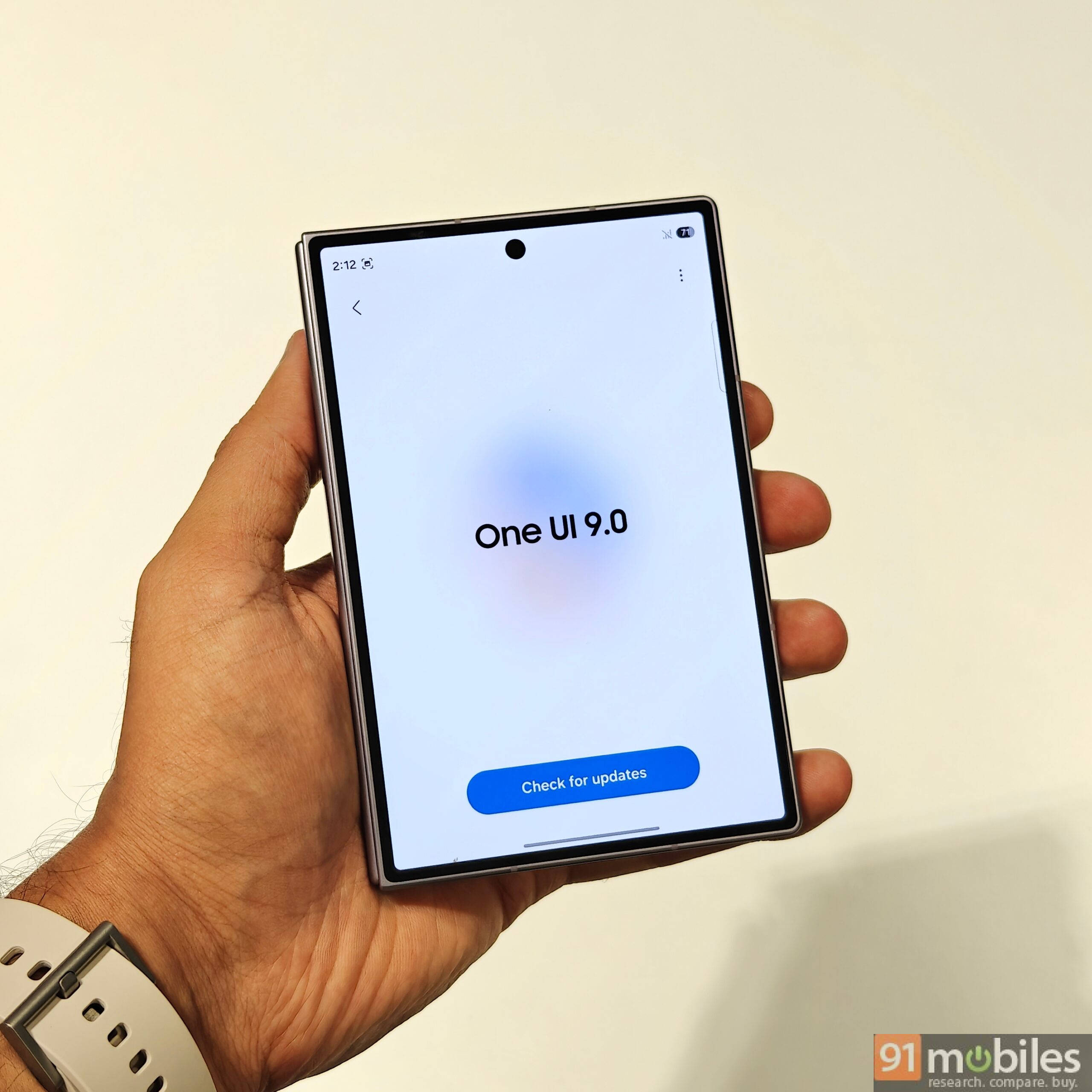
Samsung devices already running stable One UI 9
| Series | Models |
|---|---|
| Z-Series | Galaxy Z Fold 8, Galaxy Z Fold 8 Ultra, Galaxy Z Flip 8 |
How to check your current One UI version
Not sure if your Galaxy phone is already on One UI 9 or still running an older version? Here’s how to check:
Step 1: Go ahead and open the Settings app
Step 2: Scroll down and tap About phone
Step 3: Select Software information
Step 4: Look for the One UI version listed on the screen
If it shows One UI 9, your device has already received the update. If it shows an older version, you can manually check for updates using the steps below.
How to update your Samsung phone to One UI 9
Once the One UI 9 update is pushed out for your Samsung device, you’ll be notified through an OTA alert. However, if the “Auto download” updates setting is disabled, here’s how you can manually check for the update:
Step 1: Firstly, open the Settings app on your Samsung phone or tablet
Step 2: Now scroll down and select Software update
Step 3: On the next screen, tap Download and install
Step 4: The next page will prompt you to download and install the update, if available. Tap Install now. If needed, you can also schedule the auto-installation for a later time by selecting the Schedule install option
Step 5: Once the download begins, the phone will install the update and eventually boot up on One UI 9
New changes and features on One UI 9
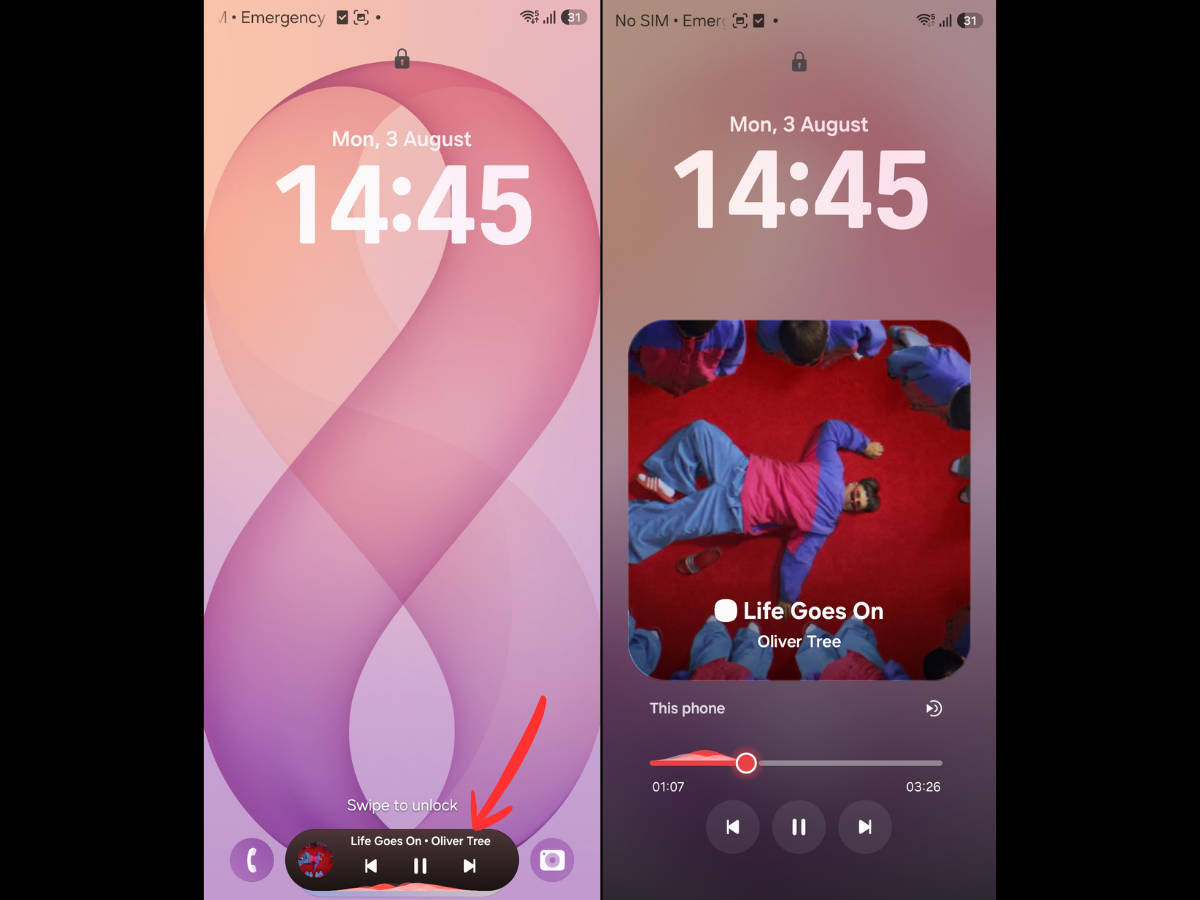
Redesigned Now Bar music player: In the lockscreen, the music Now Bar now displays the music wavelength in the minimised form. When expanded, the play/pause and next/previous buttons are bolder and no longer sit inside a card, changing the overall appearance of the music player.
Animation improvements: Several areas have received animation upgrades. For instance, the transition when tapping the search bar within the app drawer, opening folders, and selecting the widgets picker menu is smoother and more refined.
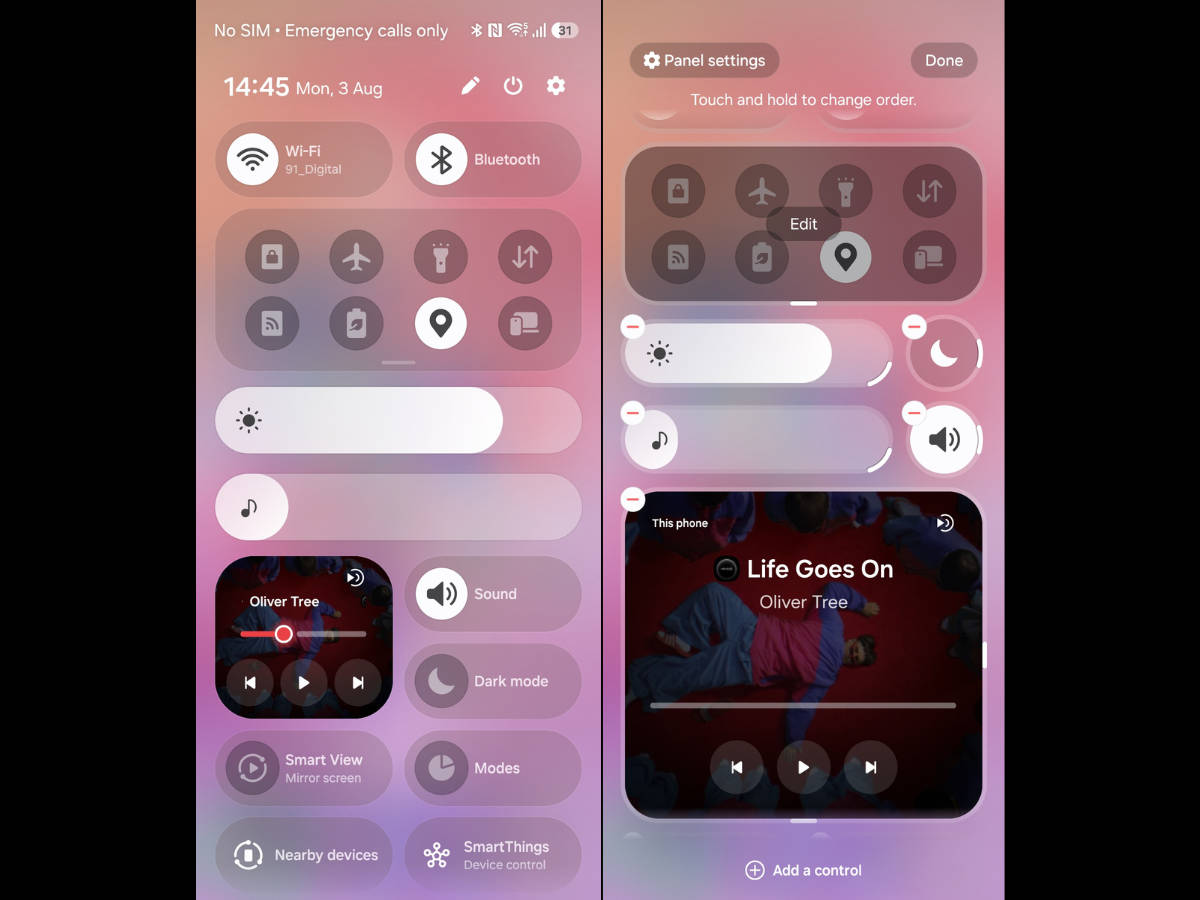
Changes to quick settings panel: The split-style quick settings panel is more versatile by allowing users to resize the toggles, media player, and even the sliders into more forms. For instance, the media player can now be expanded into a small 2×2 layout, while the brightness and volume sliders are now thicker for easier scrolling.
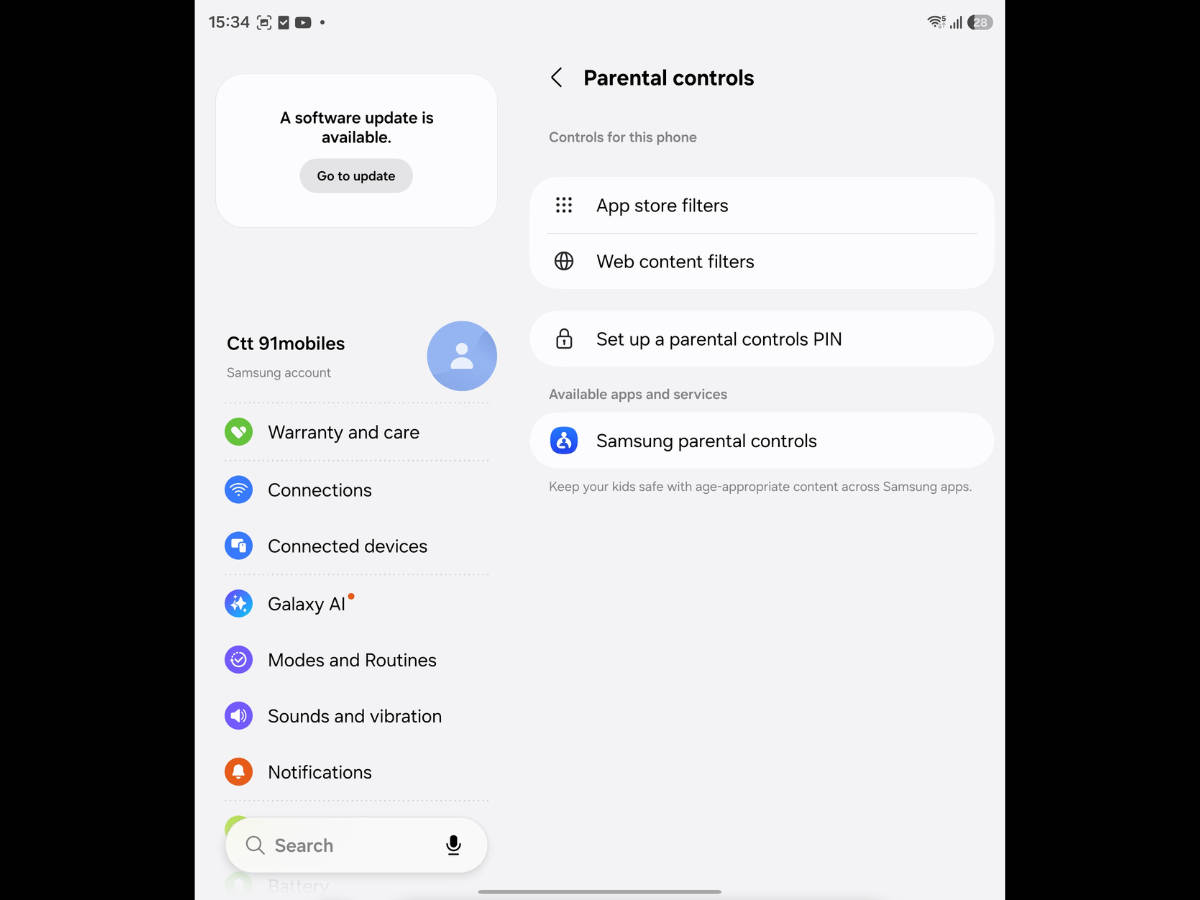
Parental controls: A brand new parental control allows users to set app-specific time limits, and even restrict app installations to just specific categories or age limits.
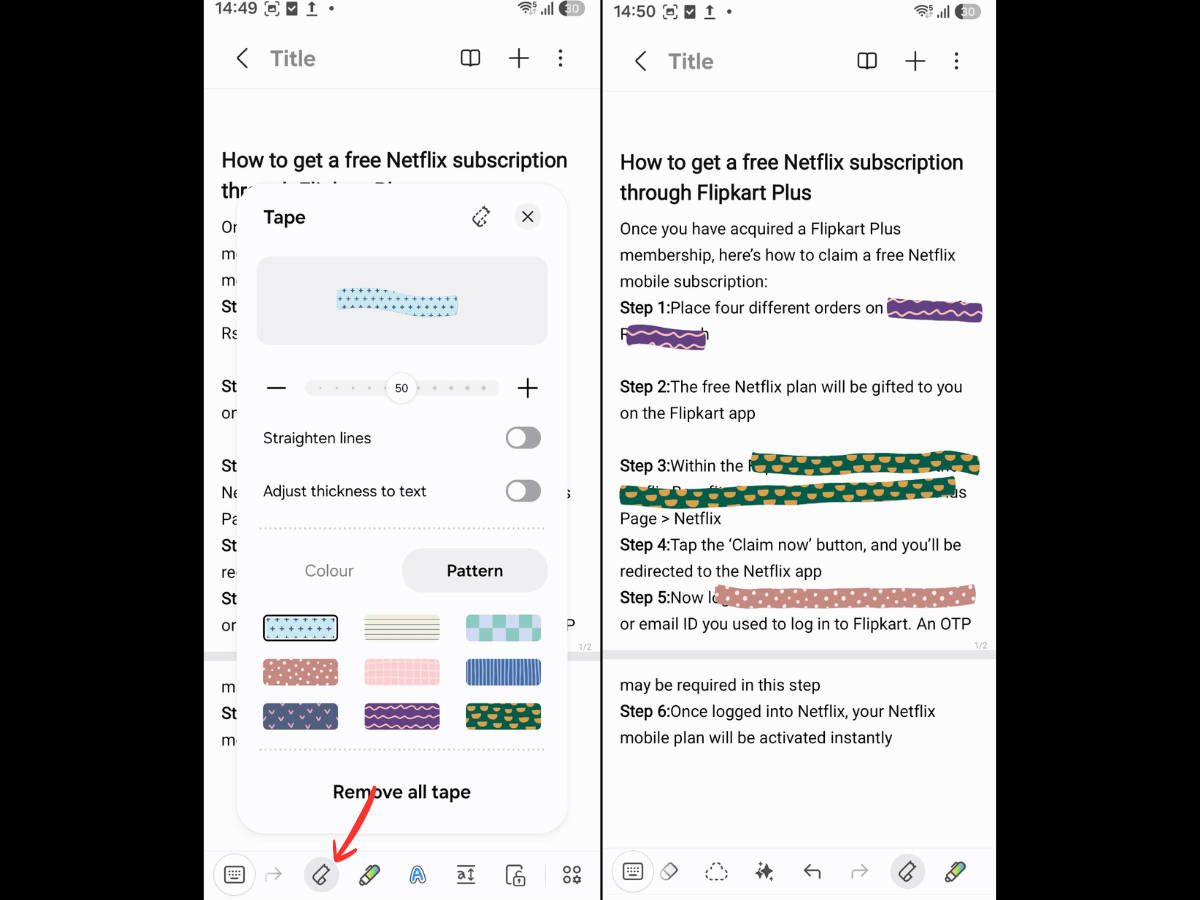
Redact text in Samsung Notes: One UI 9 introduces a new way to redact text in Samsung Notes using tapes. There are tons of different tape patterns and designs to make the notes as personalised as possible.
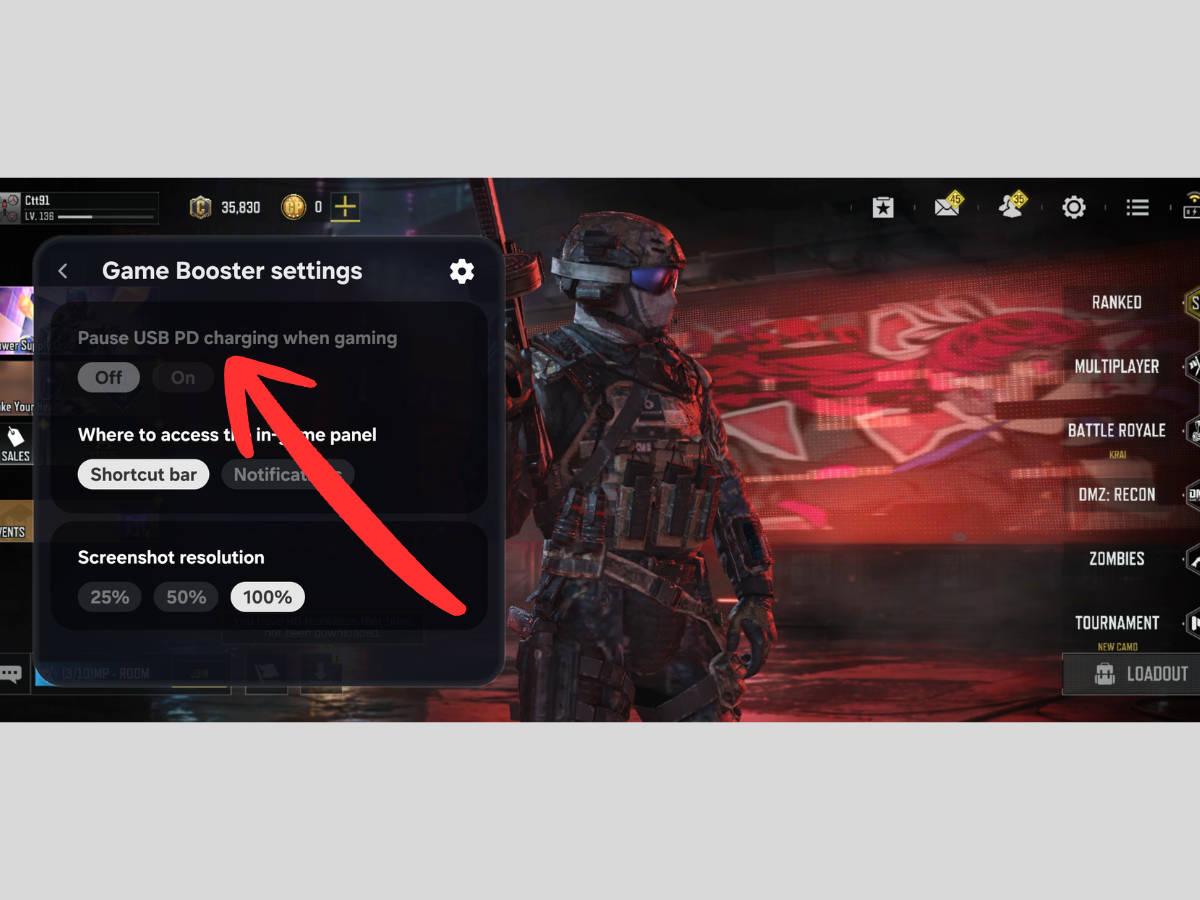
Bypass charging in gaming menu: To preserve battery health, users on One UI 9 can enable bypass charging when the phone is plugged in by just tapping a button within the gaming menu.
Now Nudge: A Galaxy AI-oriented feature, Now Nudge analyses your screen context to provide smart, real-time prompts for your next action. It lets you seamlessly jump between tasks, such as opening your calendar or saving locations, without manual app switching.
My FanCam: Launched exclusively for foldables on One UI 9, My FanCam automatically tracks your chosen subject and reframes the video into your preferred aspect ratio, turning dynamic scenes into perfectly cropped clips ready to be shared on social media.
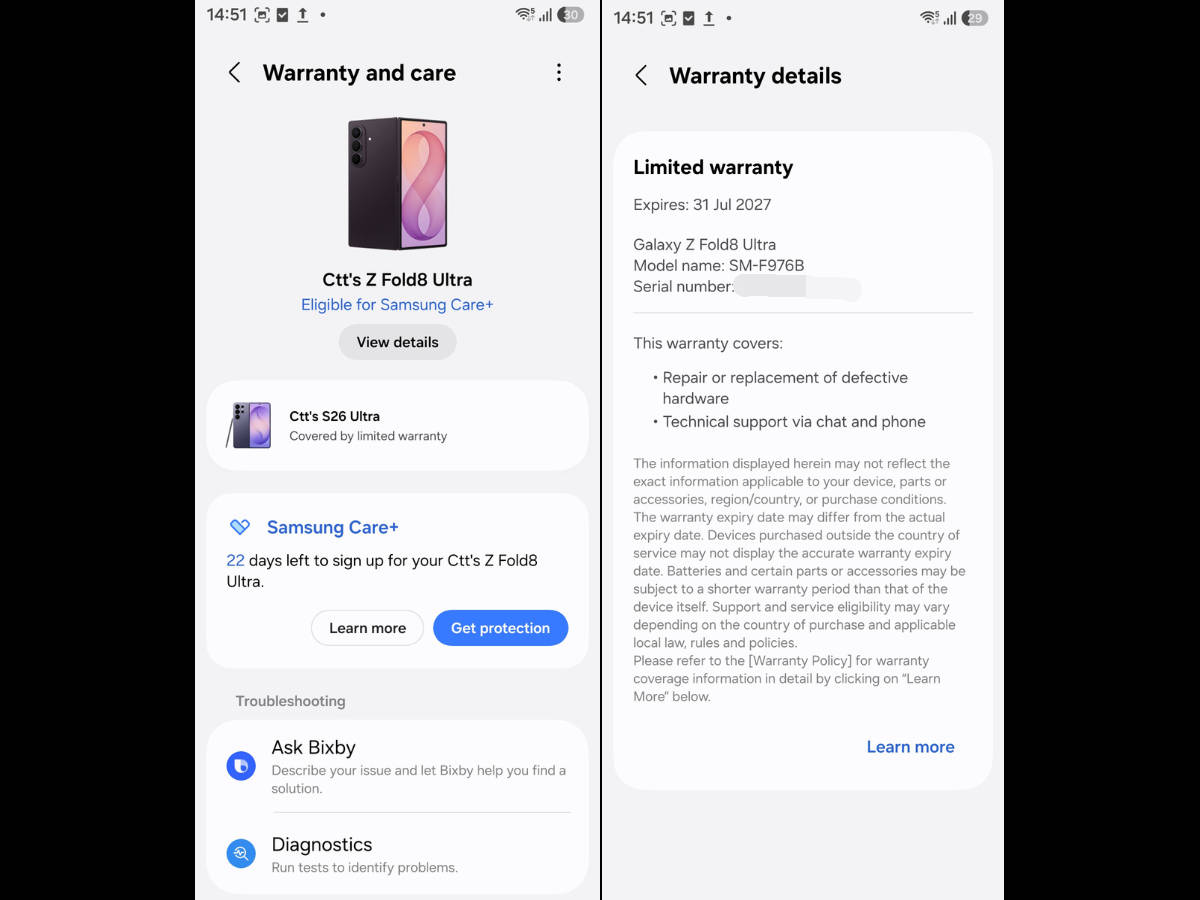
Warranty and care section: A new ‘Warranty and care’ section is being added to One UI 9 that displays the warranty coverage status of your Samsung device along with the option to communicate directly with Samsung Care.
FAQs
When was One UI 9 released?
One UI 8 was first launched as a beta for the Galaxy S26 series (S26, S26+, and S26 Ultra) in May 2026, while the Galaxy Z Fold 8, Z Fold 8 Ultra, and Z Flip 8 became the first phones to launch with One UI 9 pre-installed in July 2026. Since the stable rollout of One UI 8 began in September 2025 for the Galaxy S25 series, one can expect One UI 9 to be released officially during the same timeframe or even earlier this year.
Does One UI 9 improve battery life?
While most major OS upgrades feature efficiency improvements, results vary depending on your device and usage. Meaning, even though Samsung has optimised the update for better battery life, the actual endurance delivered comes down to an individual’s use case, such as whether particular third-party apps are optimised to run more efficiently with the new firmware.
Can I downgrade from One UI 9?
You may be able to downgrade from One UI 9 to One UI 8, but that will most likely require installing software from unofficial sources both on your Samsung device and PC, which can be a risky move. Downgrading the One UI version also erases all your data.