Best AI Laptops and Copilot+ PCs in India (2026): Tested Picks for Every Budget



The AI laptops stopped being a marketing exercise sometime in the last twelve months. Transcription happens on the machine now, not on a server. Background blur runs without a fan spinning up. Image generation that used to mean a cloud subscription runs off the GPU in your bag. The hardware finally caught up with the pitch.
What has not caught up is the buying advice. Every laptop on a shelf in India right now has AI somewhere on the box, and the spec sheets are a mess of TOPS figures, NPU generations, and platform names that change every nine months.
So we tested. Eight machines, same benchmark suite, same battery test, including Geekbench AI in both the ONNX and OpenVINO runtimes, which is the closest thing there is to a portable measure of on-device AI throughput. The numbers below are all ours.
Where they land: the Dell Pro Max 16 Plus is the outright pick, the HP EliteBook X G2q 14 AI leads on Snapdragon, the Dell XPS 14 (2026) on Intel, and the ASUS ROG Flow Z13 on AMD. The Apple MacBook Pro M5 Max is the Mac to buy, the Samsung Galaxy Book6 Ultra is the value play, the Galaxy Book6 Pro runs longest, and the MSI Titan 18 HX AI is the flagship. Updated for July 2026.
A note on pricing: all prices are what each machine cost when we tested it. Memory and storage costs have pushed this category up sharply through 2026, so verify before buying.
How we tested
Every machine here ran the same set. Geekbench AI in ONNX and OpenVINO for on-device inference throughput, Cinebench 2026, R24 and R23 for processor work, Geekbench 6 across platforms, PCMark 10 and PCMark 10 Extended for productivity, CrossMark for responsiveness, the full 3DMark stack, PugetBench for DaVinci Resolve where creative work matters, and CrystalDiskMark for storage. Battery is the PCMark 10 video loop test at 80% brightness.
Benchmarks only take you so far with these machines, though. AI features are the sort of thing you either notice or you do not, so every laptop here spent weeks doing actual work: live transcription in meetings, local image generation, background processing during calls, and the usual grind of tabs, documents and video. Where a machine felt different, we have said so.
Dell Pro Max 16 Plus — Best AI Laptop Overall


Price at time of review: Rs 9,00,000
Why we picked it
The Dell Pro Max 16 Plus MB16250 (review) is the most capable AI machine we have tested, and it is not close.
The specification reads like a desktop that lost an argument with a suitcase. A Core Ultra 9 285HX, an RTX Pro 5000 Blackwell with 24GB of VRAM, and 128GB of upgradeable CAMM2 memory. In our AI runs, it posted 15,678 in the OpenVINO quantized test and 11,368 in ONNX quantized, alongside a Geekbench OpenCL score of 239,234 that only the Titan beats. Running Llama locally, generating in Stable Diffusion, working through PyTorch: this is the machine on this list that finishes the job while the others are still loading.
The rest is workstation-grade. Cinebench R23 multi-core came in at 36,274, PCMark 10 Extended at 11,599, and PugetBench for DaVinci Resolve at 9,179. Storage runs 16,037MB/s sequential reads. The 16-inch 4K Tandem OLED at 120Hz is accurate enough to grade on, the chassis meets MIL-STD-810H, and almost everything inside is serviceable: memory, storage, even the GPU on a modular DGFF board and the USB-C ports individually.
Battery ran 7 hours 7 minutes, which is respectable for the hardware. The price is not: at Rs 9 lakh, this is a studio or lab purchase, and it also runs hot under sustained load. It scored 9.5/10.
| Pros | Cons |
| Exceptional CPU and GPU performance | Runs extremely hot under load |
| Modular RAM, GPU and even ports | Battery life is short for a machine this size |
| Stunning 4K Tandem OLED display | GPU capped at 125W, below its 175W rating |
| Enterprise-grade durability and build |
Key specs:
- Processor: Intel Core Ultra 9 285HX (55W)
- GPU: NVIDIA RTX Pro 5000 Blackwell, 24GB
- Display: 16-inch 4K Tandem OLED, 120Hz
- RAM/Storage: 128GB CAMM2 / 2TB Gen 5 SSD
- Battery: 96Wh, 7 hours 7 minutes (PCMark 10 video loop)
- Rating: 9.5/10
HP EliteBook X G2q 14 AI — Best Snapdragon X Laptop

Price at time of review: Rs 2,88,116
Why we picked it
Qualcomm has spent two years insisting ARM belongs on Windows. The HP EliteBook X G2q 14 AI (review) can arguably be considered one of the few machines that can make the argument without asterisks.
The Snapdragon X2 Elite X2E-90-100 has the biggest NPU in this guide at 85 TOPS, and it backs that up with the best CPU numbers of any thin-and-light here. Geekbench 6 single-core hit 4,042 and multi-core 21,041, both the highest on this page, ahead of every Intel machine we put against it. Cinebench 2026 multi-core reached 3,723. This is the generational leap Qualcomm has been promising since the first Snapdragon X laptops landed, and this time it arrives.
Graphics are where it gives ground. Time Spy came in at 4,284 against the XPS 14’s 5,821, and the ONNX quantized score of 7,690 sits below the Intel and AMD machines. It still runs GTA V at 116fps through Microsoft’s Prism emulator, which nobody expected from an enterprise ultrabook.
For its intended buyer, none of that matters much. Battery ran 11 hours 52 minutes, the 14-inch WUXGA IPS touch panel is easy on the eyes over a long day, MIL-STD 810H handles travel, and 32GB with a 1TB drive is a sensible enterprise configuration. Our reviewer noted that the only hiccups encountered traced to ARM-on-Windows translation rather than anything HP built. It scored 8.3/10.
| Pros | Cons |
| Stellar Battery Life | Steep Price Tag |
| Premium, Lightweight Build | ARM/Windows Quirks |
| Great keyboard and trackpad experience | |
| Quiet & Cool |
Key specs:
- Processor: Qualcomm Snapdragon X2 Elite X2E-90-100 (18 cores, 85 TOPS Hexagon NPU)
- GPU: Qualcomm Adreno X2-90
- Display: 14-inch WUXGA IPS touch, 60Hz
- RAM/Storage: 32GB LPDDR5x / 1TB Gen 4 SSD
- Battery: 56Wh, 11 hours 52 minutes (PCMark 10 video loop)
- Build: MIL-STD 810H certified
- Rating: 8.3/10
Dell XPS 14 (2026) — Best Intel Laptop

Price at time of review: Rs 2,57,890
Why we picked it
Dell killed the XPS line in 2025 and revived it back a year later on Panther Lake. The Dell XPS 14 (2026) (review) is the best version of Intel’s new silicon you can buy in India, and it seems the year off did it good.
The Core Ultra X7 358H brings a 50 TOPS NPU, with Intel quoting 180 TOPS across the whole platform once the Arc B390 graphics are counted. In our AI runs, it scored 8,330 in OpenVINO-quantized and 8,303 in ONNX-quantized, near-identical across both runtimes, which is exactly what you want: AI tools behave the same regardless of which backend they were built against.
Elsewhere, it is the most balanced machine in this guide. PCMark 10 came in at 10,365 with 10,487 in Extended, both the highest of any non-gaming laptop here, and CrossMark hit 2,204. The Arc B390 posted 5,821 in Time Spy and 11,081 in Fire Strike, well ahead of every other integrated-graphics machine on this page, so external monitors and GPU-accelerated effects are handled without complaint. Cinebench R23 multi-core reached 12,500 and Geekbench 6 multi-core 16,438.
The 14-inch OLED touchscreen at 120Hz remains the reason people buy an XPS, battery ran 11 hours 8 minutes, and at 1.36kg it travels well. The glossy panel gets reflective with a light source behind you, and there is no physical webcam shutter. It scored 9.2/10.
| Pros | Cons |
| Brilliant 120Hz OLED touchscreen display | Glossy display can get quite reflective in bright environments |
| Outstanding battery life | No physical privacy shutter for the webcam |
| Premium, robust build quality with a highly comfortable keyboard | |
| Great overall CPU and iGPU performance |
Key specs:
- Processor: Intel Core Ultra X7 358H (25W, Panther Lake, 50 TOPS NPU)
- GPU: Intel Arc B390
- Display: 14-inch OLED touchscreen, 120Hz
- RAM/Storage: 32GB LPDDR5x / 1TB Gen 4 SSD
- Battery: 70Wh, 11 hours 8 minutes (PCMark 10 video loop)
- Rating: 9.2/10
ASUS ROG Flow Z13 Kojima Edition — Best AMD Ryzen AI Laptop

Price at time of review: Rs 3,79,990
Why we picked it
AMD’s answer to the AI laptop is unified memory, and the ASUS ROG Flow Z13 Kojima Edition (review) pushes the idea further than anything else running Windows.
The Ryzen AI Max+ 395 pairs a 50 TOPS XDNA 2 NPU with 128GB of LPDDR5x, and up to 96GB of that pool can be handed straight to the Radeon 8060S graphics. It returned 18,179 in the OpenVINO quantized run, the highest number on this page including the two workstations, alongside 10,032 in ONNX quantized.
The conventional numbers are absurd for a 13-inch detachable tablet. Cinebench R23 multi-core hit 30,344, Cinebench 2026 multi-core 6,643, PCMark 10 10,992 with 13,458 in Extended, and CrossMark 2,307, the highest here. Graphics land at 10,346 in Time Spy and 23,943 in Fire Strike, so Cyberpunk 2077 runs at 76fps at FHD native, and a PugetBench DaVinci Resolve score of 6,422 makes it a real creative tool.
Then you pull the keyboard off, and it becomes a Windows tablet, or plug it into a TV with a controller, and it becomes a console. The Kojima Productions finish makes it a collector’s item that benchmarks like a workstation. Battery ran 8 hours 1 minute and drops sharply under load, the speakers are ordinary, and the Rs 3,79,990 price is a lot. It scored 8.3/10.
| Pros | Cons |
| Incredible performance-to-size ratio | Eye-watering price tag |
| True tablet, laptop and console versatility | Average built-in speakers |
| 128GB unified RAM with up to 96GB for the GPU | Battery drains quickly under gaming loads |
| Stunning collector-grade Kojima design |
Key specs:
- Processor: AMD Ryzen AI Max+ 395 (55W, 50 TOPS XDNA 2 NPU)
- GPU: AMD Radeon 8060S, up to 96GB assignable memory
- Display: 13.4-inch IPS touchscreen, 180Hz, detachable keyboard
- RAM/Storage: 128GB LPDDR5x unified / 1TB Gen 4 SSD
- Battery: 70Wh, 8 hours 1 minute (PCMark 10 video loop)
- Rating: 8.3/10
Apple MacBook Pro M5 Max — Best Apple Laptop for AI


Price at time of review: From Rs 3,66,900
Why we picked it
Apple took a different route to on-device AI, and the M5 Max is the most complete expression of it.
Rather than bolting a separate NPU onto the die, Apple puts a Neural Accelerator inside every GPU core, so AI work scales with graphics horsepower instead of competing with it. The standard M5 Max pairs an 18-core CPU with a 32-core GPU, and a 40-core GPU version sits above it. The consensus among developers running local models on this generation is consistent on one point: unified memory is the deciding factor. Configure it to 64GB, and the machine holds models in memory that a 24GB discrete GPU cannot, with no transfer penalty between CPU and GPU because there is nothing to transfer.
The supporting hardware is the best in Apple’s range. Liquid Retina XDR with 120Hz ProMotion, Thunderbolt 5, Wi-Fi 7, up to a 100Wh battery with 96W charging, and up to 4TB of storage. The 16-inch chassis has the most thermal headroom Apple offers, which is why sustained multi-hour inference and render workloads hold their clocks rather than tapering.
The catch is the ecosystem. A great deal of AI tooling still assumes CUDA, and while MLX and Metal support have improved rapidly, anyone whose workflow depends on NVIDIA-specific libraries will hit friction that no amount of unified memory solves. It is also very expensive, and the M5 Pro below it will finish most jobs for considerably less.
| Pros | Cons |
| Neural Accelerators in every GPU core | Expensive, and upgrades add up fast |
| Unified memory up to 64GB suits large local models | Much AI tooling still assumes CUDA |
| Best sustained performance under long workloads | The 16-inch model is heavy at 2.15kg |
| Thunderbolt 5, Wi-Fi 7 and up to 100Wh battery | Overkill for most professional workflows |
Key specs:
- Chip: Apple M5 Max (18-core CPU, 32-core or 40-core GPU with per-core Neural Accelerators)
- Display: 14.2-inch or 16.2-inch Liquid Retina XDR, up to 120Hz ProMotion
- Memory/Storage: 36GB unified (up to 64GB) / 2TB SSD (up to 4TB)
- Battery: Up to 100Wh, up to 96W charging
- Connectivity: Thunderbolt 5, Wi-Fi 7
Samsung Galaxy Book6 Ultra — Best Value AI PC

Price at time of review: Rs 3,10,990
Why we picked it
Value at Rs 3.1 lakh sounds like a stretch until you count what it replaces. The Samsung Galaxy Book6 Ultra (review) is the only laptop here that pairs a Panther Lake NPU with a discrete RTX GPU and still runs for almost 13 hours.
The Core Ultra 7 356H brings a 50 TOPS NPU, and behind it sits an RTX 5070 with 8GB of VRAM, enough to run mid-sized quantised models and accelerate Stable Diffusion properly rather than nominally. Nothing else under Rs 6 lakh on this page offers both. It scored 8,798 in OpenVINO quantized, and 8,263 in ONNX quantized, with a Geekbench OpenCL result of 133,134.
The conventional performance is strong too. Cinebench R23 multi-core hit 19,170, PCMark 10 9,579 with 11,691 in Extended, and PugetBench for DaVinci Resolve 7,130, second only to the Pro Max among non-gaming machines. Time Spy came in at 11,194, and Cyberpunk 2077 ran at 79fps at FHD native.
What seals it is restraint. The vapour chamber keeps throttling out of the picture, and the fans stay quiet even in Turbo, which matters if you record audio near the machine. The 16-inch AMOLED at 120Hz is excellent, the six-speaker array is genuinely good, and the 80.2Whr battery ran 12 hours 57 minutes. The keyboard’s shallow travel divides opinion, and the GPU is deliberately held at 90W. It scored 9/10.
| Pros | Cons |
| Stunning AMOLED touchscreen | Shallow keyboard feel |
| Powerful yet slim design | GPU not fully unleashed |
| Excellent thermal management | |
| Top-tier speaker system |
Key specs:
- Processor: Intel Core Ultra 7 356H (25W, Panther Lake, 50 TOPS NPU)
- GPU: NVIDIA GeForce RTX 5070, 8GB, 90W TGP
- Display: 16-inch AMOLED, 120Hz
- RAM/Storage: 32GB LPDDR5x / 2TB Gen 4 SSD
- Battery: 80.2Whr, 12 hours 57 minutes (PCMark 10 video loop)
- Rating: 9/10
Samsung Galaxy Book6 Pro — Best Battery Life

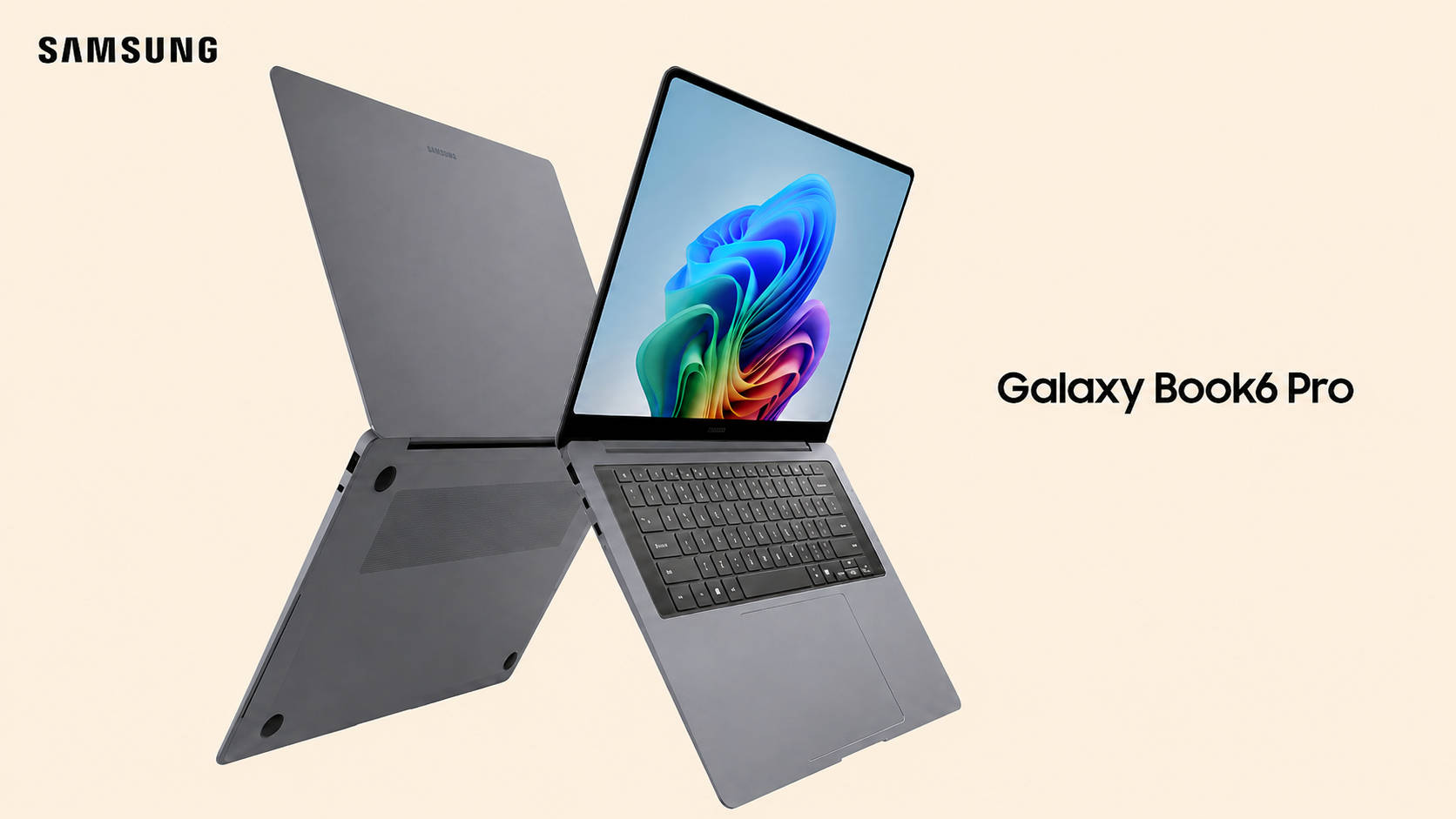
Price at time of review: Rs 1,78,990
Why we picked it
The Galaxy Book6 Pro runs for close to a day and a half unplugged, the longest of any x86 machine we have tested, and it does that without giving anything up in return.
Endurance at this level normally means an ARM chip and the software questions that follow. Here it comes from a Core Ultra X7 358H, the same Panther Lake silicon in the XPS 14, with a 50 TOPS NPU and Intel Arc B390 graphics. Every application, driver and management tool behaves exactly as expected, and transcription and background processing stay on the machine, which matters when you are handling material that cannot go to a cloud service.
In our testing, it sat comfortably alongside the XPS 14 across productivity and AI workloads, and its graphics performance is stronger still. The Panther Lake efficiency gains are the real story of this generation, and the consensus among reviewers who have spent months with these chips lands in the same place: the peak numbers are respectable, but the performance-per-watt is what changes how you use the machine.
The 14-inch AMOLED panel is bright and saturated with the contrast that makes long document sessions easier, and 32GB of memory with a 1TB drive is a generous standard configuration. Consensus is equally consistent on the drawbacks: the volume of pre-installed Samsung software is an irritation on a machine positioned for professionals, the port selection is thinner than rivals offer, and the price has climbed noticeably over the previous generation.
| Pros | Cons |
| Powerful Panther Lake performance | Samsung bloatware |
| Gorgeous Dynamic AMOLED 2X display | Steep price increase over the previous generation |
| Slim, premium design | Limited port selection |
| Excellent battery life |
Key specs:
- Processor: Intel Core Ultra X7 358H (25W, Panther Lake, 50 TOPS NPU)
- GPU: Intel Arc B390
- Display: 14-inch AMOLED
- RAM/Storage: 32GB LPDDR5x / 1TB Gen 4 SSD
- Battery: 67Wh, longest-running x86 laptop we have tested
MSI Titan 18 HX AI — Best for Gaming

Price at time of review: Rs 6,20,990
Why we picked it
Calling the MSI Titan 18 HX AI (review) a laptop feels like an understatement. It is a desktop that agreed to fold in half.
A Core Ultra 9 285HX sits alongside an RTX 5090 with 24GB of GDDR7, and for AI work that means image generation, video upscaling and model inference running alongside whatever else you have open. It scored 16,151 in OpenVINO quantized and 10,598 in ONNX quantized, with a Geekbench OpenCL result of 241,274, the highest number on this page.
As a gaming machine, it is simply the fastest thing here. Cyberpunk 2077 ran at 162fps at FHD native and 354fps with DLSS, ray tracing and frame generation, Valorant hit 506fps, and Black Myth Wukong held 83fps at native settings. Time Spy came in at 22,823 and Cinebench R23 multi-core at 35,617. Storage is a trio of 2TB Gen 5 drives in RAID 0 averaging 16,475MB/s reads, the fastest we have tested.
The 18-inch 4K Mini-LED at 120Hz clears 1,000 nits in HDR with full DCI-P3 coverage, close enough to reference that HDR grading on it is legitimate. Cooler Boost Titan keeps throttling out of the equation. At 3.7kg with 3 hours 39 minutes of battery, this moves between rooms rather than cities. It scored 9.5/10.
| Pros | Cons |
| Extreme performance with Intel Core Ultra 9 285HX & RTX 5090 | Big and heavy |
| Stunning 18-inch 4K Mini-LED HDR1000 display | Fans get loud under load |
| Blazing-fast 6TB PCIe Gen 5 RAID 0 storage | Very expensive |
| Thunderbolt 5 for high-speed accessories |
Key specs:
- Processor: Intel Core Ultra 9 285HX (55W)
- GPU: NVIDIA GeForce RTX 5090, 24GB GDDR7, 175W TGP
- Display: 18-inch 4K Mini-LED, 120Hz, DisplayHDR 1000
- RAM/Storage: 64GB DDR5-6400 / 6TB Gen 5 RAID 0
- Battery: 99Wh, 3 hours 39 minutes (PCMark 10 video loop)
- Rating: 9.5/10
Winners at a glance
Prices are as of the time each machine was tested and are subject to change.
| Laptop | Category win | Processor | Graphics | Memory/Storage | Battery | Rating | Price |
| Dell Pro Max 16 Plus | Best overall | Core Ultra 9 285HX | RTX Pro 5000, 24GB | 128GB / 2TB | 7:07 | 9.5/10 | Rs 9,00,000 |
| HP EliteBook X G2q 14 AI | Best Snapdragon X | Snapdragon X2 Elite X2E-90-100 | Adreno X2-90 | 32GB / 1TB | 11:52 | 8.3/10 | Rs 2,88,116 |
| Dell XPS 14 (2026) | Best Intel | Core Ultra X7 358H | Intel Arc B390 | 32GB / 1TB | 11:08 | 9.2/10 | Rs 2,57,890 |
| ASUS ROG Flow Z13 | Best AMD Ryzen AI | Ryzen AI Max+ 395 | Radeon 8060S | 128GB / 1TB | 8:01 | 8.3/10 | Rs 3,79,990 |
| Apple MacBook Pro M5 Max | Best Apple | Apple M5 Max | Up to 40-core GPU | 36GB / 2TB | Up to 100Wh | — | From Rs 3,66,900 |
| Samsung Galaxy Book6 Ultra | Best value AI PC | Core Ultra 7 356H | RTX 5070, 8GB | 32GB / 2TB | 12:57 | 9/10 | Rs 3,10,990 |
| Samsung Galaxy Book6 Pro | Best battery | Core Ultra X7 358H | Intel Arc B390 | 32GB / 1TB | Longest x86 result on test | — | Rs 1,78,990 |
| MSI Titan 18 HX AI | Best gaming | Core Ultra 9 285HX | RTX 5090, 24GB | 64GB / 6TB | 3:39 | 9.5/10 | Rs 6,20,990 |
FAQs
Which is the best AI laptop in India?
The Dell Pro Max 16 Plus. Its RTX Pro 5000 with 24GB of VRAM and 128GB of CAMM2 memory took the top OpenVINO quantized score on test at 15,678, and it runs large local models the thin-and-lights on this list cannot load. For something more portable, the Dell XPS 14 (2026) is the pick.
What is a Copilot+ PC?
A Copilot+ PC is a Windows laptop built to run AI features like Recall, Live Captions and Cocreator on the device itself rather than in the cloud, using a dedicated neural processing unit. Qualcomm’s Snapdragon X2 Elite, Intel’s Panther Lake and AMD’s Ryzen AI Max chips all power Copilot+ machines.
Which laptop has the most powerful NPU?
The HP EliteBook X G2q 14 AI, whose Snapdragon X2 Elite carries an 85 TOPS Hexagon NPU, comfortably the largest here. Intel’s Panther Lake and AMD’s Ryzen AI Max both sit at 50 TOPS.
Which AI laptop is best for running local language models?
The ASUS ROG Flow Z13, with 128GB of unified memory and up to 96GB assignable to graphics, or the Dell Pro Max 16 Plus with 24GB of dedicated VRAM and CUDA support. Model size is limited by available memory long before it is limited by raw compute, so memory capacity is the specification to prioritise.
Which AI laptop has the best battery life?
The Samsung Galaxy Book6 Pro is the longest-running x86 machine we have tested. Behind it, the Galaxy Book6 Ultra managed 12 hours 57 minutes and the HP EliteBook X G2q 11 hours 52 minutes, both strong figures for machines with this much silicon inside.
Is ARM or Intel better for an AI laptop?
ARM chips like the Snapdragon X2 Elite offer the largest NPUs and the best efficiency, which suits Windows AI features and long unplugged sessions. Intel and AMD machines pair smaller NPUs with stronger graphics and broader software support, which suits creative work and anything that leans on the GPU.
Do AI laptops need an internet connection?
Not for on-device features. Transcription, live captions, background blur and image generation all run locally on these machines, which is the point of the hardware. Cloud services still need a connection, but the AI features built into Windows do not.
Which AI laptop is best value for money?
The Samsung Galaxy Book6 Ultra at Rs 3,10,990. It is the only laptop here combining a Panther Lake NPU with a discrete RTX 5070, a 16-inch AMOLED panel and nearly 13 hours of battery, and it scored 9/10 in our review.

